cabinsleeper
Members
-
Joined
-
Last visited
Everything posted by cabinsleeper
-
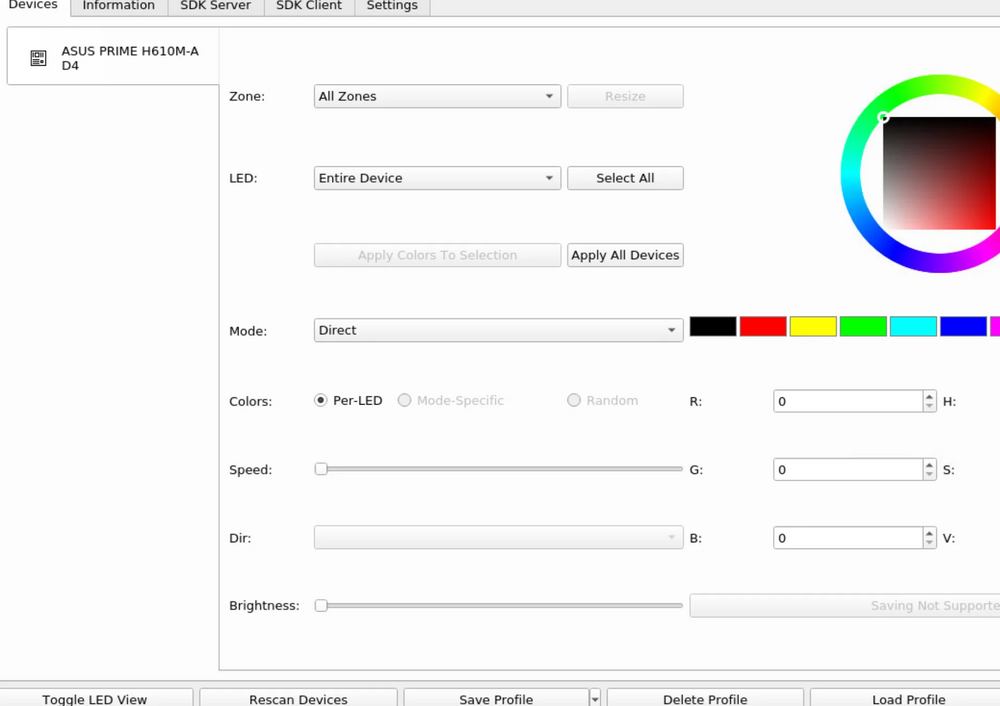
Hey everyone, I’m having trouble getting my RGB Fans setup to work using OpenRGB and could use some help. Here’s my setup and it's a completely new build: System Motherboard: ASUS Prime H610M-A D4-CSM (shows up in OpenRGB). Fans: Cooler Master MF120 Halo (connected to USB controller and Addressable Gen 2 header on the motherboard). Software: OpenRGB running (via Docker); I've also added the patch. What’s Happening The motherboard shows up as a device in OpenRGB. The fans are stuck on the default rainbow effect and don’t respond to any changes. I’m not sure if it’s a hardware issue, a connection problem, or if OpenRGB doesn’t support my setup. Image attached. Any Ideas? Has anyone set up something similar with OpenRGB or this hardware? Or is there another tool I should try? I feel like I’ve hit a wall here. Thanks!