cjyoda78
Members
-
Joined
-
Last visited
-
It's certainly possible. My installs are windows pro and the affected PC's were previously managed via group policy from a windows server, but after hours of trying everything in the linked steps, googling multiple solutions i chose the fresh install route. Perhaps when I have another weekend to burn I'll re-install 24H2 and see if it's totally gone
-
I gave up and reverted back to 23H2. Blocked the update in group policy. Hope this gets fixed soon. The whole reason i got unraid was for a NAS for my windows PC's.
-
Sadly, These steps did not help I get the same error After disabling the SMB client signing requirement and verifying insecure guest logins are enabled
-
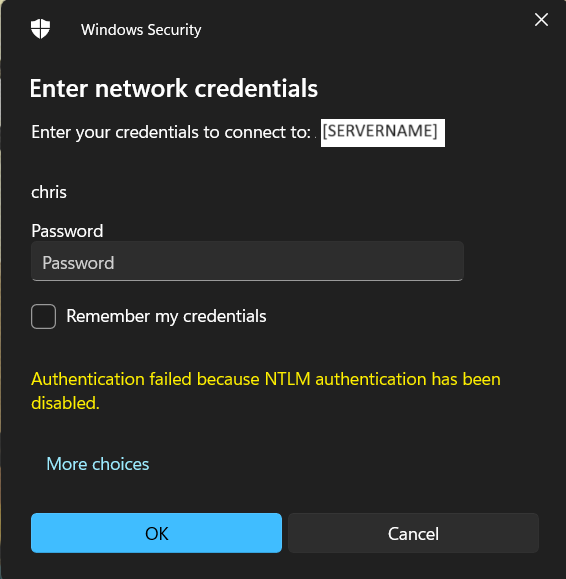
Hi, ever since upgrading to Windows 11 Pro 24H2 I get error code 0x80070035 when i navigate to //[SERVERNAME] via shortcut or through windows explorer. If i attempt to go directly into one of the shares I get the attached login rejection stating "Authentication Failed Because NTLM authentication has been disabled" I've worked through the "Security Is Not a Dirty Word" document applying all suggestions. does anyone know how to get around this issue?