jserrano336
Members
-
Joined
-
Last visited
-
Perfect! Converted to zfs/raidz1 and all looks as it should. Thanks for the heads-up on this. ZFS will be much better!
-
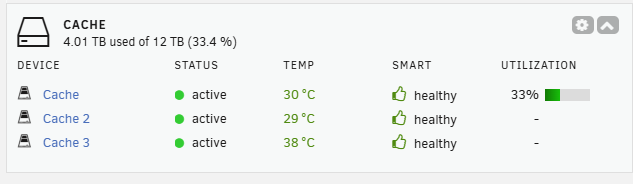
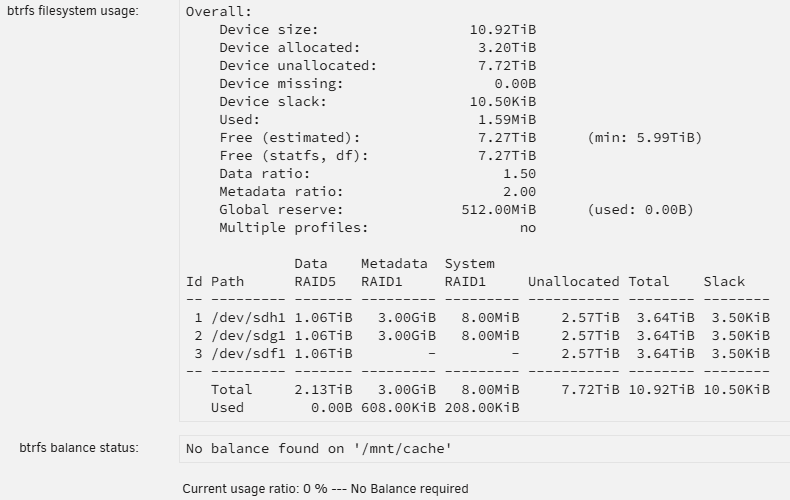
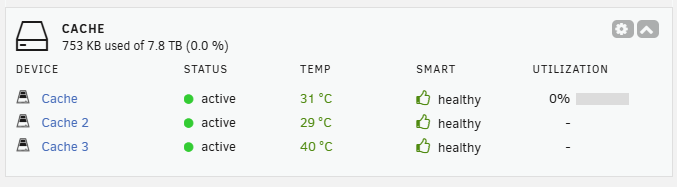
Attacking diagnostics as requested. After looking at this again, I think what I am seeing is a non-traditional way of displaying the information of a RAID's statistics. Could it be that UNRAID is showing the use of the parity (that's the 33%) and the entirety of the SSD storage capacity? If this is UNRAID's way of doing it, all good - I just have to get used to how it is displayed. What I would have expected, under RAID 5, was a total capacity of 8 TB with 0% used. In this case it is displaying 100% of the raw disk capacity, 12 TB and the used part is 33% (the parity). It's a different way of looking at it for me but, I can live with that. I'd just like to get a confirmation that this is what I am seeing. Does anyone else using RAID 5 on cache pool (UNRAID version 7), see the same thing? plexey-diagnostics-20250127-0809.zip Thanks.
-
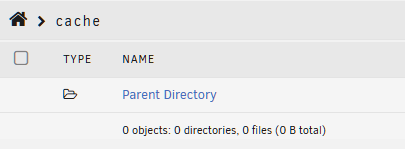
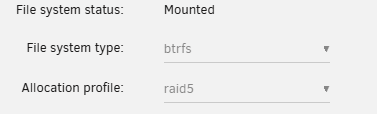
Perhaps it's a bug or a known issue but a search on the forums did not produce results for the issue I am seeing. I added a 3rd SSD to the cache pool and converted to RAID 5. After adding the 3rd SSD I expected to see UNRAID treat it as a RAID 5 but it did not. My 3 x 4TB drives were showing 6 TB of storage (RAID 1). I did a balance and conversion to RAID 5 which then showed the pool size as being 12 TB under RAID 5. Well, that isn't right either. Next, all files were moved off of the cache pool using mover and today the utilization is showing 33%. File Manager shows 0 objects: 0 directories, 0 files (0 B total). My intent was to drop the cache pool (now that it is supposedly empty) and rebuild the cache pool from scratch selecting RAID 5 as the RAID level. However, before doing that I wanted to know if this is a bug of some sort that will not be rectified after a rebuild of the cache pool. Any thoughts, support or ideas are appreciated.