blackcuda
Members
-
Joined
-
Last visited
-
Thanks for the quick response! Enabling SSL/TLS solves the problem! I am able to login to Tailscale now.
-
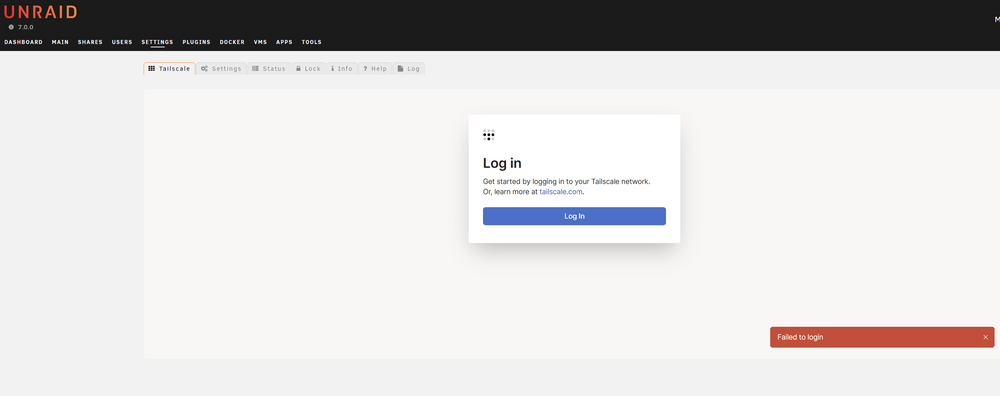
Hello All, I try to setup Tailscale on my Unraid nas, but I encounter some problems unfortunately. I'm on Unraid 7.0.0 and use the Tailscale plugin. I follow the steps from the Spaceinvader One video on Youtube, but already I'm blocked at the start. I installed the Tailscale plugin. After it was installed I went to Settings -> Tailscale. According to the Spaceinvader One tutorial I should see a button to reauthenticate. I don't see that. I see a button to login. When I click the login button, I directly get a notification that login fails. I already tried to: * Refresh the browser. * Shutdown and start the nas. * Uninstall the plugin and reinstall it. * Check the log. * Find people online with the same issue. Can't find anything.. What am I doing wrong? I hope somebody can help me. Thank you very much! tailscale-utils.log tailscale.log