Seagod
Members
-
Joined
-
Last visited
-
omg you are right, thank you so much it's been driving me insane. I work IT Infrastructure and but very little container knowledge and at points i was reconsidering my whole career...
-
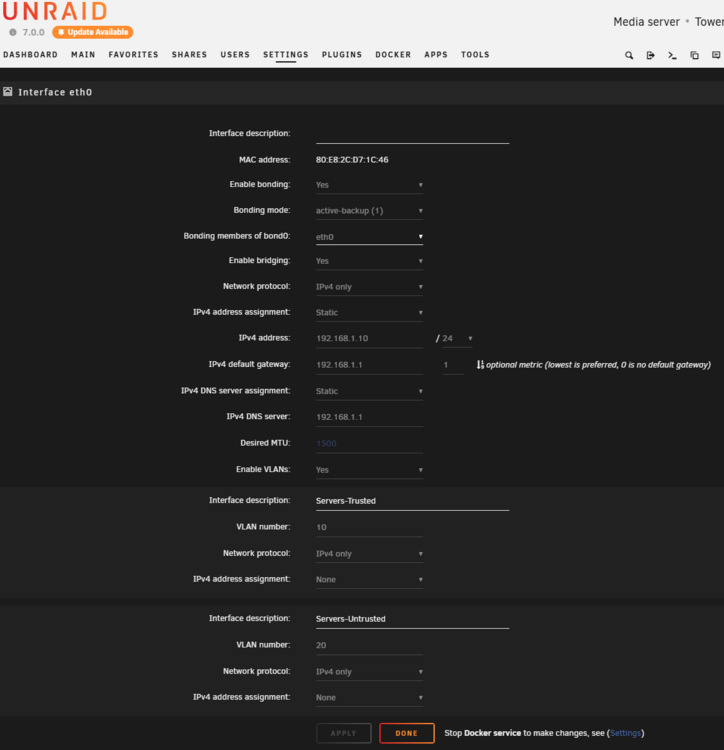
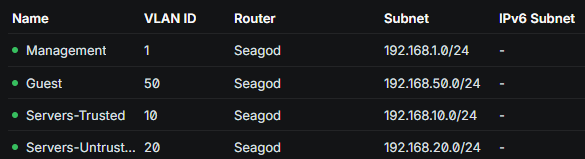
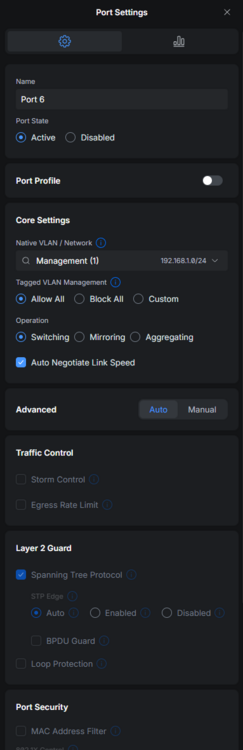
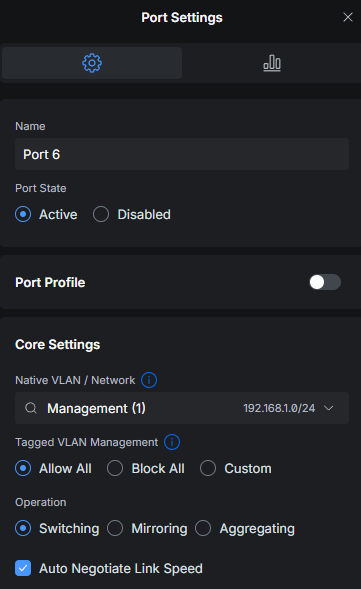
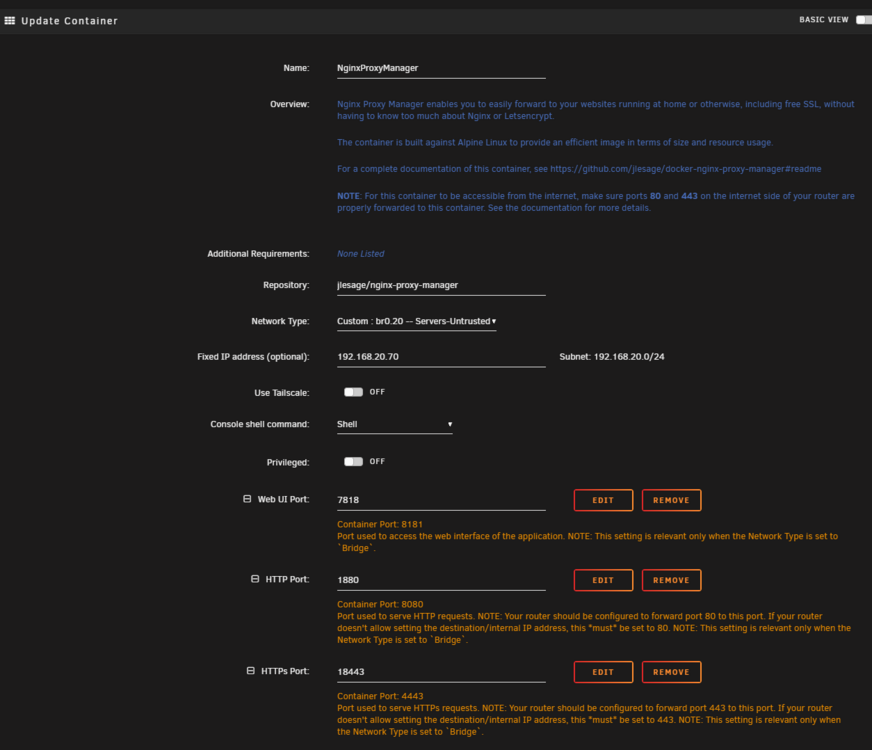
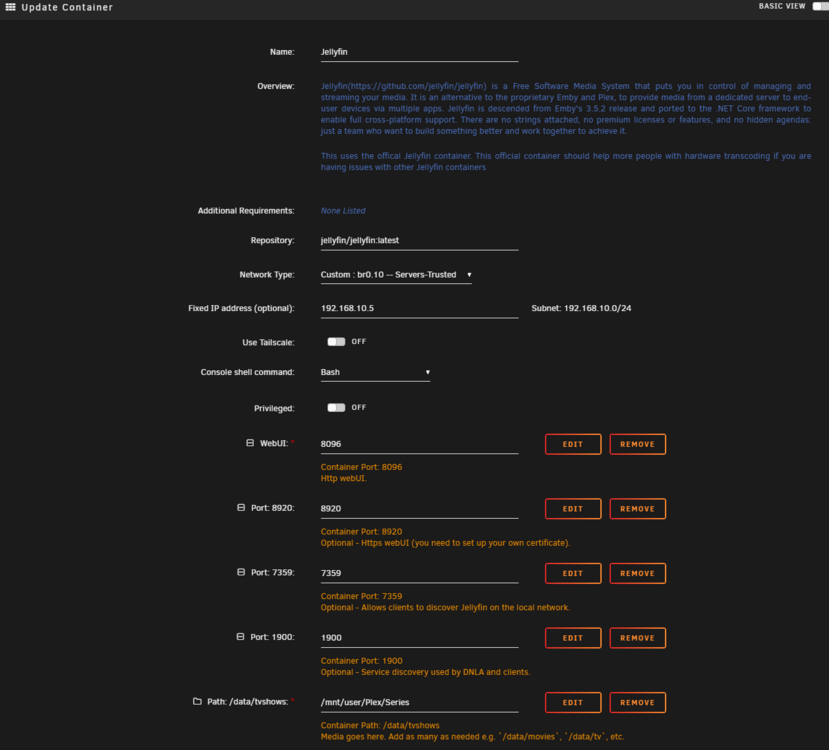
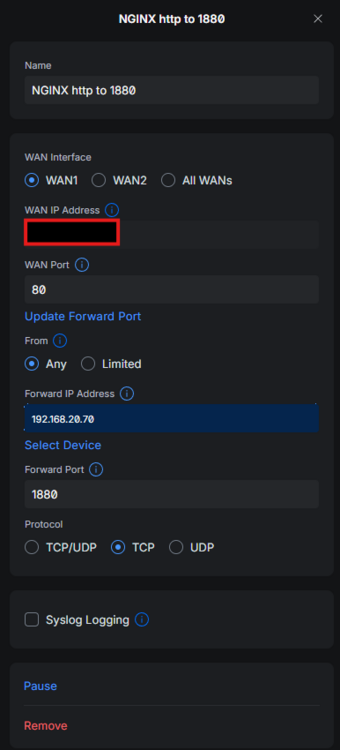
Hello i will try to keep it short, but i have tried for months to get a reverse proxy to play nice with my vlan segmented network and i am just not getting anywhere. Maybe someone can read below and give me some suggestions: Just one note i have a cloudflare tunnel placed on vlan 20 that can communicate with vlan 10 so it is only the nginx having this kind of issue. Network Topology & EnvironmentOS / Hypervisor: Unraid version 7.0.0. Gateway: UniFi Gateway. Switch Link: Port 6 on the UniFi switch connects directly to the Unraid host. It is configured as a full Trunk Port. VLAN Trunk Profile: Native VLAN is set to Management (VLAN 1). Tagged VLAN Management is set to "Allow All" to pass 802.1Q frames for VLANs 10 and 20 down the wire VLAN ID Name Subnet Key IPs & Notes 1 Management 192.168.1.0/24 Unraid Host Management IP: 192.168.1.10 10 Servers-Trusted 192.168.10.0/24 Hosts internal target VMs/containers (e.g., Jellyfin: 192.168.10.5) 20 Servers-Untrusted (DMZ) 192.168.20.0/24 Target location for Nginx Proxy Manager (NPM: 192.168.20.70) 50 Guest 192.168.50.0/24 — 2. Hypervisor & Docker ConfigurationPhysical Interface: Bonded link (bond0) combining physical interfaces. It is running in active-backup mode. Bridging Infrastructure: Enabled (br0), creating a standard Linux virtual bridge. VLAN Tagging: Handled cleanly at the OS level, splitting out sub-interfaces br0.10 and br0.20. Host Isolation: VLAN 10 (br0.10) and VLAN 20 (br0.20) have IP Assignment set to "None". The Unraid host has no IP footprint on these networks and acts purely as a Layer 2 virtual switch. Docker Subsystem: Custom networks for br0.10 and br0.20 explicitly defined with correct subnets and gateways (e.g., 192.168.20.1 pointing to the UniFi Gateway). Drivers Tested: Both macvlan and ipvlan (L2) have been tested. Host access to custom networks is currently Disabled. 3. Container Configurations & Port ForwardsNginx Proxy Manager (NPM) Container SettingsNetwork Type: Custom br0.20-Servers-Untrusted. Fixed IP: 192.168.20.70. Web UI Port: 7818. Template Port Configurations: HTTP mapped to 1880 (Container Port 1080); HTTPS mapped to 18443 (Container Port 4443). Jellyfin Container SettingsNetwork Type: Custom br0.10-Servers-Trusted. Fixed IP: 192.168.10.5. Router Port Forwarding Rules (UniFi)HTTP: WAN Port 80 -> Forwarded to 192.168.20.70 on Port 1880 (TCP). HTTPS: WAN Port 443 -> Forwarded to 192.168.20.70 on Port 18443. 4. Symptoms & The Problem BreakdownWhat Works: When NPM runs on Docker's default Bridge mode, it works completely. It successfully maps host ports (1880/18443 to container 80/443), hides behind the host's management IP (192.168.1.10), and proxies traffic to backend targets. Internal DNS resolution also works perfectly. The Breakdown: The exact moment NPM is switched from Bridge mode to a custom network assigned to br0.10 or br0.20, all traffic fails. Inter-VLAN Block: NPM cannot communicate across subnets to reach backend services like Jellyfin (192.168.10.5). This persists even when UniFi firewall rules are wide open. External WAN Rejection: External connection attempts (e.g., via cellular data) time out or return a strict "Connection Refused" error.

-
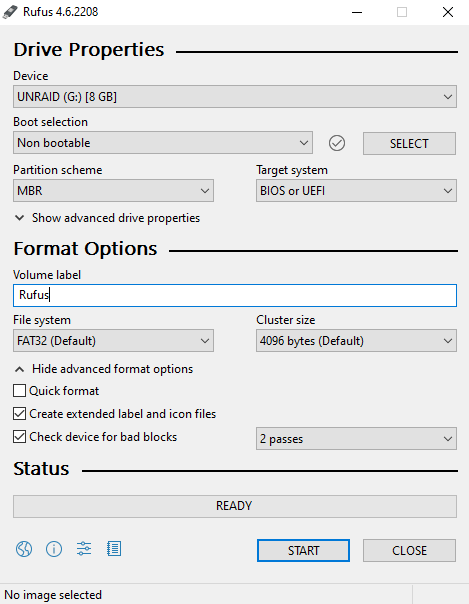
Thank you itimpi, using rufus for the formatting worked 🙏
-
I will try that, i have done these settings on rufus. It is not an issue that the partition scheme says MBR? UEFI should support it.
-
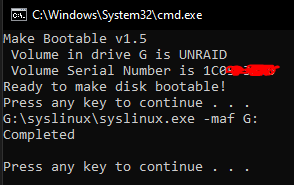
No sorry i meant as the command just runs and it just finishes without anything noticable happening except it says "completed" in the script.
-
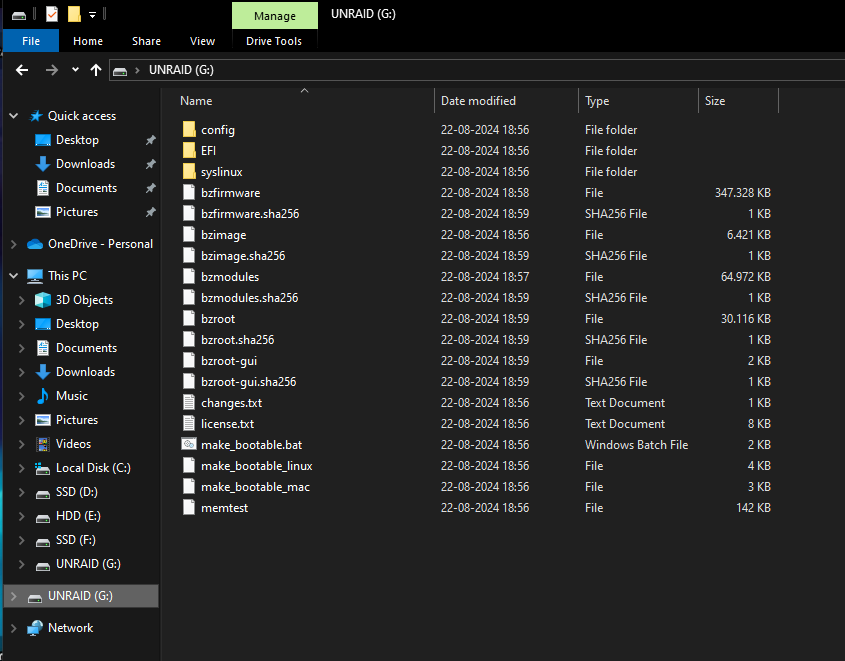
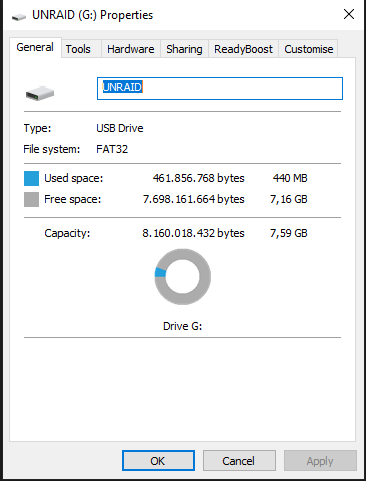
Hi @JorgeB and @trurl i have tried the manual install method. When i originally had it working with my usb stick (i have tried two now) i used the automatic installer. I exported the zip file to the usb which was FAT32 formatted then i ran the "make_bootable.bat" as administrator on my windows 10 pc where i created the USB aswell. It runs one command and then it is done but i don't see any changes to the USB or to the files.
-
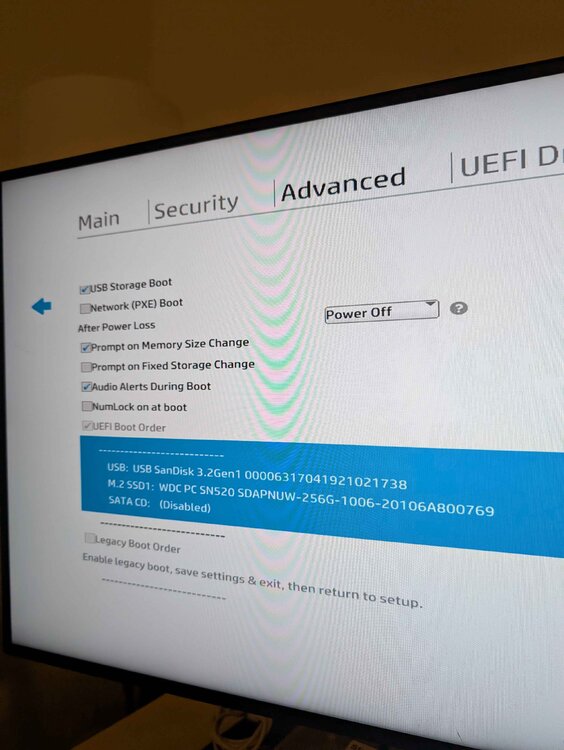
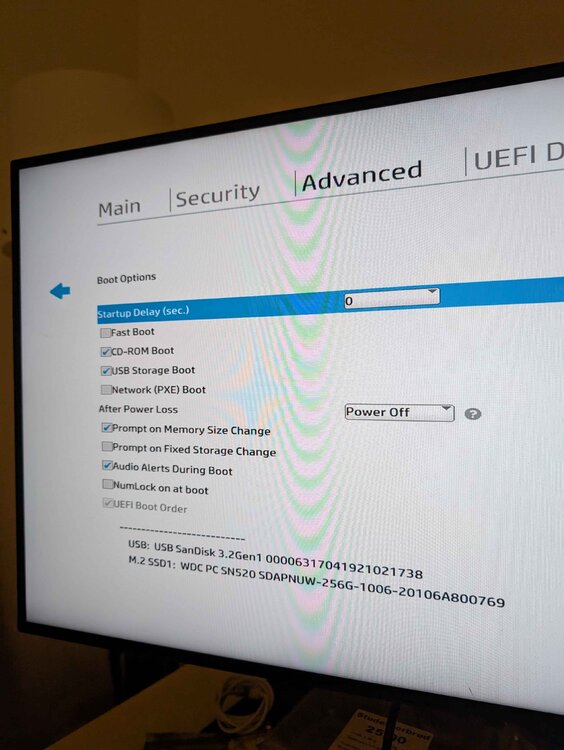
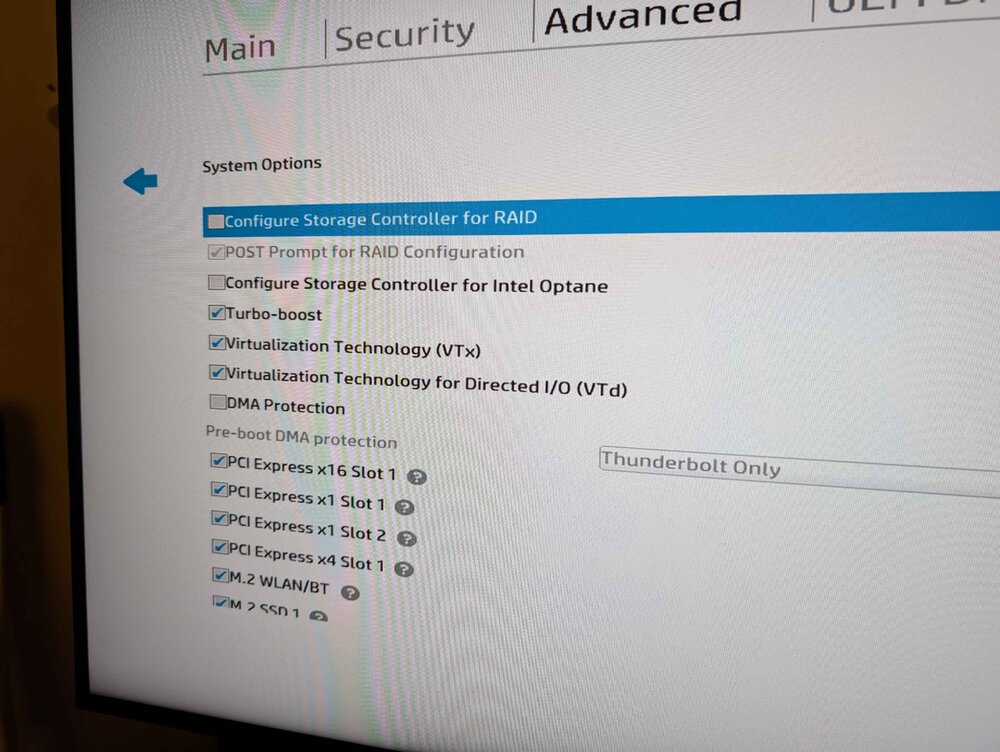
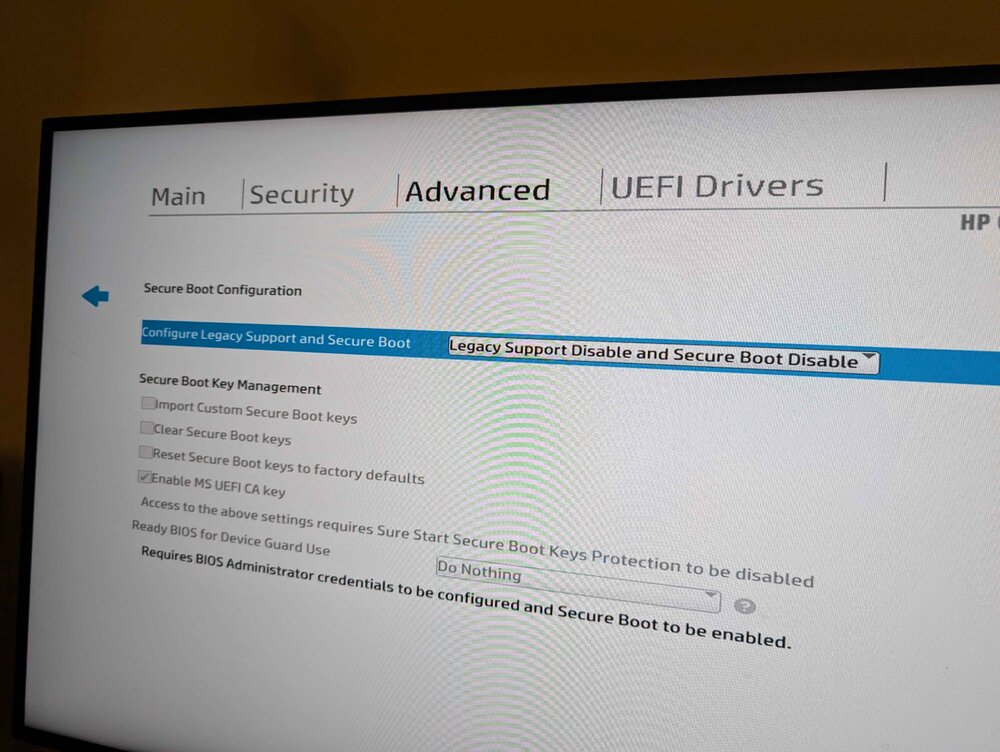
Hello everyone, I want to start with saying i had the trial USB working 4 months back on this desktop: hp elitedesk 800 g5 But now after i bought it and tried again i can't get it to boot from the USB and i am losing my mind 😫 I have disabled secure boot and disabled fast boot, enabled virtualization and enabled VT-d (IOMMU) Now under the secure boot i have it set as disable legacy boot and secure boot and on my USB stick i have the EFI file without the -. I get a black screen and then the classic HP bios BEEP (Fucking beep is making me go crazy) into a screen saying nothing was bootable. Can someone please help me