JG
Members
-
Joined
-
Last visited
-
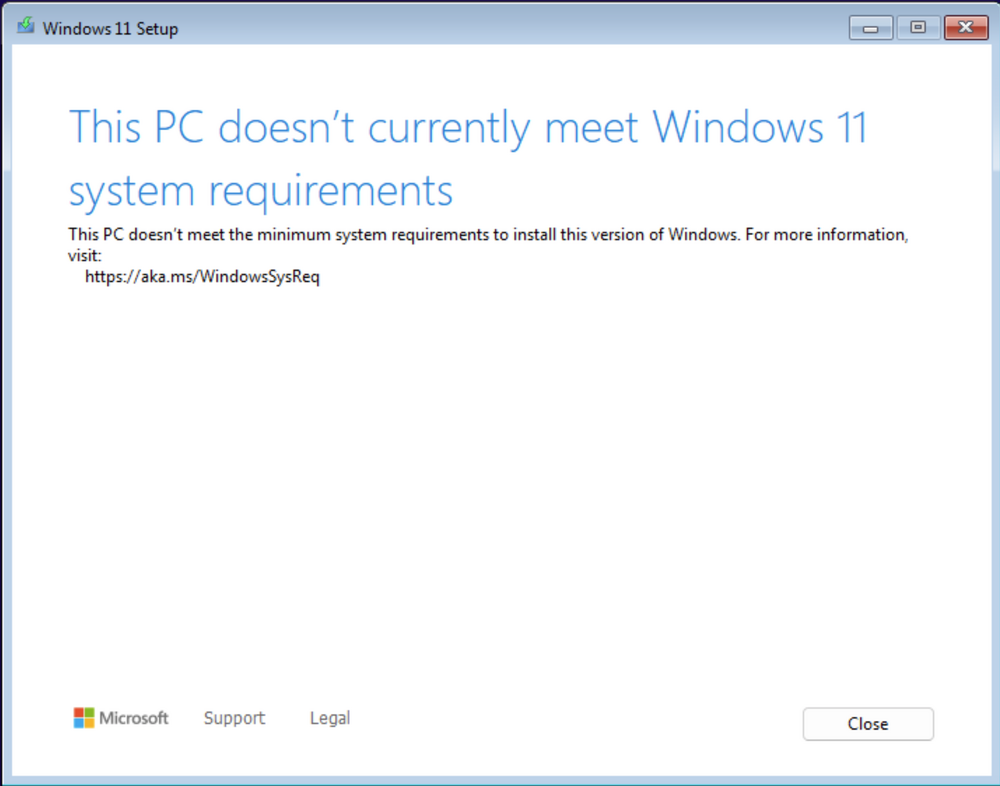
that worked i do not get the error anymore. I still get the same message of this pc does not meet w11 requirements wich is not true because i already installed it when i first installed unraid. it might be something in my w11 settings though
-
let get this straight as I am a rookie with unraid. By renaming domains.cfg am i defaulting anything else beside just the virtual machines? then if i rename that file to "bak" what do i do with that file after?
-
how do i revert to the default seetings for the VM? i do not see any button anywhere
-
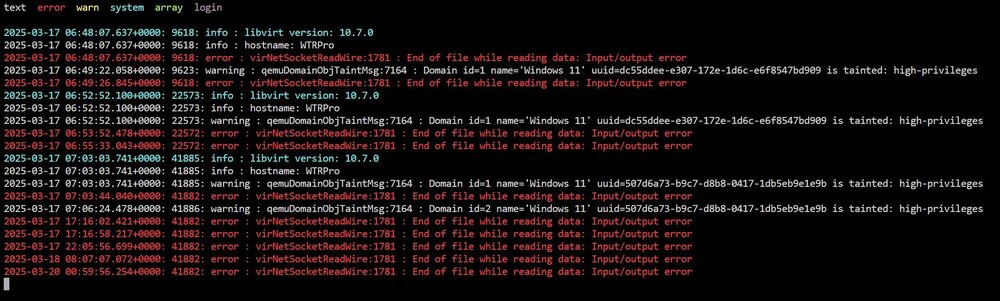
also what is this related to? 41882: error : virNetSocketReadWire:1781 : End of file while reading data: Input/output error
-
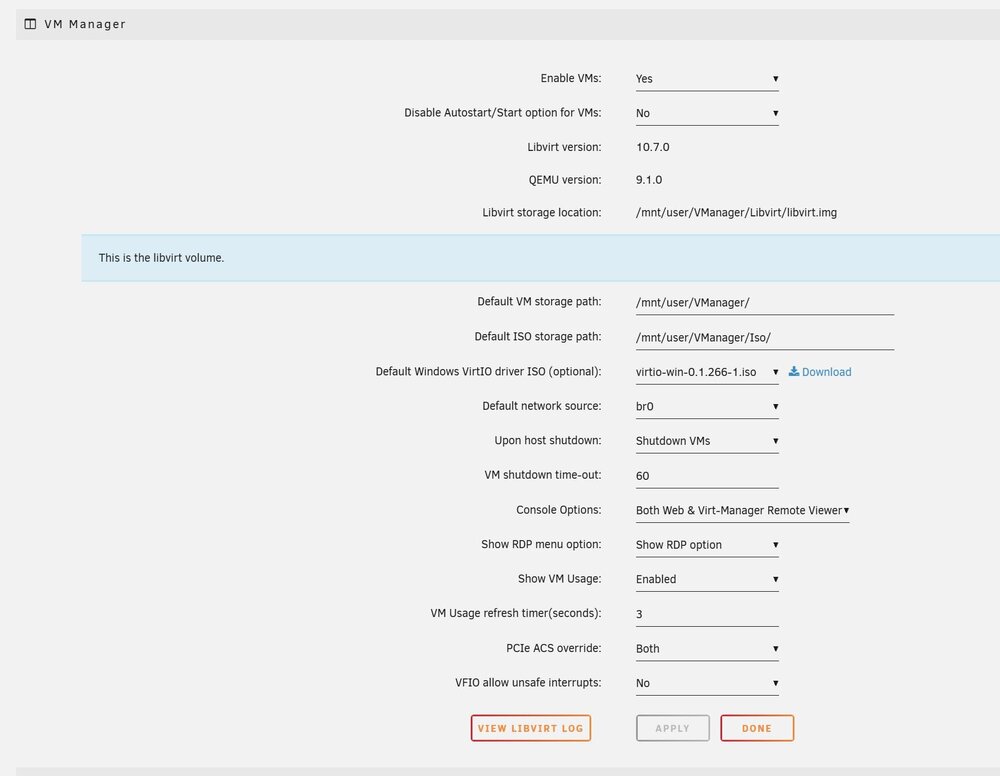
all i did that it is diferent is the folder locations for everything related to virtual machines. since then i get the error a posted above and when im about to install w11 it tells me ( image attached ) which dididn't happen before and it is the exact same iso i used
-
here it is, thanks wtrpro-diagnostics-20250320-0909.zip
-
Hello I tried to install w11 vm in unraid and this is what i get when i enable vm in unraid 41882: error : virNetSocketReadWire:1781 : End of file while reading data: Input/output error I tried to deleted the libvirt library but that does not solve the issue. Funny thing is it used to work with no issue when i installed 7.0 first time so something happened and i now cannot make it work Thanks
-
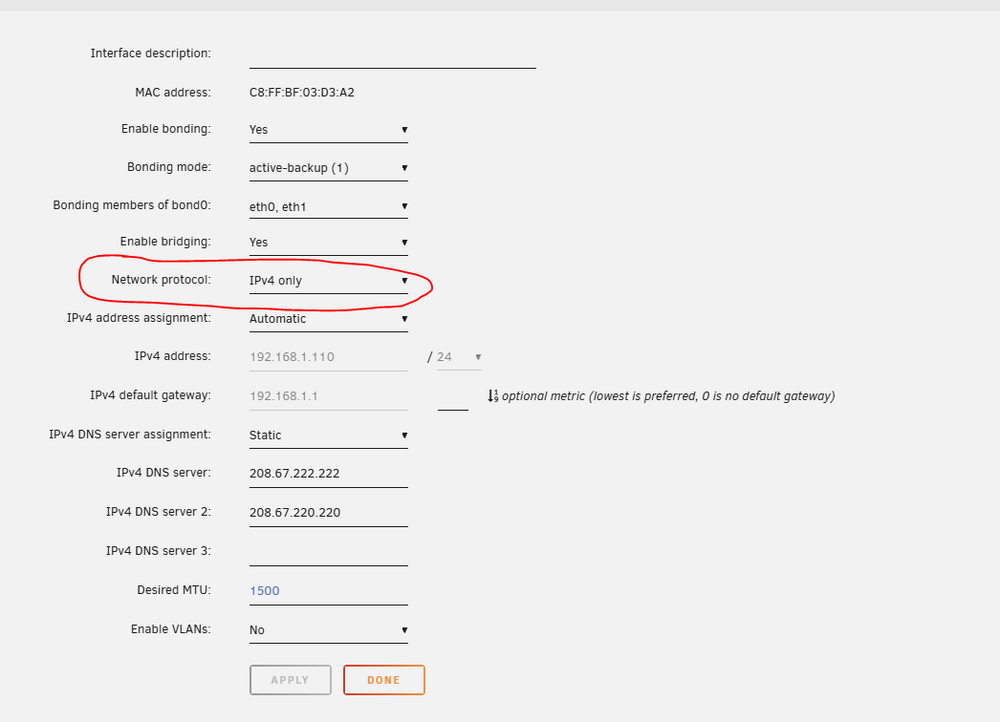
I took a look at it and it looks very similar with the difference of the dns which is basically what allows me now to download docker apps. I am still trying to understand what the deal is with the dns setting that I need to fix # Generated settings: IFNAME[0]="br0" BONDNAME[0]="bond0" BONDING_MIIMON[0]="100" BRNAME[0]="br0" BRSTP[0]="no" BRFD[0]="0" BONDING_MODE[0]="1" BONDNICS[0]="eth0 eth1" BRNICS[0]="bond0" PROTOCOL[0]="ipv4" USE_DHCP[0]="yes" DHCP_KEEPRESOLV="yes" DNS_SERVER1="208.67.222.222" DNS_SERVER2="208.67.220.220" USE_DHCP6[0]="yes" DHCP6_KEEPRESOLV="no" SYSNICS="1"
-
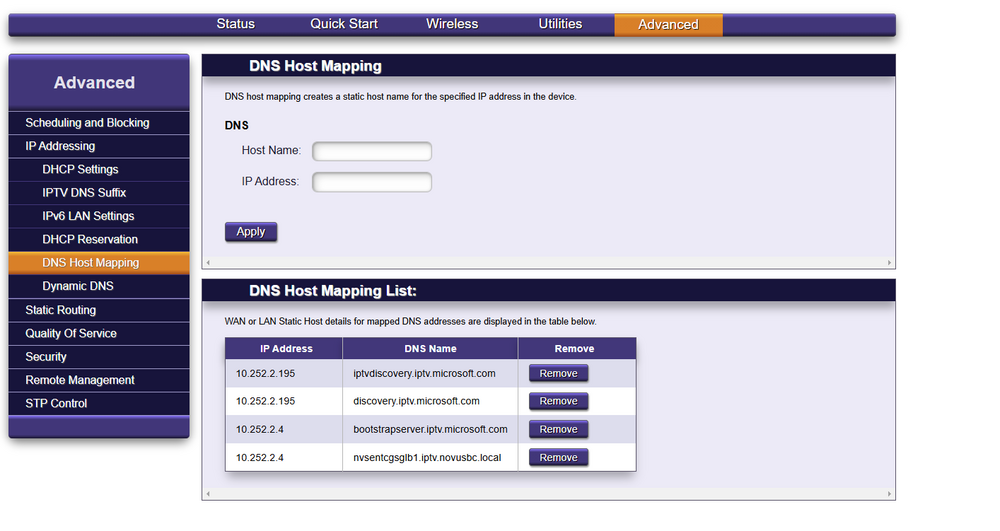
iov4 + ipv6 and it does not work. Should i have both on in normal circumstances? Do i need to set up and specific dns for my nas ip? I do not have any at the moment it seems. I am a noob so not that familiar with advance setting in router either. What would be the recomended router set up is my nas ip is 192.168.1.110 ( i have that assigned permanently to my nas )
-
are you talking about changing here?
-
Thank for taking a look. I am very noob so I am not sure how I can try accessing ipv6 from unraid. I have it on in my router. What do you mean by being borked? would you mind specifying a bit more? I want to make sure this is future proof as I am planning accessing the nas from outside my network. Thanks
-
mmm that seemed to work, I can now install apps in docker however I do not understand why those specific numbers. No in a millions year I would have known that to be honest. Would you mind explaining the reasoning behind it ? I would like to know so I can learn. Thank you
-
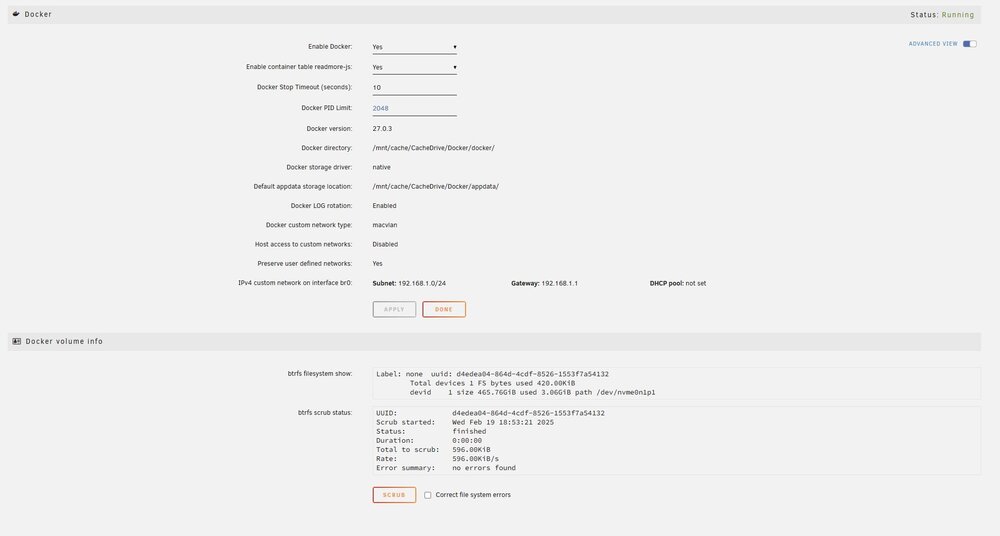
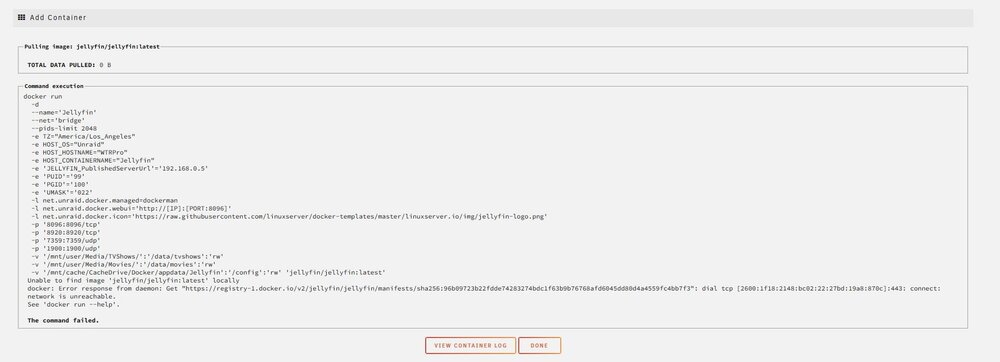
Hello, I am in the trial period with unraid and running out of time here because I cannot figure out why I cannot install any app that requires docker. I can download and install any plugins with out any issue. I have my docker enable with the settings attached then when i go to apps and search for anything and then I try to download the app then I get msg attached every time. I tried changing settings in the docker back and forth and changing settings in my apps with no success> i keep getting the same issues. I also remove the docker , remove all data from my cache drive and reinstall docker and nothing. One detail is , the first time i set up docker , I was able to install jellyfin and have the docker container but i removed it from unraid because i could not get it to work on my network and then tried to install it again and then is when i started getting the same error message. I have a permanent ip assigned to my server nas 192.168.1.110 and I made sure port 433 is opened. Please let me know if you need any other details and will happily provide them Thank you for your help! wtrpro-diagnostics-20250220-0919.zip