davidml
Members
-
Joined
-
Last visited
Everything posted by davidml
-
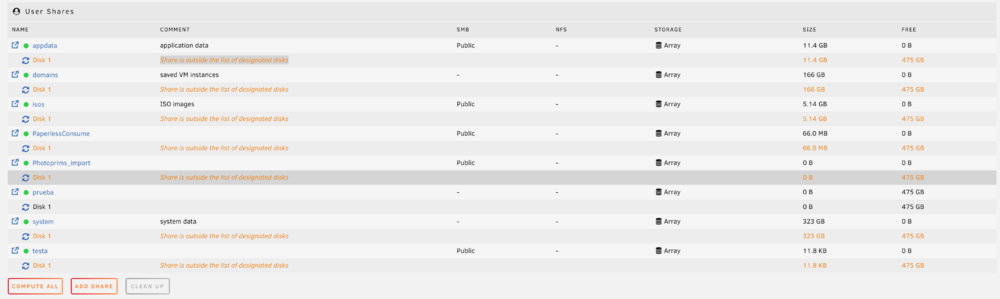
Hi!! I'm having an issue with my unRaid v7. A few days ago, I moved all my data to an external usb disk because I was selling my hardware. After receiving my new pc for unRaid, an HP Elitedesk Mini G4, I installed two nvme with 1tb each. Then I moved all data again back to the new disk and reconfig the array. Everything appears to be done well, but I have noticed that some containers doesn't starts and logs says that I'm running out of space. After checking everything, the only thing that is "strange" is the fact that, at the moment I click on "compute all" button at shares, for all shares I have a "Share is outside the list of designated disks" message appears. If I create a new share, all works for that share, but not for the rest. I've checked that included/excluded disk config is ok for all shares and global settings. Any tip?