





Dsiefus
Members
-
Joined
-
Last visited
-
I ended up booting the windows, and using mbr2gpt.exe to convert the disk to MBR, and THEN use qemu to create a .img, and using OVMF BIOS and SATA for the disk. I saw no (at least obvious) way to make it work with it being MBR.
-
One thing to note that I remembered, is that that Windows was installed using Legacy BIOS (MBR)
-
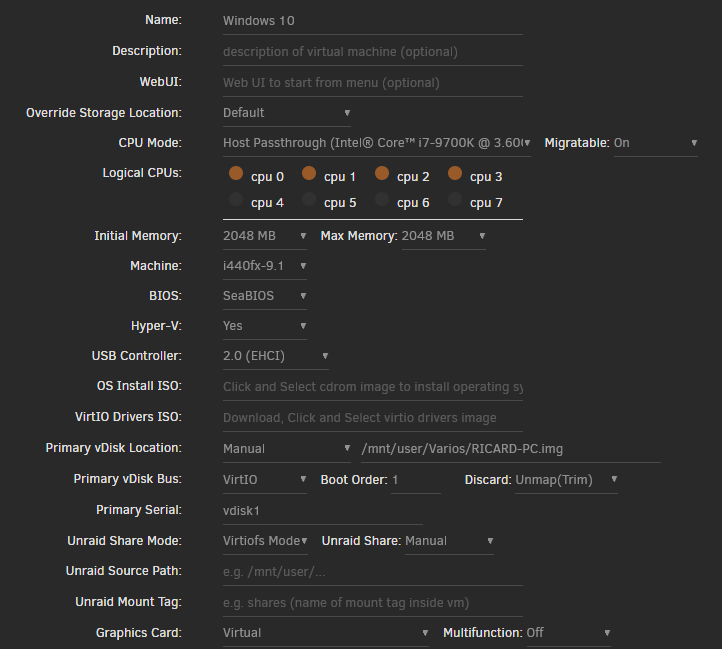
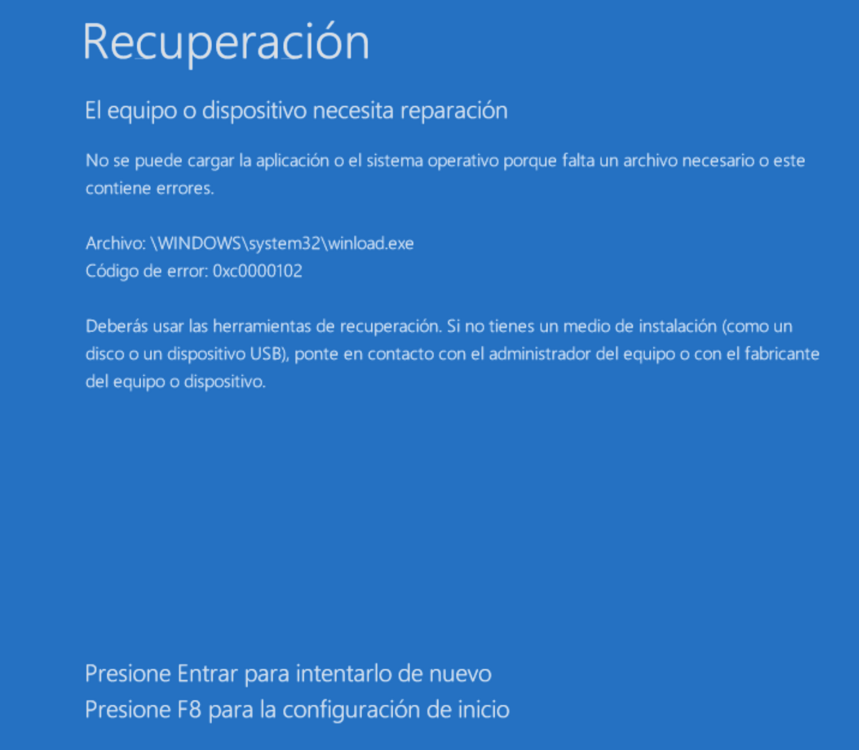
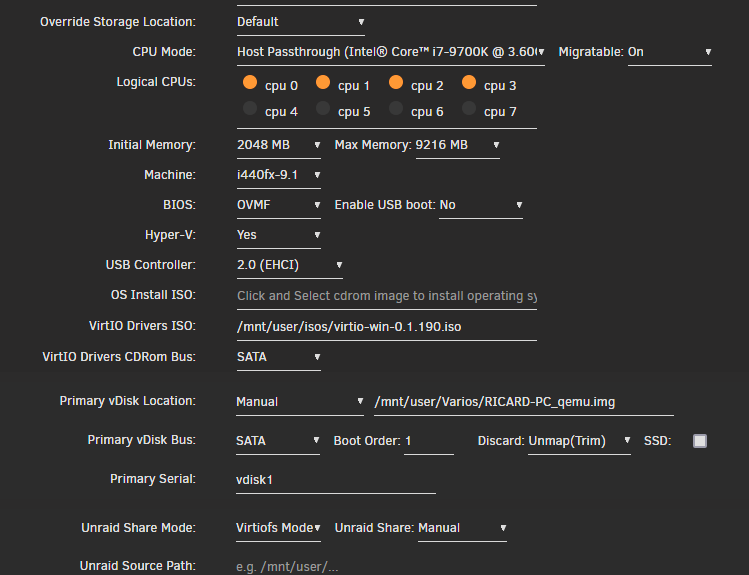
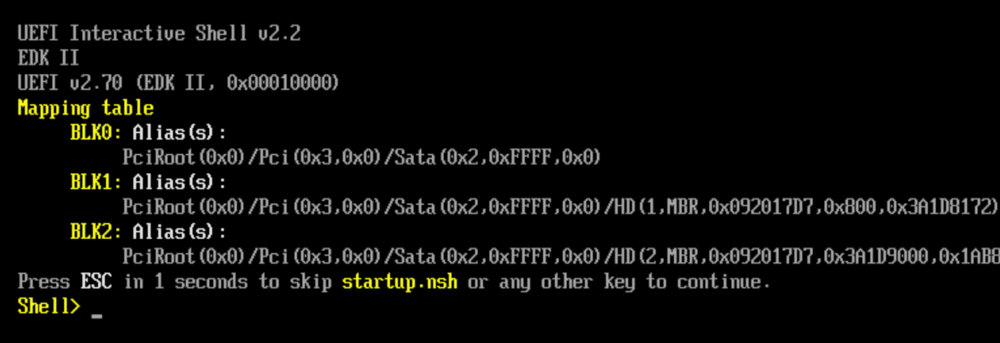
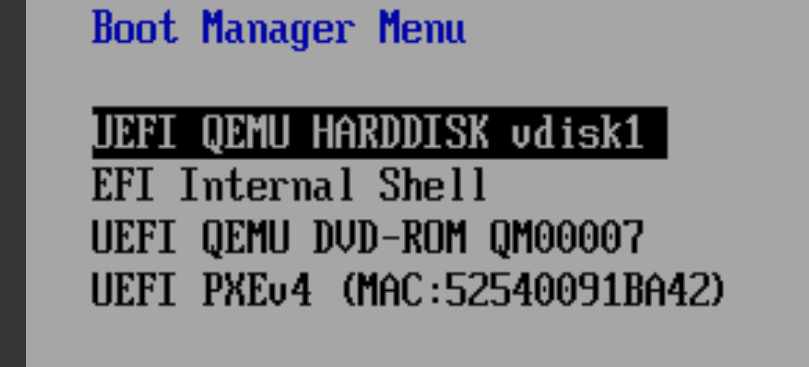
Hello, I have a physical disk with a Windows 10 installed, which I'm trying to convert to a virtual disk and boot it in a VM in Unraid. I do have access to it, it's mounted on the same machine as Unraid, and I could even boot to it if necessary. First I tried using VHD2Disk to obtain a .VHD file which I converted to a .img file using qemu, and I called it "RICARD-PC.img". My first attempt was with this config: When I tried to boot it, I got this error page (in Spanish, sorry): I then tried to follow this guide And also this other (oficial?) guide https://docs.unraid.net/unraid-os/guides/convert-windows-to-vm/ I tried the "qemu-img convert" command to generate a new .img directly in unraid, from the not-booted/mounted original drive, which I called "RICARD-PC_qemu.img". I tried with some options from those guides: setting the Primary vDisk Bus to SATA, change the BIOS to OVMF (since otherwise it was stuck at "Booting from Hard Disk") etc, but I can't get anything to work. Here's an example of a config I tried: But no matter what, I always get this page: I read about writing "exit" and then "continue", I even tried looking at the Boot manager of the BIOS: But after "continue", I get back to the black "UEFI" screen, and the loop starts again... I read several guides/tutorials, and tested some changes but I don't know what else to do. I'll appreciate some help, thank you.
-
I tried to search for Vorta in Apps, but nothing comes up? Has it been removed?


