norcalwally
Members
-
Joined
-
Last visited
-
So I ended up finding the directory in xteve that the app used to share files, so put my files in there and it worked great. Thanks for all the help and replies, and hope this helps someone in the future.
-
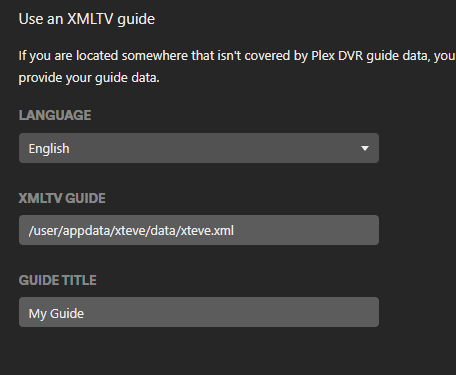
Hi Everyone- I've been googling for an hour, and so far nothing. Backstory- I have Plex (docker) setup and running. I installed xteve (docker) for tv guide data and sharing to plex. Xteve has the xxteve.xml I need to provide to plex. I cannot figure out the path to give plex so it will read the file. I've tried all kinds of combinations. The path to the file is: /user/appdata/xteve/data/xteve.xml. Thanks for reading and any insight you can provide.