Rubber_Chicken
Members
-
Joined
-
Last visited
-
Awesome. Confirming this has worked for me. Has rolled me back to a previous version and I'll refrain from letting my OCD make me click the update button for a while. Cheers!
-
Hmmm. My idiot's diagnosis is that someone has made a booboo in this: "Argument #2 ($haystack) must be of type array"
-
Whew - not just me then. Everything else seems normal. Just that went bang.
-
Hi, Logged into server, go to Apps Tab - "Oh - it wants an update - cool" - Click the button. (elevator hold music). Done. I now get the error: Browser failed to communicate with Unraid Server For unknown reasons, your browser was unable to communicate with Community Applications running on your server. Additional information may be within Tools, PHPSettings - View Log The log tells me: Stack trace: #0 /usr/local/emhttp/plugins/community.applications/include/exec.php(1574): in_array(true, NULL) #1 /usr/local/emhttp/plugins/community.applications/include/exec.php(117): areAppsPinned() #2 {main} thrown in /usr/local/emhttp/plugins/community.applications/include/exec.php on line 1574 [30-May-2025 13:13:28 Pacific/Auckland] PHP Fatal error: Uncaught TypeError: in_array(): Argument #2 ($haystack) must be of type array, null given in /usr/local/emhttp/plugins/community.applications/include/exec.php:1574 I confess understanding this is a little outside my wheelhouse. A system reboot didn't resolve it. (first thing I tried) System specifics: Unraid 7.1.0 I can see I have version 2025.05.29 of the Community Apps installed in the plugins tab. I must have done something wrong. Are there any steps to resolve? I saw a few similar posts, but nothing close enough (or I didn't look properly). Cheers tower-diagnostics-20250530-1328.zip
-
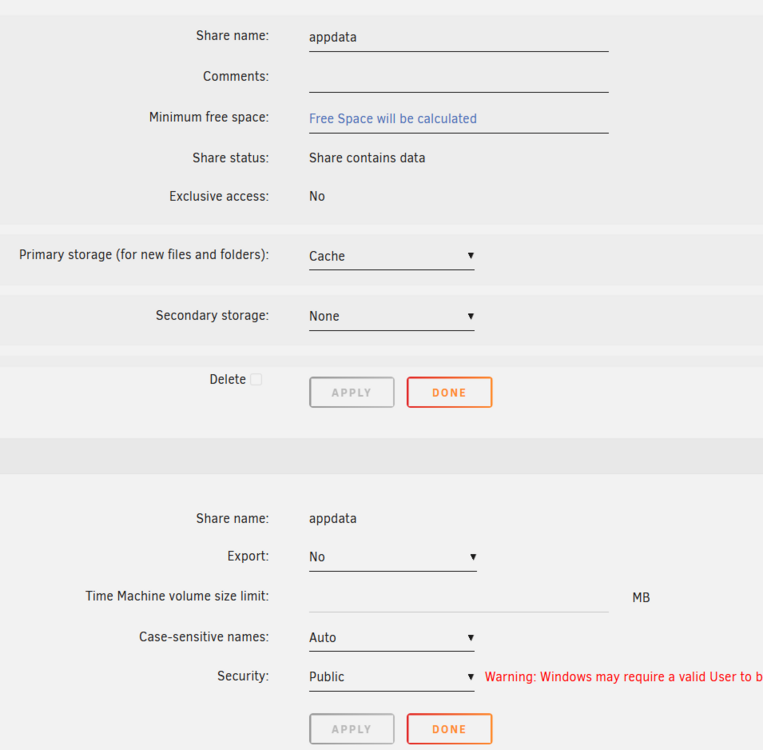
Legend!! I did that and hit done. It immediately calculated and set a ~10% minimum free value as well. Boom Solved. I really appreciate your help!!
-
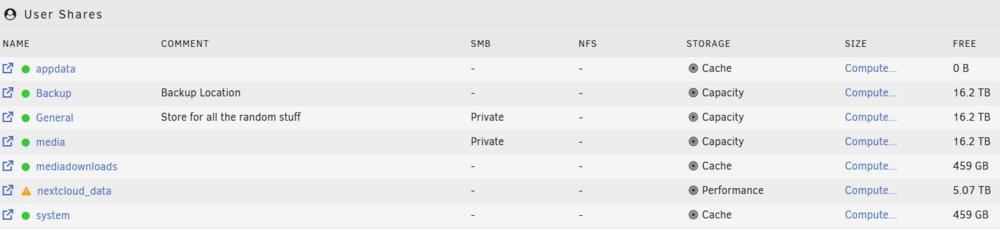
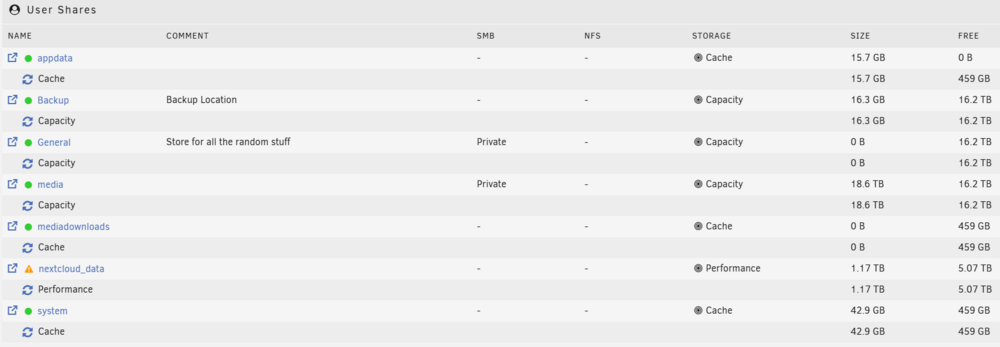
Hi all, New user here, setting up my server. Let me preface this by acknowledging I accept I'm the problem here. Highly likely I've done something dumb. My issue is that my appdata is showing full - 0 bytes free. Only trouble is, it's not, the pool it is sitting on has 400+Gb free. Other shares on the same pool shows the correct value. Before I knew better, I did at one point export and add more permissions to the SMB share, but have since reverted. The result of course is that I can't install any more apps and the few I do have are complaining of no space. I'd understand if I had really filled the drive, but I've not so I'm perplexed. Any and all assistance or pointers greatly appreciated. Cheers Rubber nb. diagnostic bundle attached. tower-diagnostics-20250405-1320.zip