fs1209
Members
-
Joined
-
Last visited
-
Is it then possible to stop the array, unassign all the drives from their current pool/array and assign it to a new pool?
-
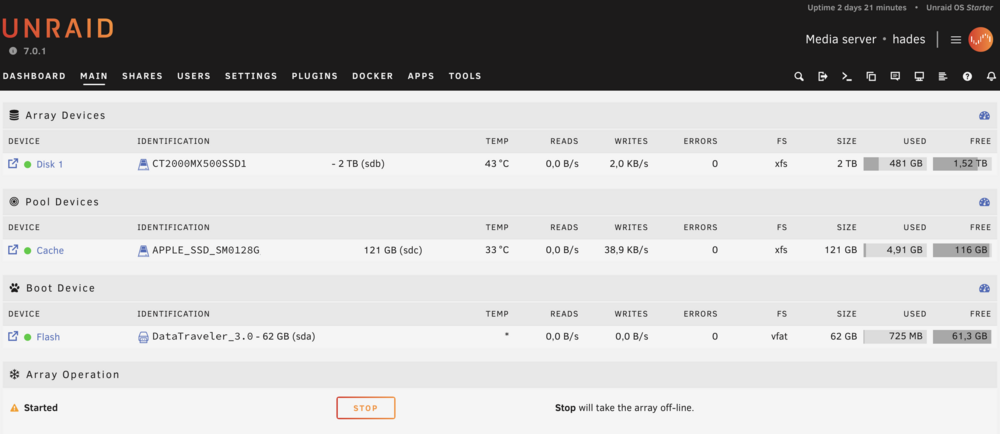
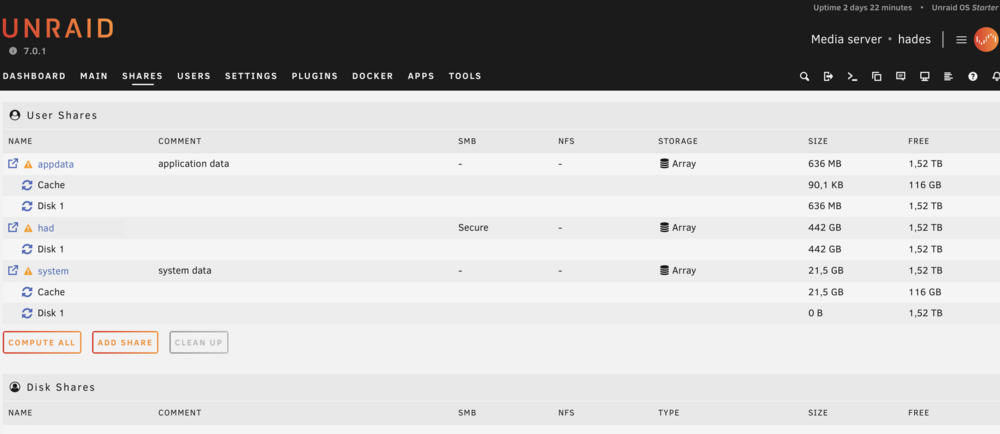
Hi Forum! a few weeks ago I've discovered Unraid and used with my 2014 Mac mini. The Mac has two internal SSDs: - 128 GB (Apple proprietary) PCIe SSD: used as Cache Device - 2 TB SATA SSD: used as Array Device Now I've ordered new system based on standard hardware. It comes with a 512 GB NVMe SSD and room for some more drives. I've currently three shares: appdata, system and my data network share and all set to use Array as primary storage. As I cannot move the cache drive to the new hardware, my plan is to connect only the Unraid USB stick and the 2 TB SSD to the new machine and add the new 512GB NVMe SSD to the Cache Pool. Is this a plan that will work (as the cache drive should not contain any) data or is there something more to consider? Thanks a lot! Frank