





Olly_K
Members
-
Joined
-
Last visited
-
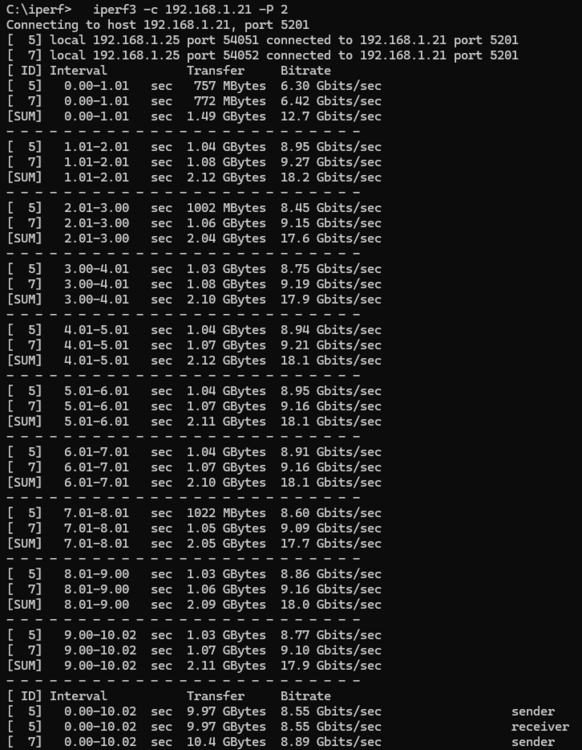
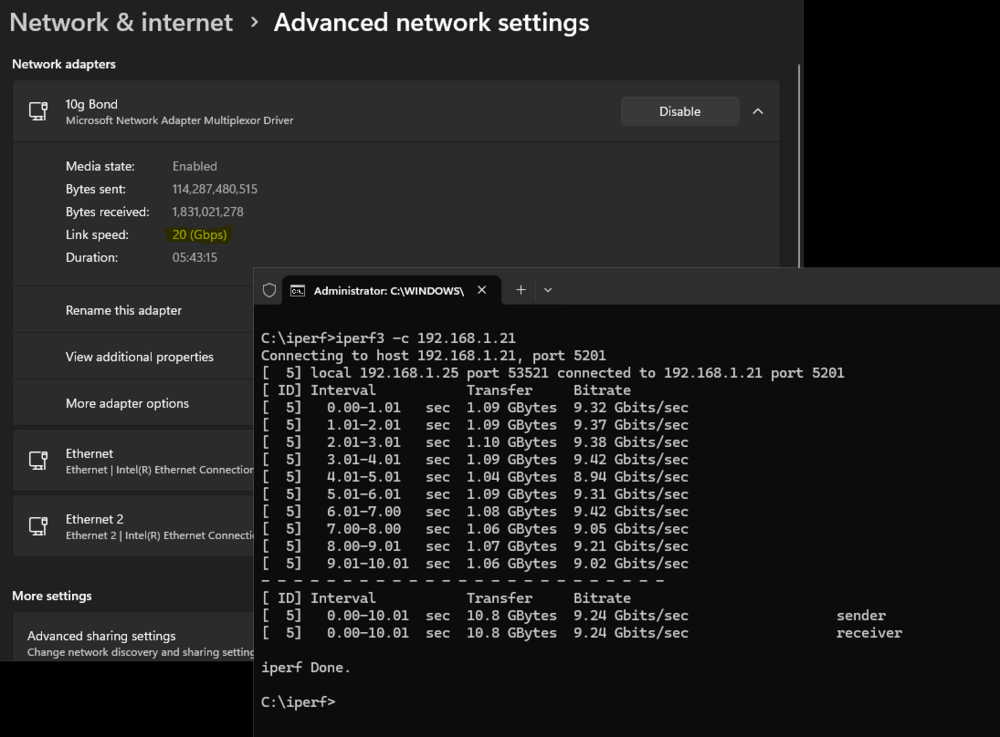
Thanks folks, I used additional threads in iperf (-P <num_thread>) to get a higher number which is more in line with what I expect. I use FreeFileSync a lot which has the option of parallel threads so hoping performance there once I next use it
-
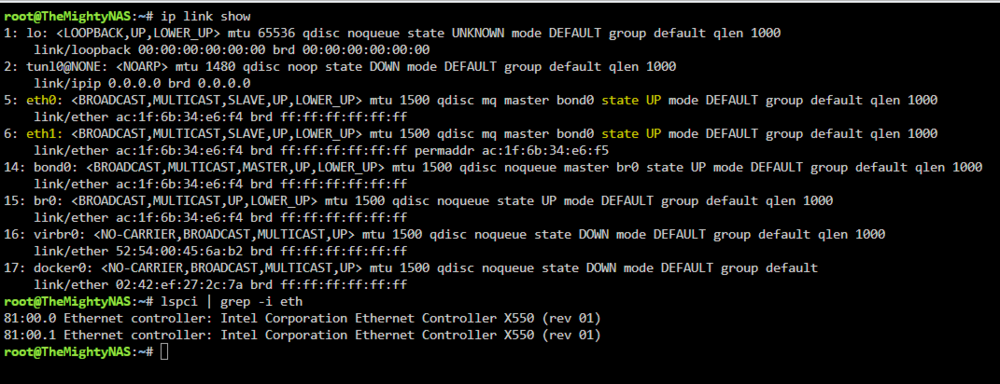
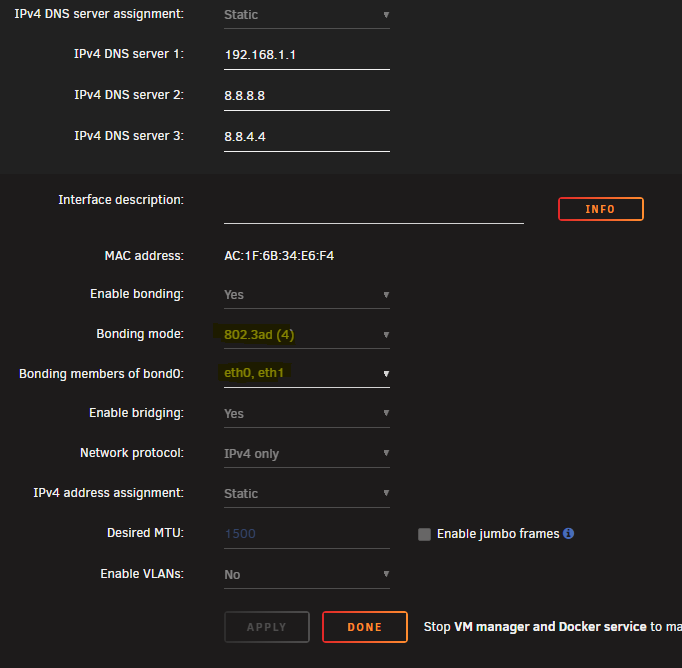
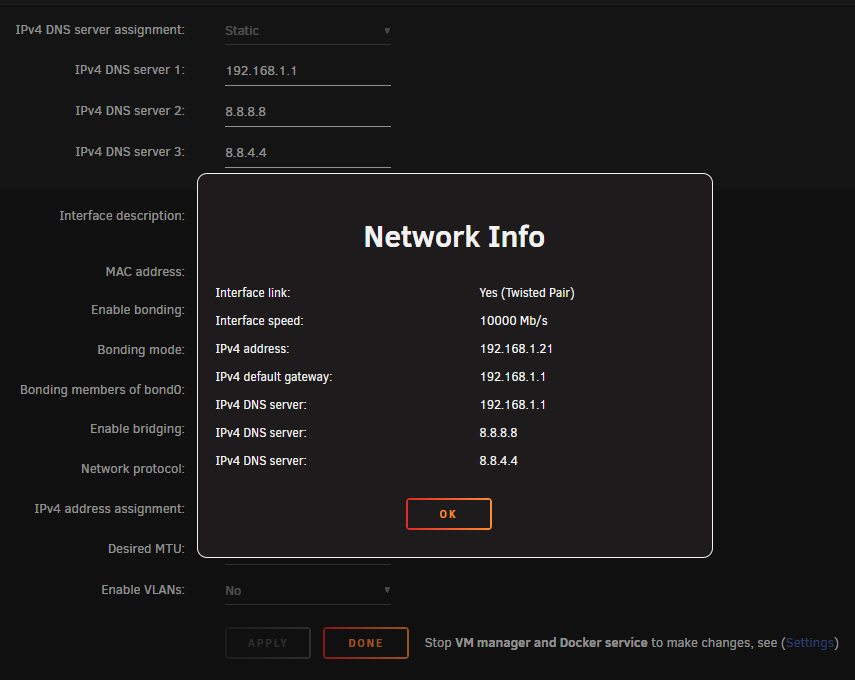
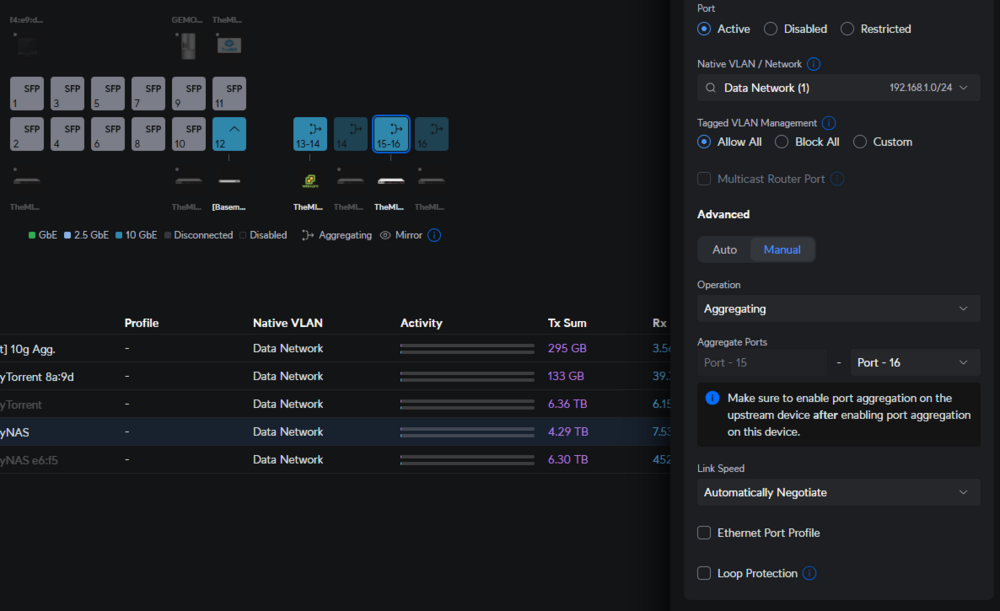
OK, I'll admit I'm pretty lost here. I have a Supermicro X11DSF-E motherboard which has 2 Intel X550 10g NICs in. Both eth0 and eth1 are bonded using 802.2ad (option 4) and appear to be up: When I look at the info for eth0, it only shows 10g: Thinking that could just be for eth0, I ran an iperf test on a windows machine with the same motherboard with bonding NICs showing 20g: As you can see, I'm only getting 10g. Switch wise, I'm using a Ubiquiti US XG 16 which again I believe I have set correctly (ports 15-6): I'm still looking into the switch side of things, but wondered if I've missed something on the Unraid side? Diagnostics attached Thanks guys! themightynas-diagnostics-20250606-2115.zip
-
Looks like i was putting the test file through the USER share and not direct to the TANK pool So this looks good. However, I thought setting explicit shares would bypass FUSE and give me that performance? Have I missed something?
-
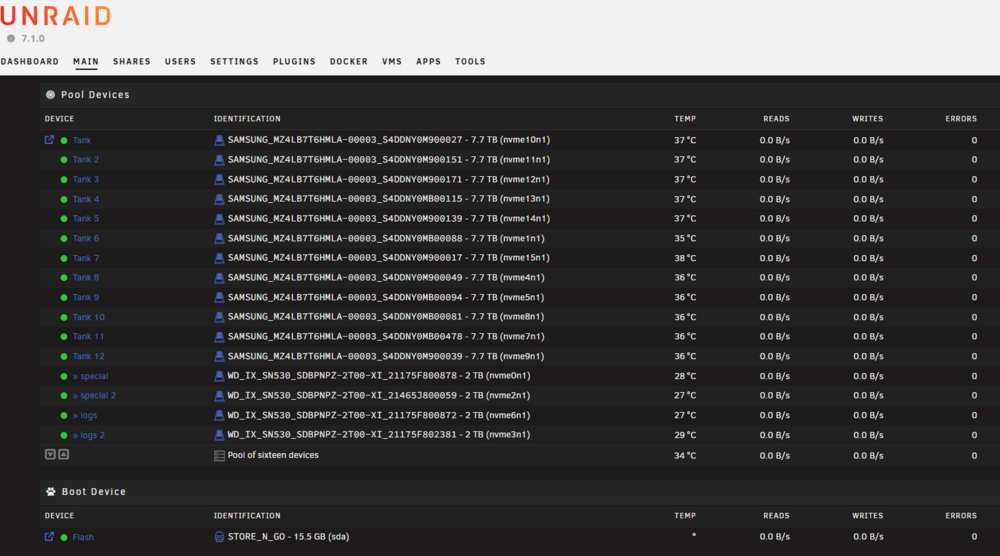
Hey folks, so I'm close to getting my Supermicro SSG-1029P-NMR36L up and ready, I wanted to double check some of the settings as I'm fairly sure I should be getting more out of the pool but if not so be it. I've attached my config file but a brief rundown of specs and settings: -Pool 1 - 12 x 8tb Samsung NGFF SDDs in raidz1 - 2 vdevs, 6 devices each --Pool 1 Sub Pool 1 - 2 x 2tb enterprise NVMe drives for ZFS for Metadata --Pool 1 Sub Pool 2 - 2 x 2tb enterprise NVMe drives for ZFS for SLOG Settings: Multi-channel SMB enabled Exclusive shares enabled Tunable (md_write_method): Resconstruct Tunable (md_num_stripes): 4096 zfs.conf file set to 100gb of RAM (system only has 128gb but will be going to 512gb so will up this figure in due course) I get around 900MB/s via FreeFileSync with multiple threading in Windows which I know is knocking on the limit of my 10g infra, From my testing with FIO, again I would think these results would be more? Reads: Writes: No other UNRAID pools so not sure if it makes sense to pull the cache drives from the ZFS pool and create separate UNRAID pools but I really didn't want to get involved with movers and the like. Let me know if there's anything else that can be tuned on this beast!! themightynas-diagnostics-20250509-1406.zip
-
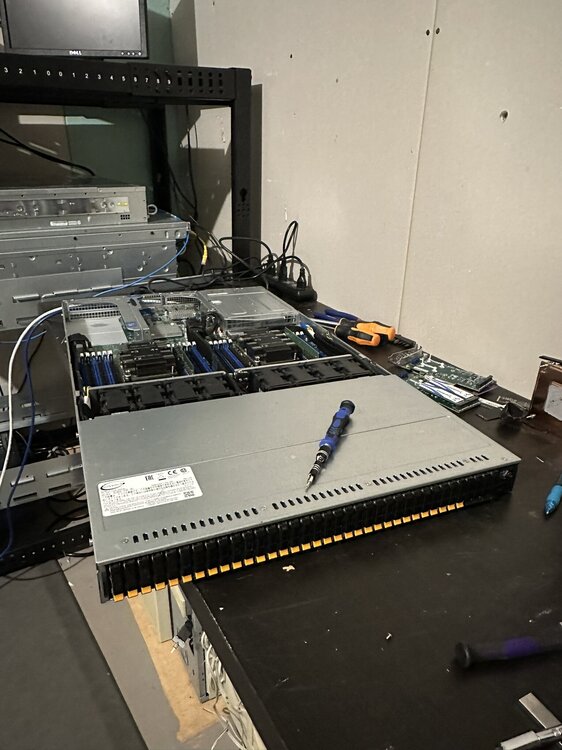
Ahh it's likely that. I'm just "removing" the pool. I'll do some more testing. Gratuitous pic of the beast I'm building.
-
Hey all, currently trialing UNRAID as a long-term TrueNAS user. I'm not using the main array, so I created a ZFS pool with 12x8tb NVME drives (2 vdevs 6-wide). Dandy! Now, when I create a 2nd pool for VMs which is running on some SATA SSDs, even if I explicitly set 2nd pool to be btrfs, it will always convert to a ZFS filesystem. I'm still testing (it could be that UNRAID is just importing the drives from the 2nd pool as I might of set it to ZFS at some point during testing), but just wondered if anyone else has experience the same thing? Not sure if it's by design or not. As a workaround I found that creating my VM pool first and setting that to btrfs and then creating the 2nd pool as ZFS works, but again just wondered if this is by design or I'm doing it wrong Thanks


