WBC
Members
-
Joined
-
Last visited
-
Perfect, thankyou both. Really appreciated.
-
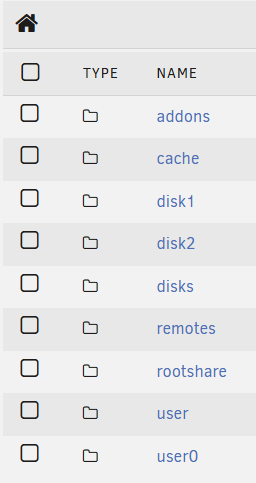
Thankyou. I couldn't find the inbuilt FM but have now! One more question, disk 1 and disk 2 of the array have have similar folder structures, some look to be be the same. I'm assuming that's due to files spanning the array and not a direct copy. With that in mind, what's the best source for the files? Should I copy from each disk, or take from a User share (I have user and user0) ? 'Disks' below is my external drive.
-
Morning all, Hope you are good and hoping you can help. I've tried to search but am getting mixed messages. I want to plug in an external USB drive to copy a load of files over from my array. I am running 7.1.4 and have installed the unassigned devices plugin. What GUI app is best used for file transfer nowadays. There's lots of chatter around Krusader and am seeing mixed messages as to whether it still works. Can anyone advise or recommend an appropriate app. Thanks in advance
-
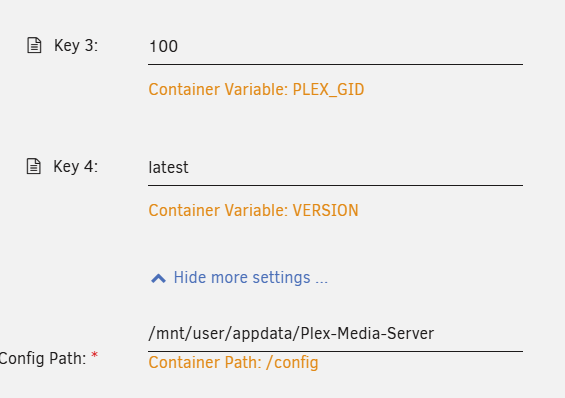
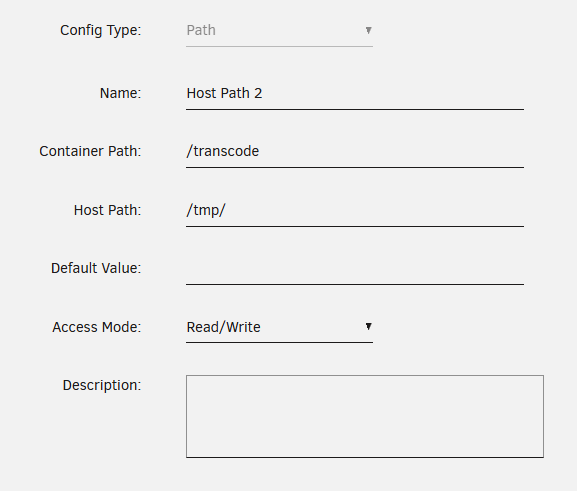
Looping back round on this one. I think I've cracked it, have restarted the dockers and the docker size has reduced to where I'd expect it to be. My issue looks to have been caused by incorrect path settings in config.... Mine was set to /mnt/user/appdata/Plex-Media-Server and should have been set to /mnt/cache/appdata/Plex-Media-Server Time will tell if its fixed it properly. Thanks everyone for your help and guidance.
-
That’s the path in the docker container. Apologies, I thought that’s what you were referring to..
-
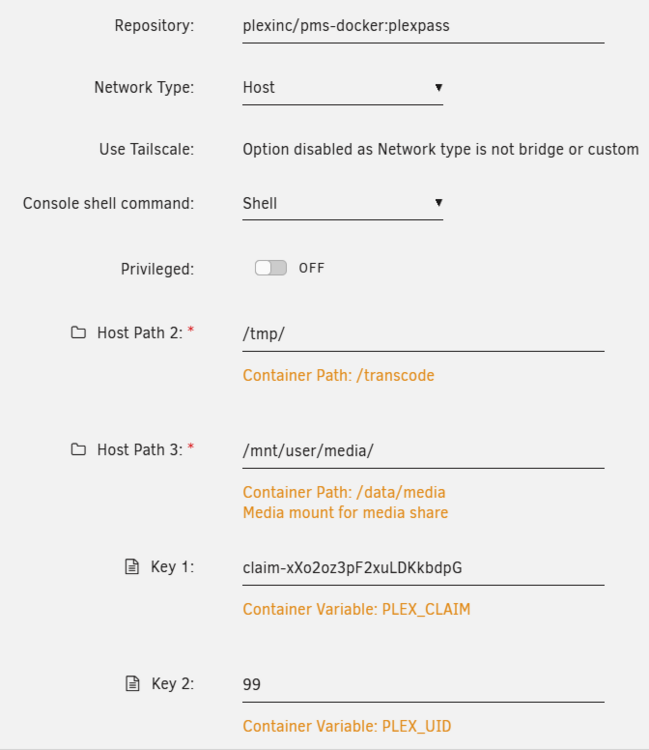
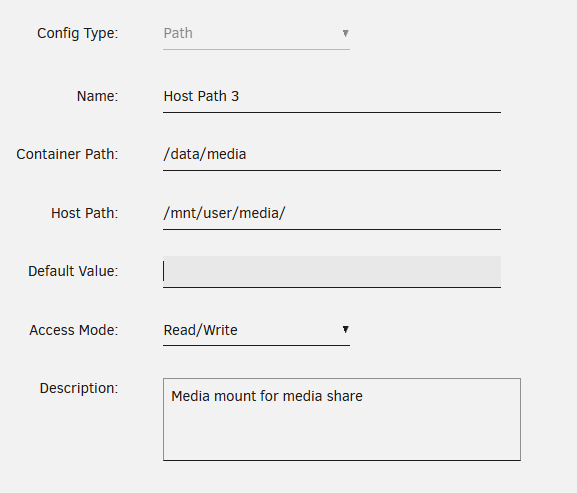
Sorry for the incredibly late reply... /mnt/user/media/
-
I use the DVR function, I have an external HDHomeRun Connect Quatro for recording. Thankyou for the help
-
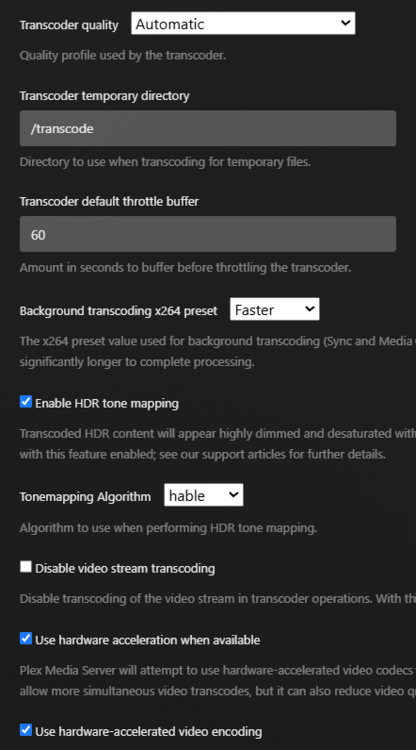
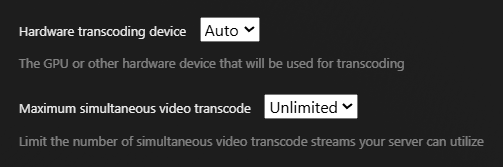
Thanks Its definitely Plex filling it up as I had a similar issue in the past when it was the only Docker, but just increased the size as I don't know enough to determine why its filling up. My config is posted above, from what I understand, it is correct. Does it look OK to you? Thanks again

-
Thanks & apologies for the stupid question but how do I fix it? Do I increase its size or do I have an issue with Plex? Reading around online, I don't believe Plex should be hitting those figures?? Problem I have is that I'm not clued up as much as I'd like to be to resolve it!
-
As requested, Thankyou diagnostics-20250528-0738.zip
-
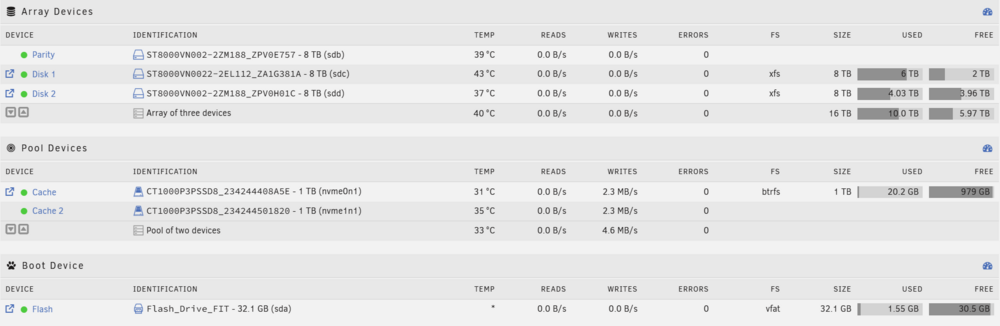
Hi all, Hoping you can help. I am trying to update immich but am getting the error Error: failed to register layer: write /usr/bin/node: no space left on device. I am currently only running 3 dockers and my container is set to 40gb, looking at the allocation; Plex is the hog. A while ago, I did have to up the docker from 20gb as Plex kept failing to start. I'm OK for space and believe my plex config is OK.... Can anyone advise and help please? I'm struggling :) Thanks in advance