boggythrilla
Members
-
Joined
-
Last visited
-
Hi. Thank you for your answer. Yes I tried a modular PSU before ordering a new one and possibly with the wrong cables. Do you think that they are dead for sure? It strange because parity drive was connected to the same cable and it is fine.
-
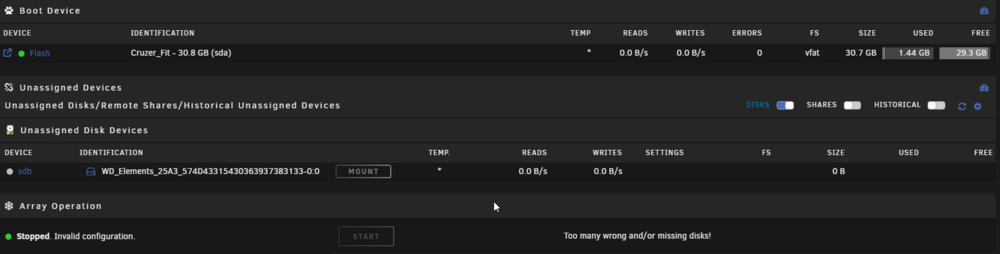
Dear Unraid community, Please help me figure out the problem with my server. Just a couple days ago my server froze and would not boot again. I replaced the PSU and it booted but all of my 4 data disks were missing. The only drive that showed was my parity drive that is also a shucked WD. I could not make the drives show even in bios. I connected them via usb to another computer with the same result. All dead except parity drive. All of these disks a shucked white label WD drives and I am using a proper power adapter to eliminate the pin problem. The only way I was able to make disks respond is when I connected using original WD easy store motherboard through the usb to the windows machine and it immediately offered to initialize the drive. I hit cancel and tried the same with unraid. The unassigned devices plugin seem to recognize it but it is greyed out. Here is the message I get in the log when plugged in to the unraid via usb: May 30 21:03:36 NAS emhttpd: device /dev/sdb has size zero