





flogbit
Members
-
Joined
-
Last visited
-
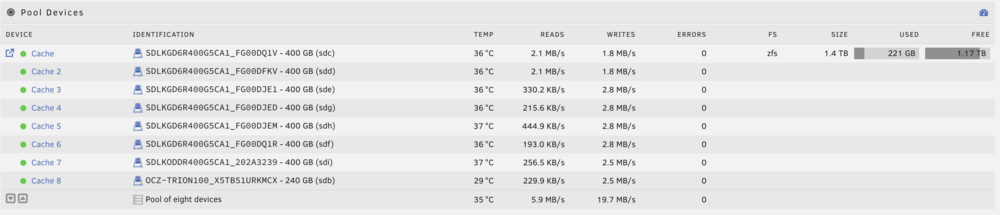
A very interesting discovery. Starting from a fresh install. I added my 8 array drives (without the parity drives set). No issues. I stopped the array, added my cache pool drives, and BOOM, the error is back! Still have zero clue on the root cause, but at least I can can try wiping my cache pool and seeing if that fixes the issue.
-
Still occurs in safe mode. I'm just going to restart from scratch. Is there any way to retain my Docker configs and storage pool across a fresh reset? To add additional info on the things I've tried to no success Disabling Docker Removing all plugins
-
Correct. Problem does not appear with the stock config.
-
Still happening after a fresh USB and replacing the config folder. Will dig into this deeper, but I'm quite confused.
-
Fairly fresh install. Everything is up-to-date. Recently have migrated from Proxmox and loving Unraid so far. However, I get the message: id: error while loading shared libraries: libselinux.so.1: cannot open shared object file: No such file or directory whenever I open the terminal for the system. Some commands work just fine, while others like mv fail with mv: error while loading shared libraries: libselinux.so.1: cannot open shared object file: No such file or directory. I haven't done anything too crazy or non-standard with my system other than create some shares and docker containers. A bit puzzled as to the root, or what the fix might look like. I've attached system diagnostic logs. I have though noticed that the error doesn't show up until I start my array. I've attached my diagnosis zip of before starting the array. However, after starting the array I get a "404 Not Found" error when trying to produce the output. I'll check again when parity finishes rebuilding (this is not the issue with the error loading shared libraries, this occured before a restart and the job to check parity was started). whiterose-diagnostics-20250624-0246.zip
