




Skip to content
View in the app

A better way to browse. Learn more.

Unraid

A full-screen app on your home screen with push notifications, badges and more.

To install this app on iOS and iPadOS
  1. Tap the Share icon in Safari
  2. Scroll the menu and tap Add to Home Screen.
  3. Tap Add in the top-right corner.
To install this app on Android
  1. Tap the 3-dot menu (⋮) in the top-right corner of the browser.
  2. Tap Add to Home screen or Install app.
  3. Confirm by tapping Install.

goudsk

Members
  • Joined

  • Last visited

Everything posted by goudsk

  1. Thank you very much, this worked perfectly!!
  2. I do know which drives are part of the pool (all the 4TB SSD) when I assign them they say “new device”, this worried me… is that normal? Thanks for your reply.
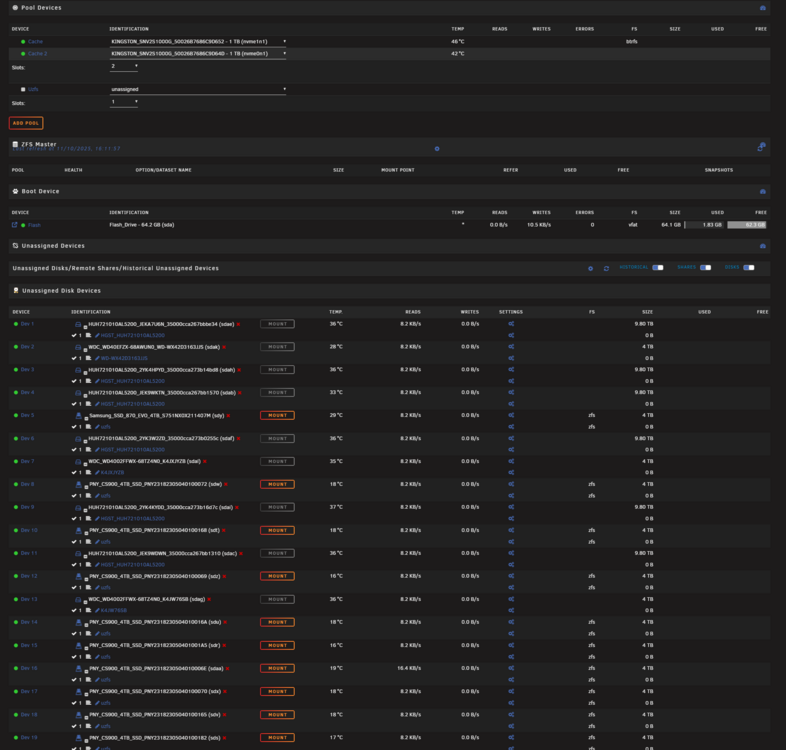
  3. Hi All, I just upgraded from 7.1.4 to 7.2 and it seems my ZFS pool has gone missing. I reached out in the Discord to try and resolve and upgraded to 7.2.1 rc1 with no luck. All my ZFS drives are unassigned and the pool seems to also be unassigned. I've attached diagnostics & Screenshots to try and help. Thanks in advance! ugouda-diagnostics-20251110-1630.zip

Account

Navigation

Search

Search

Configure browser push notifications

Chrome (Android)
  1. Tap the lock icon next to the address bar.
  2. Tap Permissions → Notifications.
  3. Adjust your preference.
Chrome (Desktop)
  1. Click the padlock icon in the address bar.
  2. Select Site settings.
  3. Find Notifications and adjust your preference.