C8-Bill
Members
-
Joined
-
Last visited
-
I'll see if there is something similar, I already tried disabling "Processor Power and Utilization Monitoring" limits the HP ProLiant server capabilities. in response to a bug I noticed in the boot log. https://support.hpe.com/hpesc/public/docDisplay?docId=c03265132&docLocale=en_US If I boot UNRAID into safe mode the fans run normally, so I've been focusing on UNRAID.
-
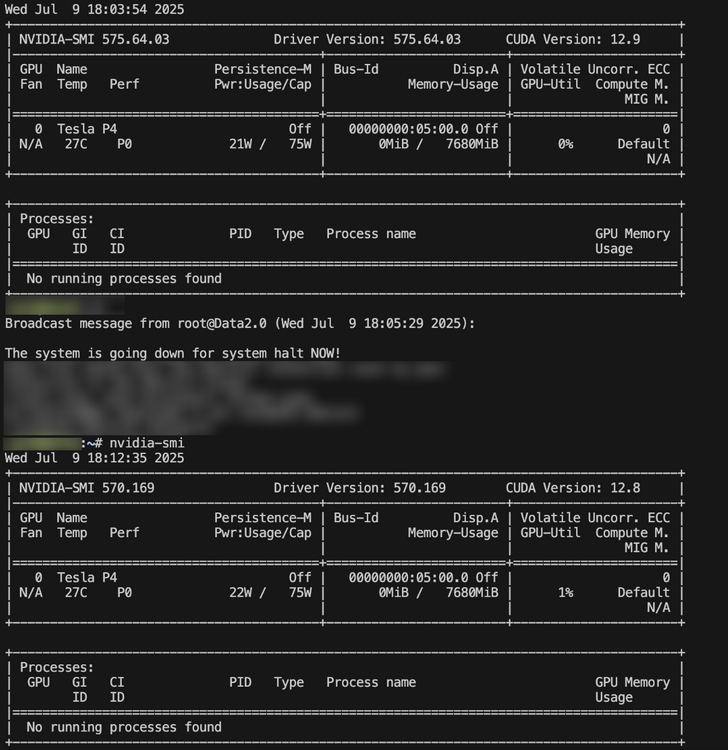
I have a bit of a strange issue, HP DL380 G9 running BIOS P89 v2.92. When I install a used (new to me) NVIDIA Tesla P4 card, everything is normal until I install the NVIDIA driver package. I've recreated this a few times and just as the installation package finishes, all the system fans kick up to 100% in the server and stay at max. If I reboot the server, the fans are normal until just as UNRAID becomes available the fans go back to 100%. I have tried driver v575.64.03 & v570.169 and have the same issue. If the driver package is disabled and I boot with the card installed the fans still go to 100%. If the NVIDIA driver is not installed and the card is installed the fans operate normally. BIOS settings are set as balanced performance, UNRAID performance is set as Balanced. Fix common problems shows no errors.