Tony Kent
Members
-
Joined
-
Last visited
-
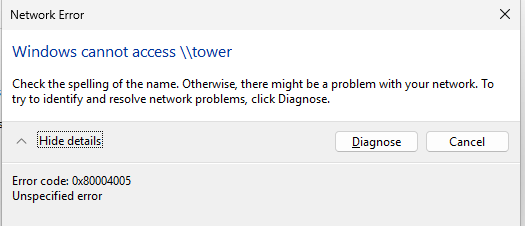
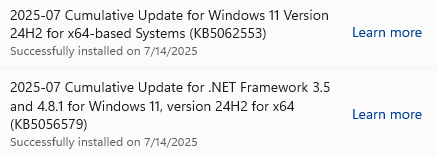
EDIT: THis was resolved after the following windows update was installed on the VM I had this working a few days ago but now can't get it working. From a windows 11 VM hosted on Unraid I can't see or access any unraid shares. In file explorer, under network my unraid server is not listed. If I try to access the server by typing \\tower or \\192.168.x.x in the address bar of file explorer I get the following error: Please help. I want to be able to read/write to shares from the VM. Here is what is working: From the VM I can successfully ping the Unraid (both using hostname and IP address) From the VM I can connect to the Unraid web UI. (using both the host name and the IP address. I can access the shares without a problem from other Windows 11 clients on the same network that aren't VM's. I have *arrs apps running in containers successfully. The VM can access the internet and other Windows PC's on the network. Here is what I've tried: 1. On the unraid host, reset the network config by deleting \config\network.cfg and \config\network-rules.cfg then rebooted 2. On the VM ensured the network profile was set to private and enabled file sharing and network discovery 3. On the VM, edited group policy Administrative Templates -> Network -> Lanman Workstation and enabled insecure guest logons 4. Deleted and rebuilt the VM (twice) 5. Ensured DNS Client and SSDP Discovery services are running on the VM 6. Deleted stored credentials to the unraid host in windows Credential Manager on the VM 7. Enabled netbios in network settings on the Unraid host. 8. Reviewed everything in this post: Cannot connect to unRaid shares from Windows 10 - General Support - Unraid Diagnostic File attached. tower-diagnostics-20250714-1633.zip