Gerbois404
Members
-
Joined
-
Last visited
-
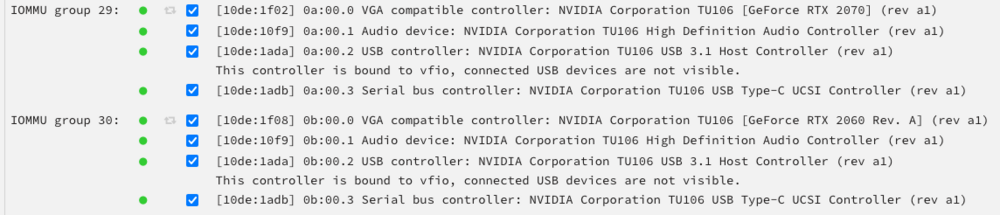
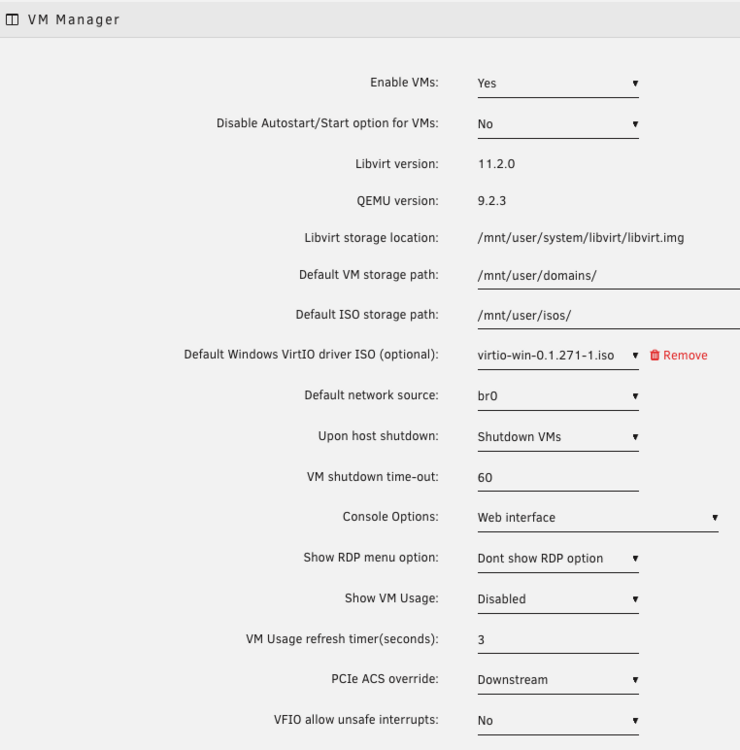
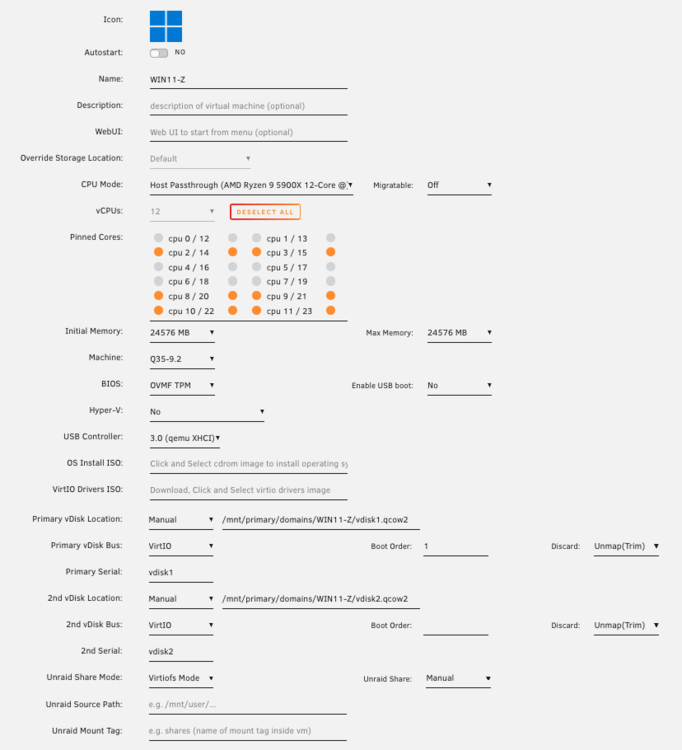
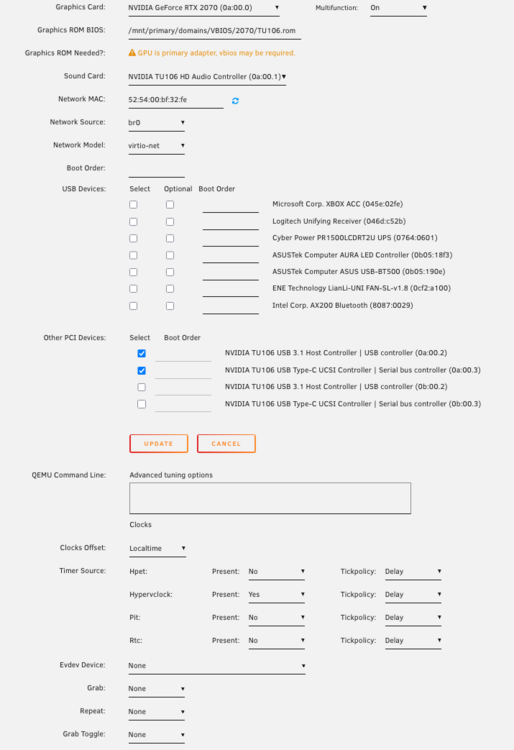
Hello! This is my first time posting and reaching out for support so I apologize in advance I may need pointers for where to go to grab certain logs. For the past 5 years, I've had two Windows10/i440fx-5.1 VMs each with a GPU passed through, an RTX 2070 and a 2060. They have been 100% rock solid, never had an issue or any instability. The only reason I bring that up is because that leads me to believe there's not a hardware failure/issue, as they still work flawlessly. After doing some reading on the differences between i440fx and Q35, I decided to try Q35 when making a new Windows11 VM. It boots just fine, and you can play games for anywhere between 20-60mins but it will then BSOD. Also, it will BSOD instantly any time I restart or shutdown the VM. The BSOD Stop Code is VIDEO_DXGKRNL_FATAL_ERROR. To be clear, the Win11 VM is a fresh install on a new vdisk, not associated with the Win10 VMs as I didn't want to touch those. UNRAID was originally 6.12.15 but have since updated to 7.1.4 I extracted the graphics ROM from each card and always assign those, they're the same ROMs the Win10 VMs have been using for years. I am using PCIe ACS Override (Downstream) Here are my 2 GPUs in their own IOMMU Groups VM Manager settings WIN11-Z VM WIN11-Z.xml Things I have triedUpdating UNRAID from 6.12.15 to 7.1.4 Deleting the VM config and creating a fresh one, several times. Changing the Machine Type from Q35-9.2 to Q35-7.2 Changing GPU Multifunction On > Off Selecting or De-selecting the GPU's USB controllers under Other PCI Devices, as I don't need them (although it's nice to have). I did this only because I noticed in Device Manager that the GPU's USB controller seems to the only finicky component, where often it says the device cannot start and has the warning icon; That never happens on the GPU Display Adapter itself or the GPU Audio output, only on its associated USB controller. In the VM: re-installing the latest GPU drivers, DISM restorehealth, sfc scannow Any help or suggestions here would be greatly appreciated! Thank you