





Maxwell175
Members
-
Joined
-
Last visited
-
Also tried importing and exporting on proxmox with no issues. Just to see what happens, I exported the pool from proxmox, made a VM with Unraid and passed through all the drives and still same behaviour... Same hang on export within the Unraid VM.
-
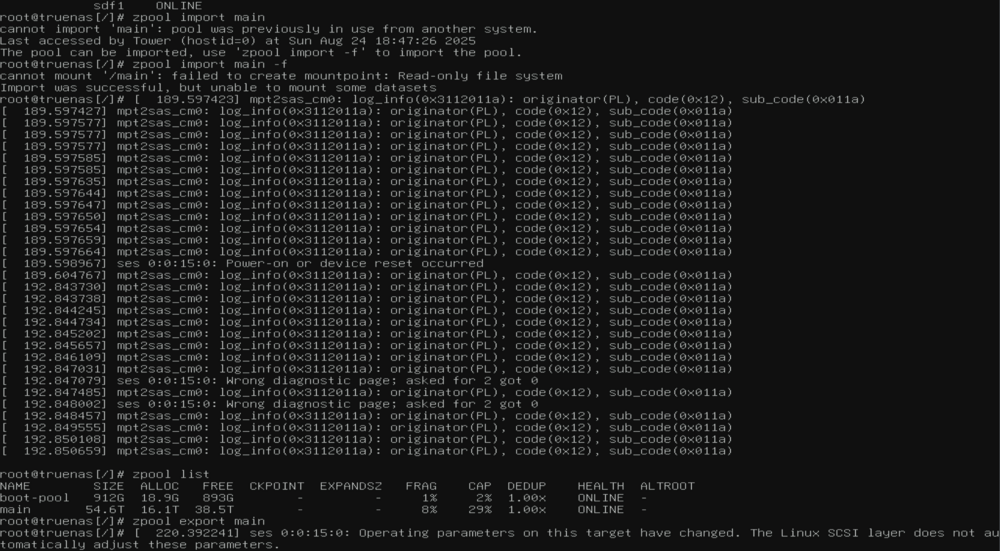
I was able to import and export the pool with no issues in truenas.
-
Import works perfectly. Status shows all drives online and zfs list shows all my vols. But even at command line when I go to export, it just hangs without even being able to Ctrl+C it. No error messages in dmesg show up.
-
Hello, I am working on migrating to Unraid from truenas but when I go to create the pool and add all the devices, it just keeps loading and never finishes. It seems to get stuck exporting the zpool again. Here is the SAS card that I use: 42:00.0 Serial Attached SCSI controller: Broadcom / LSI SAS2308 PCI-Express Fusion-MPT SAS-2 (rev 05) tower-diagnostics-20250824-1247.zip
