Matsi
Members
-
Joined
-
Last visited
-
Thank you again, I updated Unraid and the mover is now doing it job :) Sorry for the noob question, and thanks again for a easy working solution. Matsi
-
Okay, thanks. I will give this a shot on monday when im back at home
-
Sorry about that, forgot the Diagnostics. Here they are :) Thanks tower-diagnostics-20250925-1225.zip
-
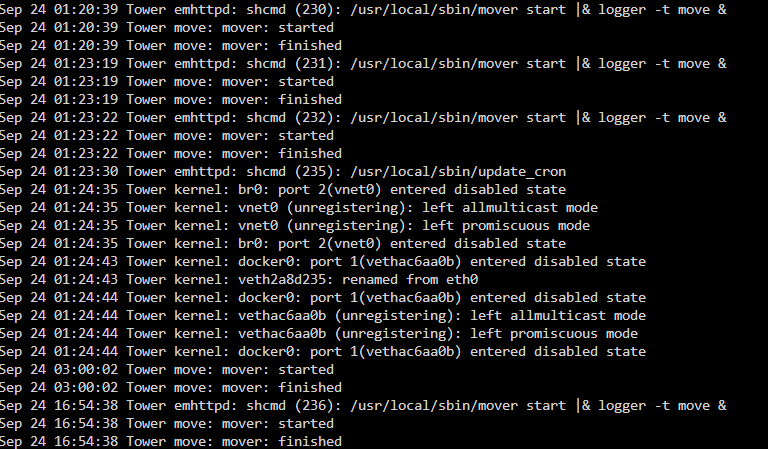
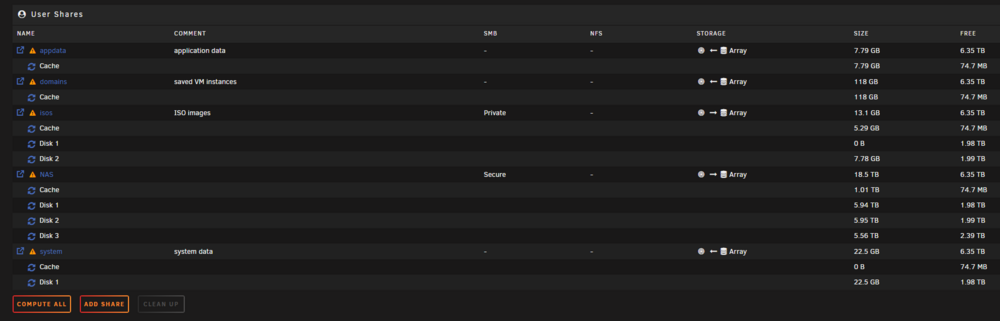
Hi, I am running Unraid 7 and a few months back I had to reinstall with backup when my USB drive died. I run a few dockers (plexserver etc) and a windows based VM for my downloads etc. I have setup my VM to store directly on a SMB share which is my array. and my Array has a cache disk. It seems that since I installed from backup my mover has never ran, and I did not pay attention to it until now when my 1TB cache drive became full. I tried to stop the vm and all my dockers, and manually start the mover, but it stops instantly. I have added part of my logs, and an overview of my shares. Any help appreciated