





rene72
Members
-
Joined
-
Last visited
-
Hi I had two Windows vms om my nas i changed the vms from 2 to 1 cpu worked on. But when I wanted to change it back to two cpu Windows boots in recovery mode. Only going back to 1 cpu was working. I dont use cpu pinning because kvm can decide best which core to use when needed. The I upgraded 1 to 2 cpu and pinned them two cores.after boot okI shutdown the machine removed cpu pinning and vm boots just fine now. i did check the xml but could not find a reason why Windows behaves this way. But its a quick fix if you ever want to upgrade a Windows vm a d run into the recovery boot issue.
-
solved the vmtemplates issue I had to delete the file /boot/config/plugins/dynamix.vm.manager\savedtemplates.json
-
solved the vmtemplates issue I had to delete the file /boot/config/plugins/dynamix.vm.manager\savedtemplates.json
-
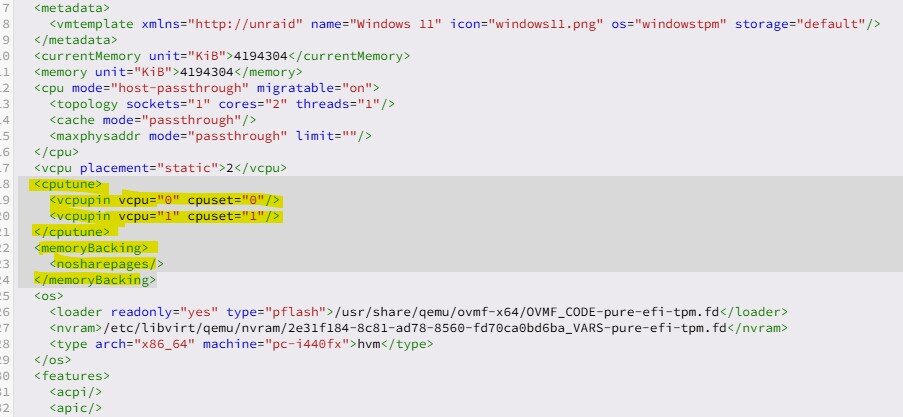
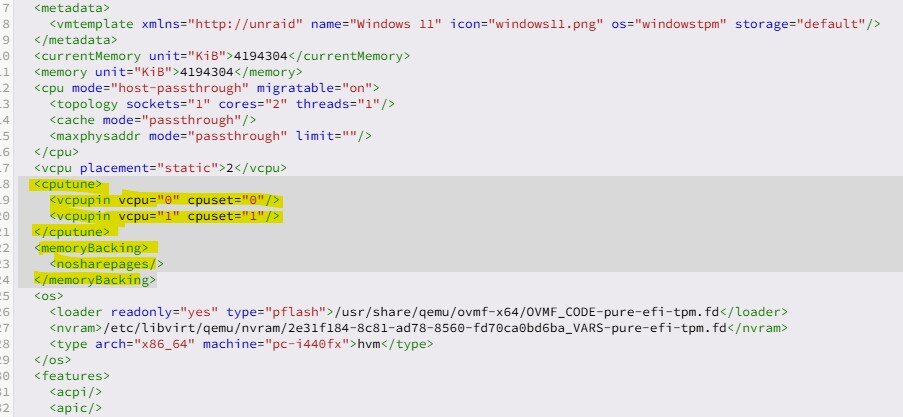
Using unraid 7.2.0 If I use a template for example windows 11 and I edit it, delete the yellow marked lines and save it. When I open it those lines are back ? Anyone knows how to fix this. According to a unraid article to tune windows vms those lines shoud be removed. If thats not possible then the complete edit xml option in unraid is useless. I did edit the xml of a vm I created and also a template I did create from the windows 11 xml, adding to .xml no issue deleting doesnot work.
-
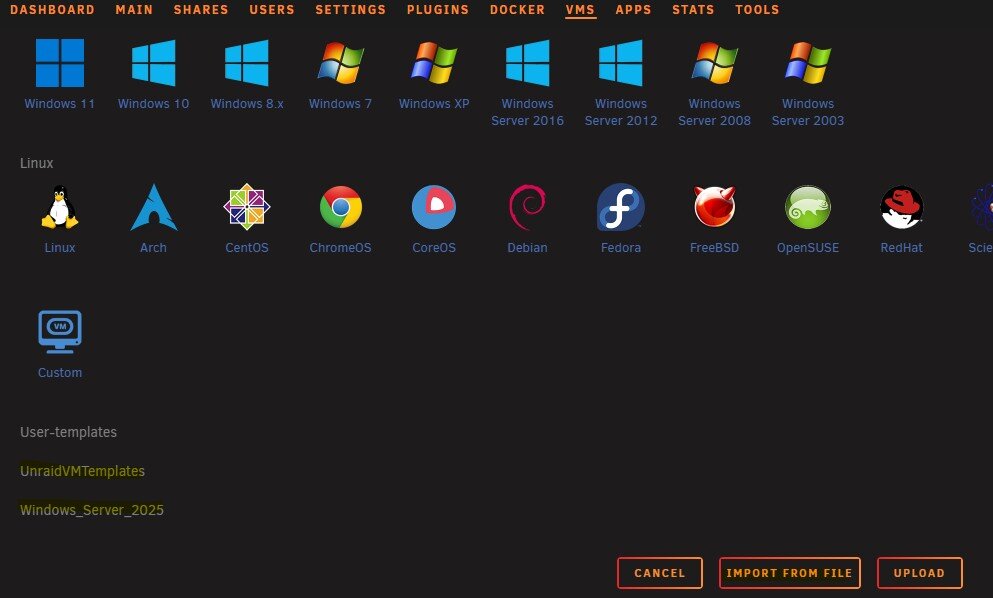
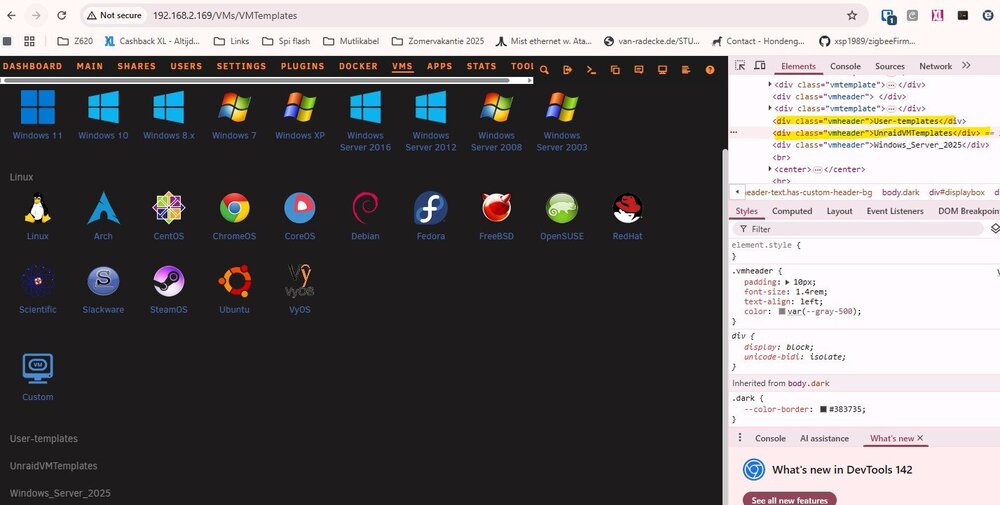
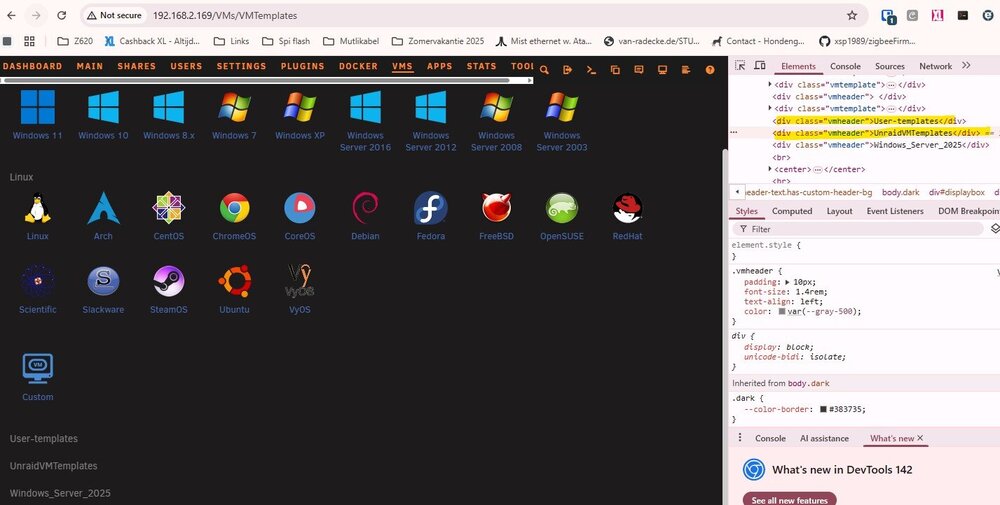
Using unraid 7.2.0 Hi, I do have issues with vm under unraid. I was trying to edit the xml files but drove me mad. After removing a few lines and saving when I looked at it the settings were there again. So I tryed to upload a modified .xml no luck didnot do anything and when I choose import a file it creates data on the vm tab that I cannot remove. How can I remove the items UnraidVMTemplates and Windows_Server_2025 from this VM page ?? If I use inspect I see those lines are added as <div>...... in the page but where can I remove these objects ?
-
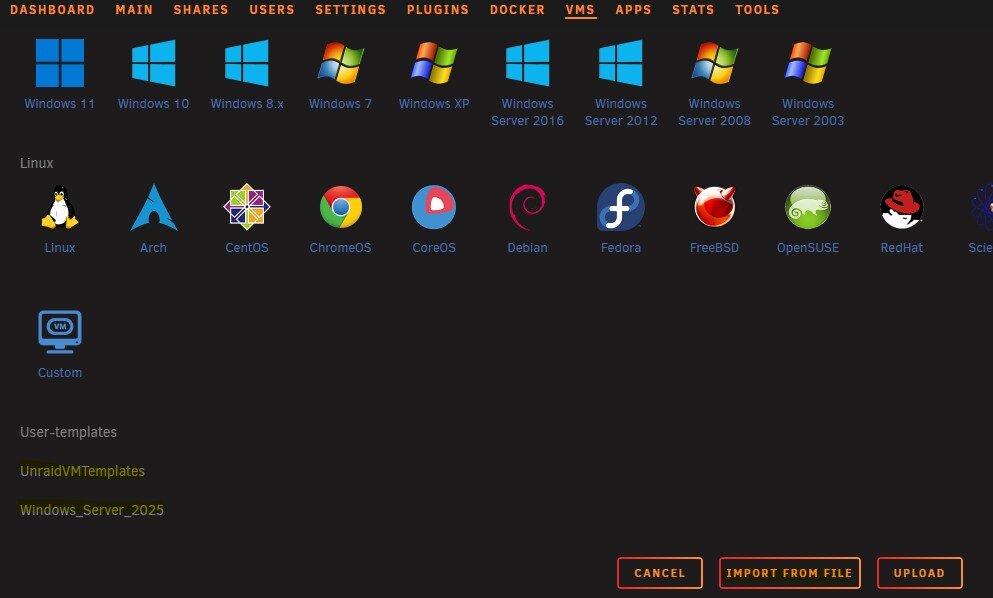
Hi, I do have issues with vm under unraid. I was trying to edit the xml files but drove me mad. After removing a few lines and saving when I looked at it the settings were there again. So I tryed to upload a modified .xml no luck didnot do anything and when I choose import a file it creates data on the vm tab that I cannot remove. How can I remove the items UnraidVMTemplates and Windows_Server_2025 from this VM page ?? I did see with inspect the two items are inserted in the webpage as <div> ... but I cannot find away to remove these Secondly if I use a template for example windows 11 and I edit it, delete the yellow marked lines and save it. When I open it those lines are back ? Anyone knows how to fix this. According to a unraid article to tune windows vms those lines shoud be removed. If thats not possible then the complete edit xml option in unraid is useless.
-
I installed the shinobipro with 2 cams and it works but I see an event that occured after 1 minute. I did try everything but this delay is still there. Now I installed agent-dvr and it works without any lag so whats going wrong with shinobi and if its a known issue what is the best option to run on unraid besides agent-dvr?
-
Thanks fingers crossed until copy is done
-
Hi I just installed unraid on a terramaster f4-424 it works great so far. I got a challenge, I have a qnap thats fixed but not sure how long can be weeks or months before it fails again. That nas had a raid 5 of 3 4tb disks. Most of the data is backuped to the cloud. I removed one 4TB disk from the raid 5 array and did put that as single drive in an array. Then I got a second 3TB drive, I want to add that to the array aswell no.parity yet. But the 7TB would be enough to copy the data from the qnap to the terrastation. When I finished the copy can I remove the other two 4TB disks from my qnap and add them to the array aswell and configure one as parity disk without losing data ? Or must the whole array be formatted again? I am using btrfs on the array.

