





Steve1965
Members
-
Joined
-
Last visited
-
i just removed the advanced setting and put it back to default and it is now working as it should do.
-
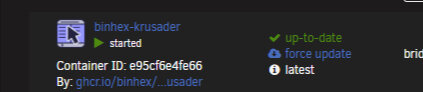
i can not open the web UI from inside the folder view 2 it redirects to about:blank#blocked i am using google chrome and i dont have any popup plugin installed. i can access the web UI BY Clicking on the down arrow and the select the applications web UI i did try this fix 🛠️ Steps: Go to Docker tab in Unraid Click Edit on your container Switch to Advanced View (top right corner) Locate the WebUI field Change the value to: http://YOUR_IP:PORT (Use your actual local IP and the container’s WebUI port) Click Apply
-
Steve1965 joined the community
-
Hi i wonder if anyone could advice me on a Thinkserver TS140 off ebay eBay UKLenovo ThinkServer TS140 Intel Xeon E3-1226 3.3GHz 16GB R...Lenovo ThinkServer TS140 Tower Server. And it's certified for MSP support with ecosystem vendors like Level Platforms, Kaseya, and N-able. 1TB (1x1TB) SATA Hard Drive. Compliance certifications: GREENI am looking at building a small home server would i be able to use Unraid software on this server Lenovo ThinkServer TS140 Tower Server Intel Xeon Quad Core E3 (1226 v3) 3.3GHz Processor with 8MB Cache 16GB (1x4GB) 1600MHz DDR3 UDIMM memory 1TB (1x1TB) SATA Hard Drive Slim DVD±RW Drive Integrated Intel HD Graphics P4600 Integrated 10/100/1000 Gigabit Ethernet RAID100 onboard (0/1/10/5) CPU Processor: Intel Xeon (Quad Core) E3 (1226 v3) 3.3GHz 8MB (L3 Cache) CPU Bus Speed: 1.6GHz Socket: LGA1150 Processors (Max): 1 (1) Chipset: Intel C226 PCI 32 bit: 1 x PCI Slots PCI Express Slot: 2 x PCI Express x16, 1 x PCI Express x1 Slots Memory (Maximum): 4GB (32GB) 1600MHz DDR3 Memory Slots (Free): 4 x DIMM Hard Drive Interface: SATA Hard Disk: 1000GB (1 x 1000GB) 7200RPM Internal Expansion Bays: 4 x 3.5 inch RAID Format: RAID 0, 1, 5, 10 Optical Drive Type: DVD±RW Graphics Device: Intel HD Graphics System Management: Intel Advanced Management Technology (AMT) 9.0 Security: Power-on password; Boot sequence control; Boot without keyboard, mouse, diskette; Serial port I/O control; USB port disablement (front or all) Compliance certifications: GREENGUARD certified, Energy Star Server 1.1 qualified, RoHS-compliant Power Supply: 450W Voltage/Power/Frequency: 100 to 240V AC / 50 to 60Hz Colour: Black VGA Port: 1 x 15-pin VGA USB Ports: 6 x USB 3.0, 2 x USB 2.0 Serial Ports: 1 x 9-pin RS-232 RJ-45 Ports: 1 x RJ-45 Microphone In Port: 1 x Microphone In Audio Line In Port: 1 x Audio Line In Audio Line Out Ports: 1 x Audio Line Out DisplayPort: 2 x DisplayPort Network Card: Ethernet 10/100/1000MBps Ample networking and storage capacity The TS140 offers storage and scalability for businesses large and small. Resourceful manageability features The TS140 makes clever use of Intel AMT 9.0 to provide out-of-band, cost-effective, remote management of end-user environments - regardless of the managed server's status. Intuitive and secure, the web console works directly out of the box to give point-and-click management tools perfect for branch offices or remote deployments with limited IT resources. Whisper-quiet, energy-efficient operation At 26 dB, the acoustics of the TS140 are less noise than you'll find in a typical library. Plus, it's ENERGY STAR-certified, so it's easy on the environment and easy on your power bills. True server-class features Rely on features like ECC memory, enterprise-class hard drives, and built-in RAID for maximum uptime - the TS140 is designed for 24 x 7 run times and true server reliability. And it's certified for MSP support with ecosystem vendors like Level Platforms, Kaseya, and N-able. Superb value With its attractive price points (it costs about as much as a typical desktop PC) and low operating costs, the TS140 is highly affordable for the features and functionality it offers. Lenovo NAS storage portfolio Choose from three network storage options, each powered by enterprise-class LenovoEMC technology for secure, fast storageand sharing of your important data. Condition Excellent Condition - Removed from working Home/Climate Controlled Environment. About Me
