





wbclear
Members
-
Joined
-
Last visited
-
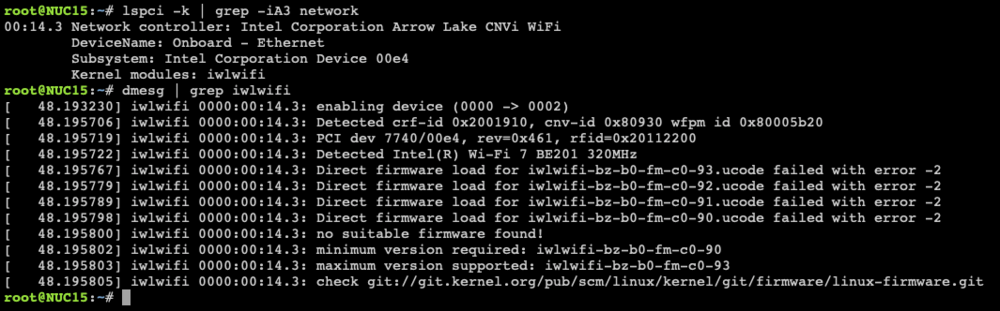
I installed the UNRAID7.2.2 system on the ASUS NUC15pro. Its wireless network card is intel be201, which can be detected by the UNRAID system. However, there is no suitable firmware, which makes it unusable. There is no wlan option in the network settings. How I can enable my wifi network card? Thanks a lot!
-
Here it is and thanks for your reply! syslog-127.0.0.1.log
-
I installed UNRAID on my ASUS NUC15pro U5 225h, but after the UNRAID system is running for eight to nine hours, I can no longer connect to the webUI and SSH. However, the FNOS system installed in the VM, which has passed through a hard disk and a wired network interface, can be used normally. I have already checked with memtest, and it did not show any memory issues. Could someone can help me? Thank you. nuc15-diagnostics-20251128-1120.zip
