tylercbirk
Members
-
Joined
-
Last visited
-
Any advice for hardware would be greatly appreciated. I am more than happy to start from scratch if it means doing things properly. Thank you!
-
Ahh that makes sense, sorry for being dumb! I am new to all of this and have been trying to read/understand as much as possible. I struggled to find ideal hardware set ups. After speaking to a friend/reading posts here I ended up with the Beelink Mini PC, Mini S13 PRO Intel 13th N150 and the TERRAMASTER D4-320. I guess I should return these and look for something else that supports proper expansion via SATA. Thank you.
-
Thank you for that clarification. Here is the ZIP file!homebirk-diagnostics-20251130-2023.zip
-
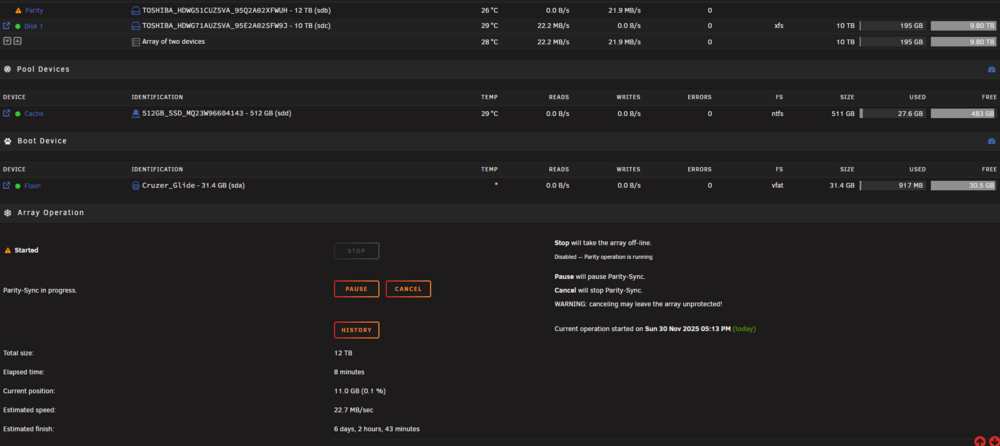
As it says above, mounting a new drive to be my parity drive. This is my first time setting up a server but I am pretty sure 6.5 days for initial set up is longer than it should be! Both are new Toshiba NAS 300 CMR SATA 6 Gb/s 7200 RPM