




-
Okay, it took a few more reboots, but they are now all appearing on 7.2.2. Not sure what the problem was. Didn't need to change any BIOS settings, but shut off and powering back on manually may have done it? No idea.
-
I'm using a Minisforum N5 Air. My cache is still showing up fine, which is plugged directly into the main board. All of the other drives are connected via SATA. I'm seeing some driver error popups related to storage devices. I tried downgrading to 7.1 (what I upgraded from), but can only go back down to 7.2.2 (what it upgraded to first, then to 7.3). Any way I can change installed storage drivers manually or any ideas how to fix? Thanks!
-
Just did an upgrade from 7.1 to 7.2.2 to 7.3. None of my SATA drives are appearing now. Fun.
-
Brute force solved it by marking each drive as the parity, thus wiping all data and formatting on it, and then resetting the entire config. Did this for each drive. It works fine now. Don't do this if you have stuff on your drives or any settings whatsoever already configured.
-
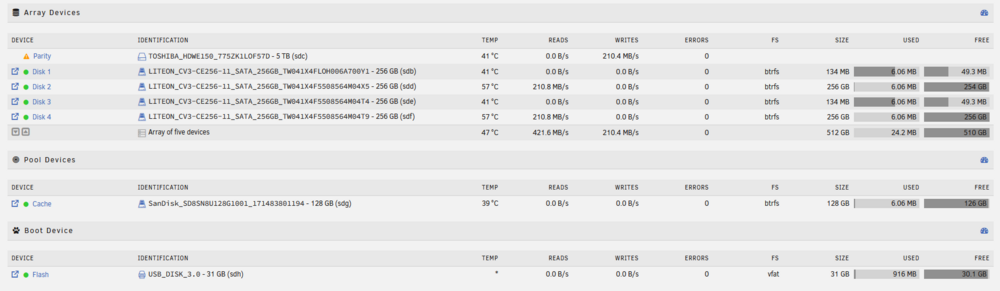
All drives were registering as 256 on my last windows server. The ones that are showing proper sizes are listed as having an MBR: 1MiB-aligned partition format. The ones that aren't showing their actual size are listed as GPT: custom. Not sure how to change this. I am only just getting started with Unraid and there is no data on these drives. Any idea how to fix?

View in the app
A better way to browse. Learn more.
