





bn920dlj3
Members
-
Joined
-
Last visited
Everything posted by bn920dlj3
-
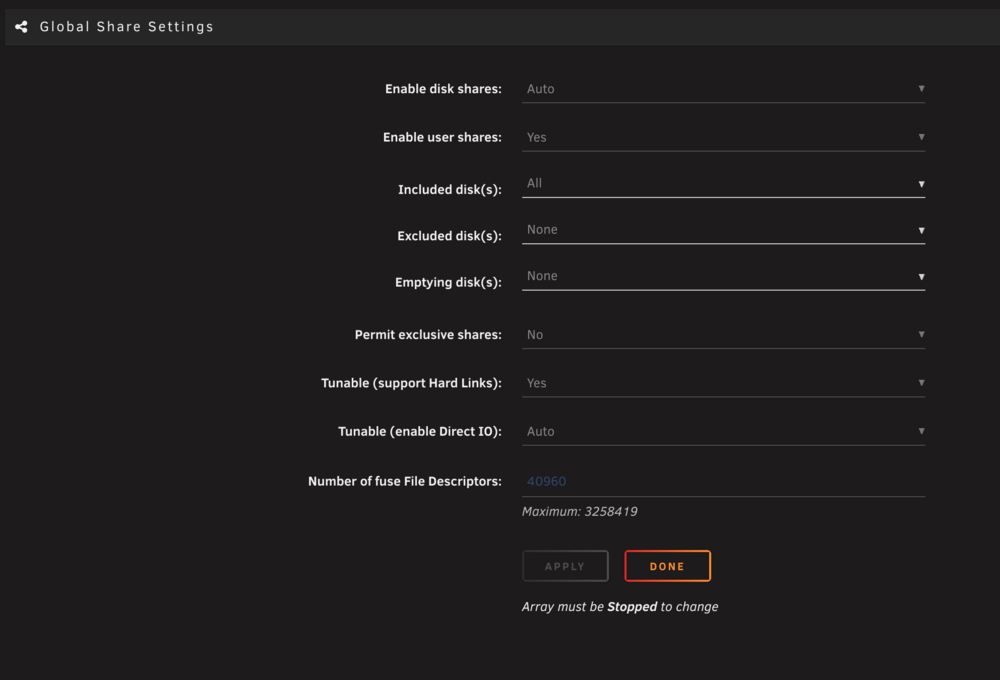
@trurl understood, sorry I was only able to post once yesterday so I figured I'd edit and check back in today, thank you very much for catching it and responding anyhow. So it's not helpful in terms of understand what had happened, because after setting the Archive share to 'Cache primary, Array secondary' the mover managed to take everything off the cache and move it back to the array. Then I switched the share back to Array only, and then continued with the rsync. Since then, the items are copying directly to the array and bypassing the cache. So I'm really unsure what happened. It was the first thing I did as soon as I started the system though, so is it possible that it used cache while the Parity was being initialized? Screenshot:
-
TL;DR - if a user share has its primary storage set to 'Array' shouldn't rsync bypass the cache entirely and write directly to the array? Hello, new unraid user here, running 7.2.2. I have set up a new NAS with 4 x HDD and 2 x SSD acting as a cache. I set up a user share to backup a large folder of old work. I set the storage to array only as it is not something to be accessed frequently but more as a sort of cold storage. Then in an ssh/tmux session on the NAS, I ran rsync to copy all the files from my old NAS to the unraid and eventually the cache filled up and the rsync died due to the full disk. Manually running the mover would cause it to stop immediately: "mover: started, mover: finished" So I reconfigured my share to set the cache as the primary storage, and the array as secondary, and now the mover functions. What I'm confused about is why it is storing the files on the cache at all? If the share's primary storage is 'array', shouldn't rsync copy files directly to the array and bypass the cache entirely? -- Edit: Added diagnostics and rsync command Share is Archive Rsync command was rsync -avz --progress --partial --chown=99:100 -e 'ssh -i /root/.ssh/id_ed25519' USER@REMOTE:/volume1/Archive/ /mnt/user/Archive/ Note: This diagnostics report is from AFTER I updated the share to use the cache - otherwise I believe it would look like the others and show shareUseCache=no blob-diagnostics-20251203-1007.zip
