





SuFxUR
Members
-
Joined
-
Last visited
Everything posted by SuFxUR
-
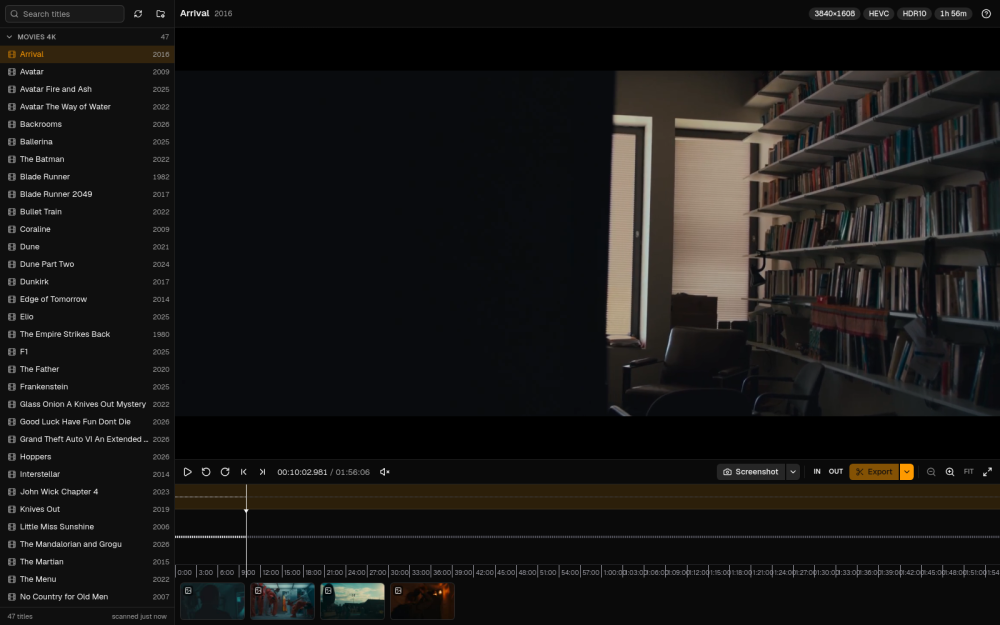
A small self-hosted video player for taking full-quality screenshots and trimming clips from your media library, straight from the browser. It plays anything (MKV, HEVC, AV1, HDR) through a lightweight preview, but every screenshot and clip is cut from the original file. Clips can be exported as MP4 or GIF, at source resolution or fitted into a 9:16, 1:1 or 16:9 frame with a drag-to-position crop. Black bars are trimmed automatically. No GPU, no database, no accounts, and it never writes to your media. Deployment: Docker image ghcr.io/sufxgit/reel-exporter. The README has a docker run one-liner, a compose file and an Unraid template. Mount your media read-only plus an output and a config folder, and that's it.
-
[docker container] WhatsApp bot for Seerr that allows users to search and request media via WhatsApp messages. This is especially useful for people who already manage their media with Seerr and want a convenient/fast chat-based way to browse and request content. Runs on docker. github link: GitHubGitHub - SuFxGIT/whatseerr: WhatsApp bot for Seerr that a...WhatsApp bot for Seerr that allows users to search and request media via WhatsApp messages - SuFxGIT/whatseerr
-
Scoutarr, a self-hosted web dashboard that gives you a unified view across your Sonarr, Radarr, Lidarr, and Readarr instances. Automate media upgrades in Radarr, Sonarr, Lidarr, and Readarr with smart filtering, scheduling, and a modern web UI. Note: This project uses Upgradinatorr as its foundation. We've created a modern UI and enhanced the functionality while maintaining the core concept. It syncs metadata from your Starr apps into a local database and lets you browse, search, and monitor your media library from a single interface. features include: Searching across all instances from one place, Custom format score tracking and history, Storage and library stats dashboard github: https://github.com/SuFxGIT/scoutarr

