





helpmeplswithunraid
Members
-
Joined
-
Last visited
-
I was wondering why would unraid limit the amount of parity drives you can add to your unraid pool? It just limits the scale of the array I read some posts regarding the importance of properly maintaining the hard disks and array to prevent such cases as multiple disks failing but still it doesn't answer the question why would it be hard coded to only have maximum 2 parity disks I also heard about the trick that you can create a full backup of the drives and essentially condense all the information into a big drive and return to the idea of 2 Parity hard disks but it just seems confusing and limiting still... Any ideas / will it be changed?
-
Since I used this method my usb isn't recognize when attempting to recieve a free trial what do I do?You're a legend Jorge worked like butter appreciate you alot thanks alot! have an amazing day broi didn't quote you so heres more informationthis is what happened when i tried booting from file it showed me some options that collapse to windows although i disabled that booting option in boot order incase my bios version just
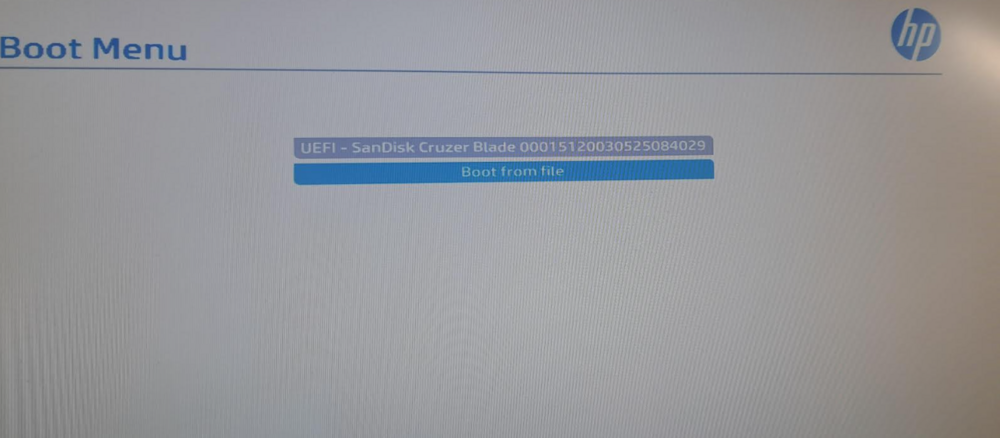
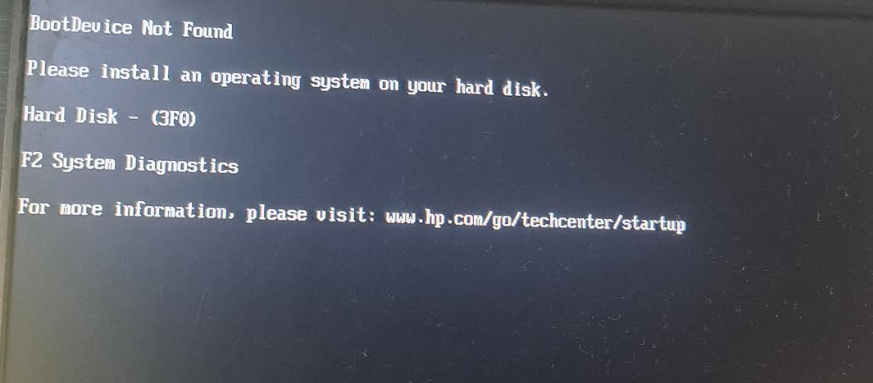
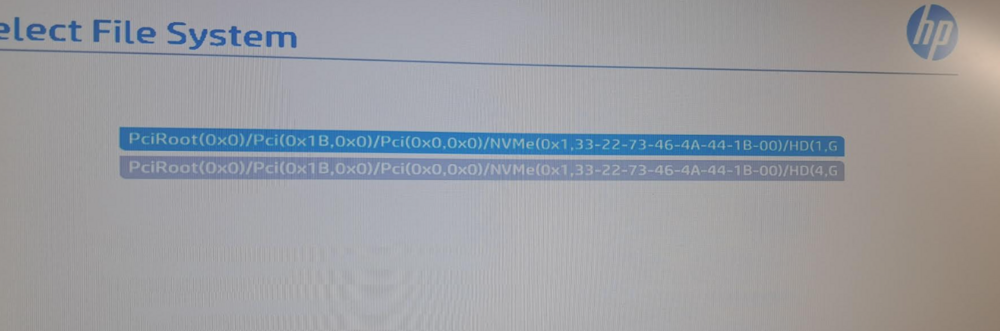
 Tried various options , the USB installer that is on the official website , second way formatting the usb stick into FAT32 and then extracting to the usb the zip is just not being recognized for some reason i'll attach more photos in asecThis USB stick is FINE! it works to boot from i booted from it TrueNAS OS but i don't have 2 drives so i can't use it and i want to use Unraid , the usb is not the issue. I disabled Secure boot fast boot , all these problematic configurations . I enabled make.bootable just incase , still just unraid doesn't boot . I honestly have no clue why this softward doesn't want to boot. The proper boot order is also configured it's just this.


