





arafel
Members
-
Joined
-
Last visited
-
Confirmed, I see the same issue:
-
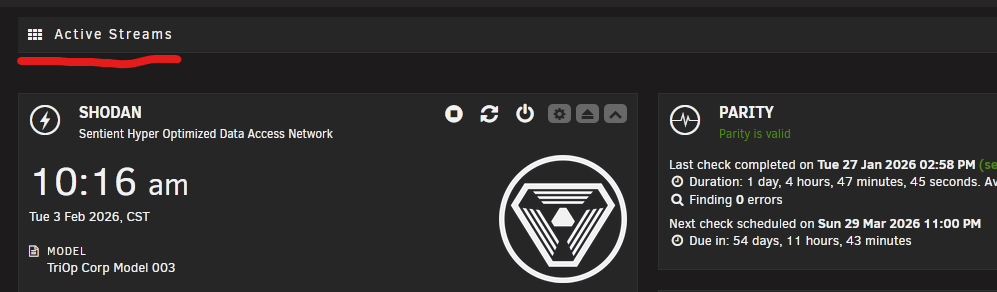
Installed OK and my SMB shares still work. Found out why it wasn't appearing on the dashboard - this plugin appears to conflict with Dynamix Active Streams. I removed the dynamix plugin and this one popped right up like it should.
-
I'll give it a try and reply with results
-
Reboot after uninstalling fixed the SMB share issue for me.
-
Uninstalling alone didn't work, I still can't access my SMB share. At the tail-end of a disk-clear so once that finishes I'll try restarting the array.
-
I get the same result as @TheLaughingMan , also tried removing & reinstalling the plugin after running the commands (saw there was an update)
-
Same issue here: total 148 drwxr-xr-x 2 1001 1001 220 Jan 15 19:42 ./ drwxr-xr-x 1 1001 1001 560 Jan 15 19:42 ../ -rw-r--r-- 1 1001 1001 5717 Jan 15 19:42 ActiveStreams.page -rw-r--r-- 1 1001 1001 18356 Jan 15 19:42 ActiveStreamsSettings.page -rw-r--r-- 1 1001 1001 16889 Jan 15 19:42 activestreams_api.php -rw-r--r-- 1 1001 1001 4994 Jan 15 19:42 activestreams_servers.php -rw-r--r-- 1 1001 1001 822 Jan 15 19:42 emby.png -rw-r--r-- 1 1001 1001 822 Jan 15 19:42 jellyfin.png -rw-r--r-- 1 1001 1001 822 Jan 15 19:42 plex.png -rw-r--r-- 1 1001 1001 392 Jan 15 19:42 streams.png -rw-r--r-- 1 1001 1001 77657 Jan 15 19:42 widget_preview.png --- POLL_INTERVAL="5" DISPLAY_WIDGET="1" WIDGET_ICON="plex" WIDGET_TITLE="Plex Streams" I also checked the Tile Management screen and the widget is not there as an option.
