




Skip to content
View in the app

A better way to browse. Learn more.

Unraid

A full-screen app on your home screen with push notifications, badges and more.

To install this app on iOS and iPadOS
  1. Tap the Share icon in Safari
  2. Scroll the menu and tap Add to Home Screen.
  3. Tap Add in the top-right corner.
To install this app on Android
  1. Tap the 3-dot menu (⋮) in the top-right corner of the browser.
  2. Tap Add to Home screen or Install app.
  3. Confirm by tapping Install.

russellpbender

Members
  • Joined

  • Last visited

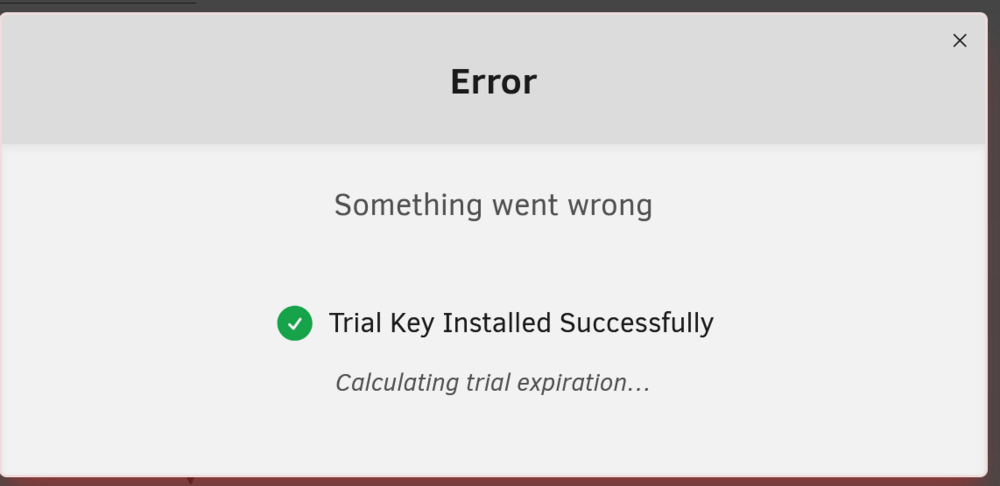
  1. Thanks for your help Jorge When i install the key manually, I'm now getting an error that Trial requires internet connection. I'm sure it does, and that explains why it was struggling to download the file... except that my NAS seems to be online according to my router config, and from unside bash I can ping / curl google just fine... tower-diagnostics-20260121-1759.zip
  2. Hi there I'm trying to activate a free trial of unraid. Whenever I do so I get a message in a popup "Something went wrong". And the following message in the logs emhttpd: error: get_key_info, 600: Invalid argument (22): stat: /boot/config/Trial.key I've attached my diagnostics. Very grateful for any help tower-diagnostics-20260121-1001.zip
Account

Navigation

Search

Search

Configure browser push notifications

Chrome (Android)
  1. Tap the lock icon next to the address bar.
  2. Tap Permissions → Notifications.
  3. Adjust your preference.
Chrome (Desktop)
  1. Click the padlock icon in the address bar.
  2. Select Site settings.
  3. Find Notifications and adjust your preference.