chazwhiz
Members
-
Joined
-
Last visited
-
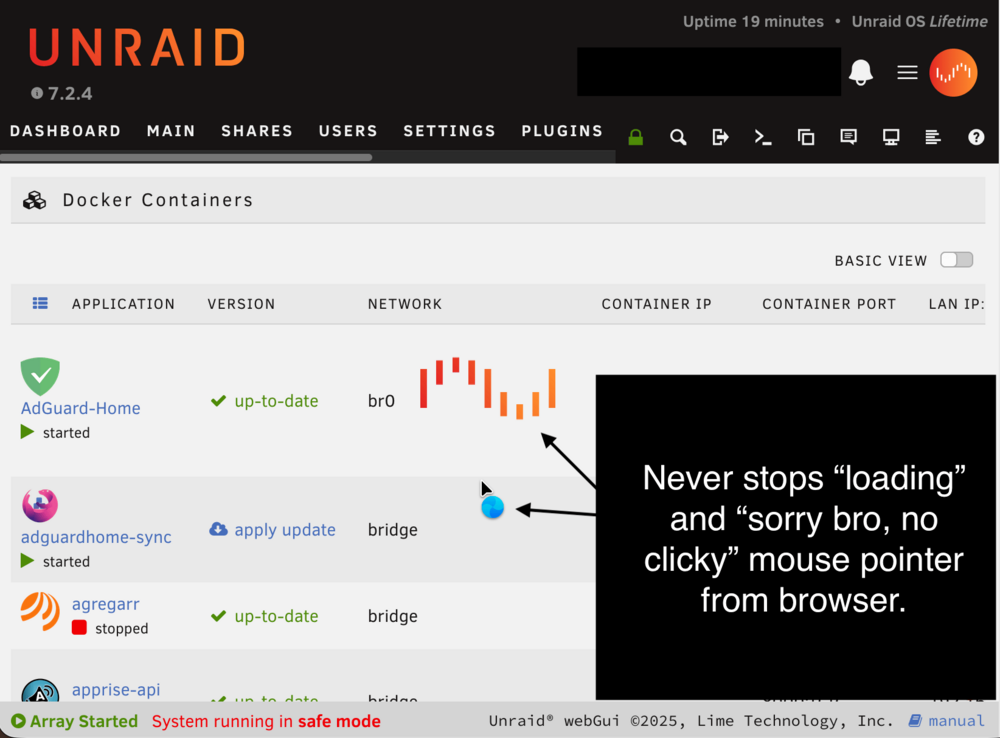
Just started this morning. Everything seems to be working fine except when accessing the Docker tab of the webgui, it appears to load, but the Unraid loading spinner never goes away and the page is unresponsive. Docker itself and services that auto-started work. I can interact with the widget on the dashboard to start/stop/etc services. It's just Unraid's Docker UI tab that seems to be affected. The only thing I see that appears related is this in the phplog: [04-Mar-2026 09:10:52 America/Chicago] PHP Fatal error: Uncaught ValueError: Path cannot be empty in /usr/local/emhttp/plugins/dynamix.docker.manager/include/CreateDocker.php:182 Stack trace: #0 /usr/local/emhttp/plugins/dynamix.docker.manager/include/CreateDocker.php(182): file_get_contents('') #1 {main} thrown in /usr/local/emhttp/plugins/dynamix.docker.manager/include/CreateDocker.php on line 182Problem is NOT fixed by reboot in safe mode. mybox-safemode-diagnostics-20260304-0922.zip