




Skip to content
View in the app

A better way to browse. Learn more.

Unraid

A full-screen app on your home screen with push notifications, badges and more.

To install this app on iOS and iPadOS
  1. Tap the Share icon in Safari
  2. Scroll the menu and tap Add to Home Screen.
  3. Tap Add in the top-right corner.
To install this app on Android
  1. Tap the 3-dot menu (⋮) in the top-right corner of the browser.
  2. Tap Add to Home screen or Install app.
  3. Confirm by tapping Install.

sitheris

Members
  • Joined

  • Last visited

  1. I will try that thank you!!
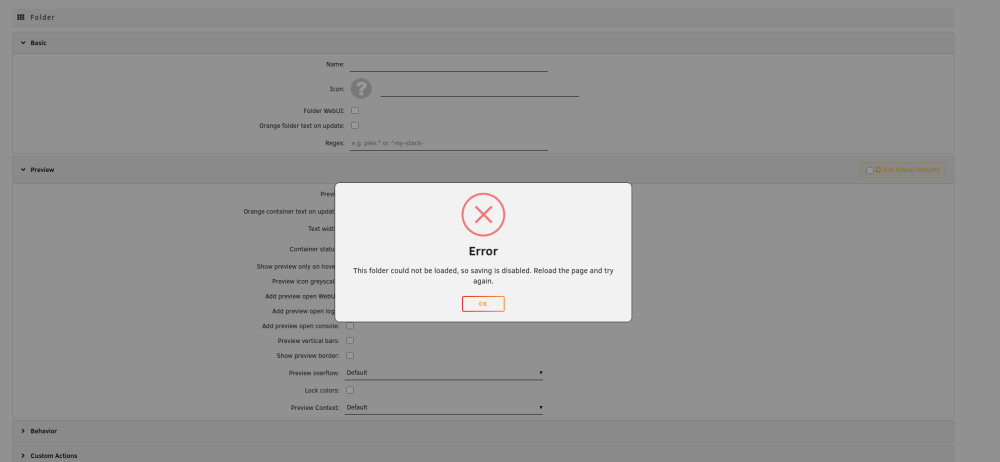
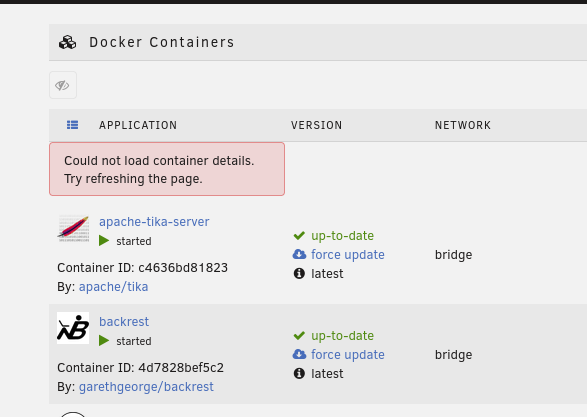
  2. Hi, after updating the plugin yesterday my folders are no longer working, and I get the following errors on my docker list as well as when trying to create a new folder: When I go to the plugin settings page, all my folders are gone. I don't know what happened but something in the update left it in an unusable state. I feel like I will probably need to wipe all data and start over with this plugin, but not sure how to do that? I tried clearing the docker folders in the setting page but didn't fix this error. Are there some files on the OS file system I can remove to get back to a "fresh install" status? Thanks
Account

Navigation

Search

Search

Configure browser push notifications

Chrome (Android)
  1. Tap the lock icon next to the address bar.
  2. Tap Permissions → Notifications.
  3. Adjust your preference.
Chrome (Desktop)
  1. Click the padlock icon in the address bar.
  2. Select Site settings.
  3. Find Notifications and adjust your preference.
