



Skip to content
View in the app

A better way to browse. Learn more.

Unraid

A full-screen app on your home screen with push notifications, badges and more.

To install this app on iOS and iPadOS
  1. Tap the Share icon in Safari
  2. Scroll the menu and tap Add to Home Screen.
  3. Tap Add in the top-right corner.
To install this app on Android
  1. Tap the 3-dot menu (⋮) in the top-right corner of the browser.
  2. Tap Add to Home screen or Install app.
  3. Confirm by tapping Install.

Kr3Kr0

Members
  • Joined

  • Last visited

  1. They are not showing as pinned in container view for some reason: So at this point, I'm not even sure which one is correct, but PMS is using only core 3 for some reason when detecting intros etc. Thank you!
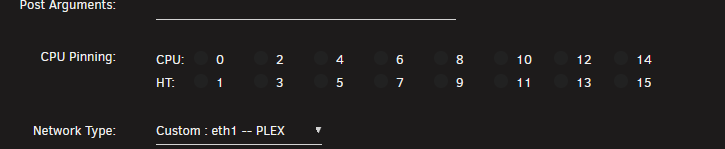
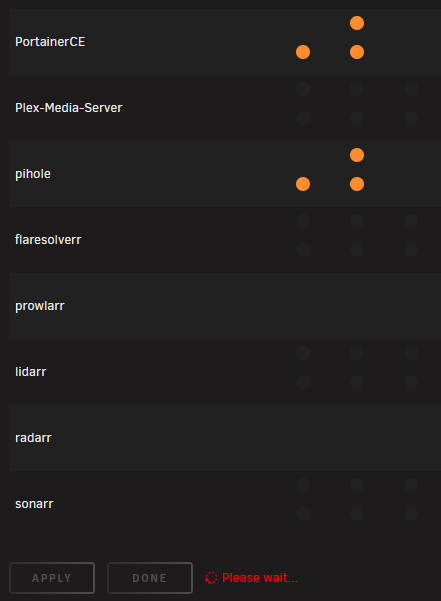
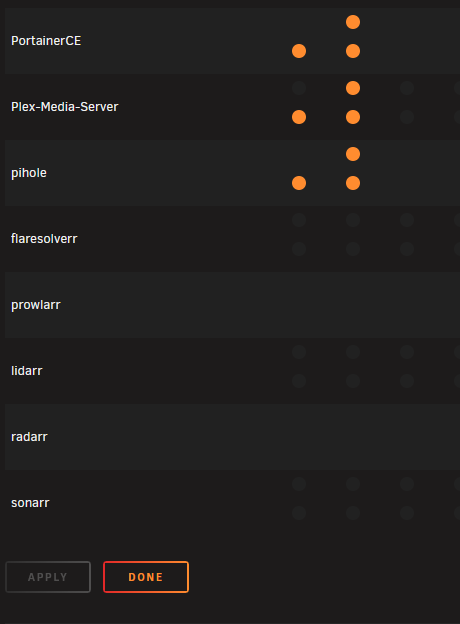
  2. Hi! I replaced the motherboard in my unRaid machine. I went from an N100 motherboard to a Ryzen 7 5825U motherboard. With the N100, I used CPU pinning for Docker containers because the four E-cores could easily become overloaded, so I wanted to leave one available for the OS. Now, however, I can't remove the pinning. Every time I remove it via the GUI, a red circle just spins and the pinning stays in place. Is there a configuration file that I can modify? In this example, I'm trying to remove the pinning assigned to the PMS container. Running unRaid 7.1.4 Thanks!
Account

Navigation

Search

Search

Configure browser push notifications

Chrome (Android)
  1. Tap the lock icon next to the address bar.
  2. Tap Permissions → Notifications.
  3. Adjust your preference.
Chrome (Desktop)
  1. Click the padlock icon in the address bar.
  2. Select Site settings.
  3. Find Notifications and adjust your preference.