





Ogbassist
Members
-
Joined
-
Last visited
-
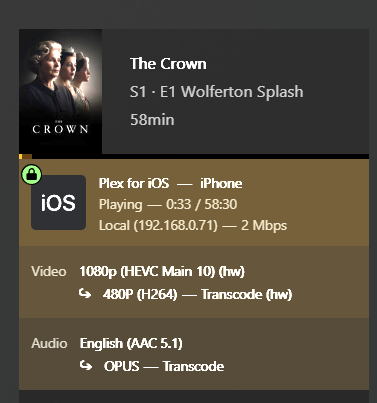
Plex was already in "host" mode and I did select the iGPU in transcoder settings :D its ok I fixed it, just had to roll back to a previous version.
-
So after rolling back to version 1.43.0.10492, its working. I guess the new version just broke it.
-
passthrough might have been the wrong word. Yeah you need to pass a device through to your VM instance. When you do that with a VM, its locked to that VM and nothing else can even see it exists anymore. I was referring to just letting the device know where the hardware I want to use is located aka /dev/dri
-
I'll check that out, thank you. Claude was saying the libs used for transcoding were incompatible with the new xe architecture.
-
I had the z790 and I7-12700k before and it worked fine with that hardware, not so much with the new stuff.
-
I'm fairly sure the web browser always uses transcoding, but I was using the Xbox One. That's where 99% of my media is played from. I never use subtitles unless forced subs are needed which are sitting next to the media file.
-
Yes I do. Bought it many years ago. What CPU/Motherboard do you have? I also run plex in docker.
-
I've attempted to pass the iGPU though to plex by "add another Path, Port, Variable, Label, or Device" and using /dev/dri. I can select the iGPU in transcode settings in the Plex webUI, but it always transcodes using my CPU. Am I doing something wrong? I've asked Claude and it's saying there is an incompatibility issue, but I tend to not trust AI very much.
-
That worked my dude! Thank you!
-
That's what I figured. Thanks for the reply.
-
Hey guys! I recently built a server and initially I had put a z790 board and an Intel i7-12700k in it. I wasn't aware the new Ultra 7 270k had just released so after about a week I sent the board and CPU back and replaced it with the z890 and Ultra 7 270k. While I was using the 12700k, unraid was able to detect all my fans and I was able to use plugins like FanCTL Plus to map certain fans to my HDD temps. After upgrading, unRAID is no longer able to detect any fans and is showing all fans at 65,000 RPMs. Is this board just too new to be supported yet? I'm still new to unRAID, only been using it for a couple of weeks so I'm not very familiar with the OS yet. Thanks for any help!
