





xarmian
Members
-
Joined
-
Last visited
-
Pad is now listed on CA inside Unraid. If you're looking for it, Search for "Pad". The listing looks like this:
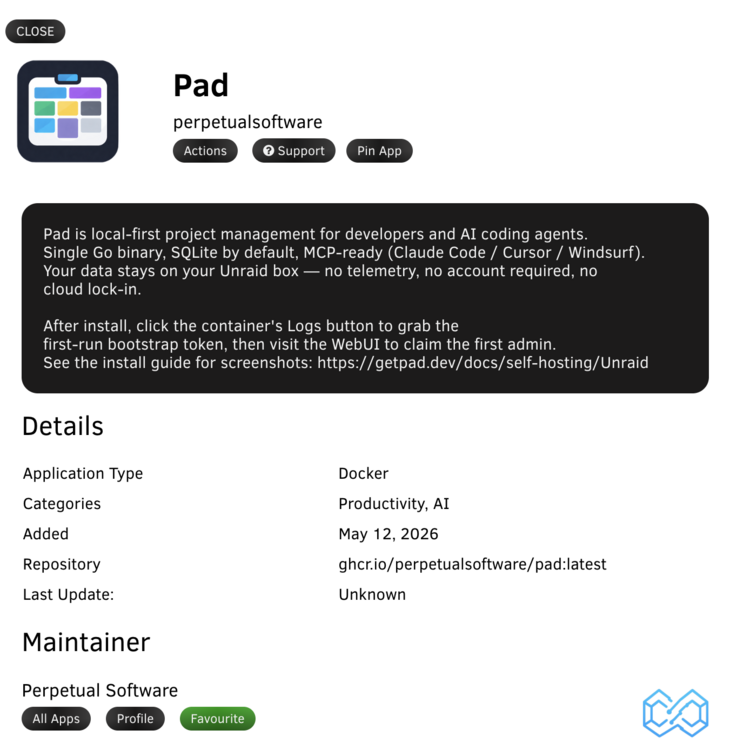
-
reserved
-
Pad is a project tracker built for developers and AI coding agents. Single Go binary, SQLite by default, MCP-ready (Claude Code, Cursor, Windsurf, Codex). Your data stays on your Unraid box — no telemetry, no account required, no cloud lock-in. Image: ghcr.io/perpetualsoftware/pad:latest (multi-arch: amd64, arm64) Source: https://github.com/PerpetualSoftware/pad Install docs: https://getpad.dev/docs/self-hosting/unraid Bug reports: https://github.com/PerpetualSoftware/pad/issues Pad Cloud (managed): https://getpad.dev — if you'd rather not self-host What you getTasks, ideas, plans, docs — typed collections, FTS-indexed search, wiki-style [[item-links]] resolved across collections MCP server built in — Claude / Cursor / Windsurf can read and write items via natural language Auth + 2FA + role-based workspace membership (owner / editor / viewer) Real-time sync via SSE — multi-tab + multi-user without polling Email invitations via Maileroo (optional) or copyable join codes if you skip email config InstallFull walkthrough: getpad.dev/docs/self-hosting/unraid Short version once Pad lands in CA: Apps → search "Pad" → Install → wait ~10s for healthy → Logs → grab the bootstrap URL from the Pad first-run setup banner → paste in browser → email/name/password → done. First-run setupPad's first-admin bootstrap is gated to either localhost OR a one-time token written to the container logs. Two paths: Default — token from logs. Click the container's Logs button, scroll for Pad first-run setup, copy the URL (http://<your-tower>:7777/setup#token=<TOKEN>), paste in your browser. The #token= portion is a URL fragment — browser-only, never sent to the server. Trusted-network shortcut — open mode. If your Unraid is LAN-only / Tailscale-only / firewalled, set the Bypass Setup Token field to true and visit /setup directly. No token required. Don't enable this if your WebUI port is exposed to the open internet — anyone who races you becomes admin. The bypass is gated to UserCount==0; once an admin exists the surface closes regardless of the flag. Form fieldsField Default Notes WebUI Port 7777 Change if 7777 is in use Appdata /mnt/user/appdata/pad/ SQLite DB, attachments, encryption key, logs PUID / PGID 99 / 100 Unraid nobody:users; rarely changed Log Level info debug / info / warn / error Bypass Setup Token false Trusted networks only — see above Public URL (empty) Required if reverse-proxying Maileroo API Key (empty) Optional; enables email invitations Email From / Name (empty) / Pad Required if Maileroo key is set BackupsStop the container so SQLite isn't mid-write, then: tar -C /mnt/user/appdata -czf "pad-backup-$(date +%F).tar.gz" pad/Critical files: pad.db (+ WAL/SHM), encryption.key (losing this bricks encrypted fields like TOTP seeds), attachments/. The entrypoint runs chown -R PUID:PGID on every start, so the backup is portable across hosts. Reverse proxySet the Public URL field to your external URL (e.g. https://pad.example.com), point your proxy at <unraid-host>:7777. Standard headers; no special config. Public URL is required so emailed invitation links point at the right host. Connect your CLI + AI agentsbrew install perpetualsoftware/tap/pad pad init --url http://<your-tower>:7777 --workspace <your-workspace-slug> pad agent install claude # or: cursor / windsurf / codexpad agent install drops the natural-language /pad skill into your AI coding tool. Pad also runs as a local MCP server (pad mcp install claude-desktop) for MCP-aware tools — the skill and MCP are independent integrations; use either, both, or neither. Support boundariesThis thread — Unraid-specific install / runtime questions, template fields, common gotchas. GitHub Issues (github.com/PerpetualSoftware/pad/issues) — bug reports, feature requests, anything Pad-the-product. Tracked and tied to commits. Pad is built by Perpetual Software (perpetualsoftware.org). Template lives at github.com/PerpetualSoftware/unraid-templates — PRs welcome. Reply with feedback, questions, or "this is missing X" — I read everything.
