Brobot1331
Members
-
Joined
-
Last visited
-
Brobot1331 joined the community
-
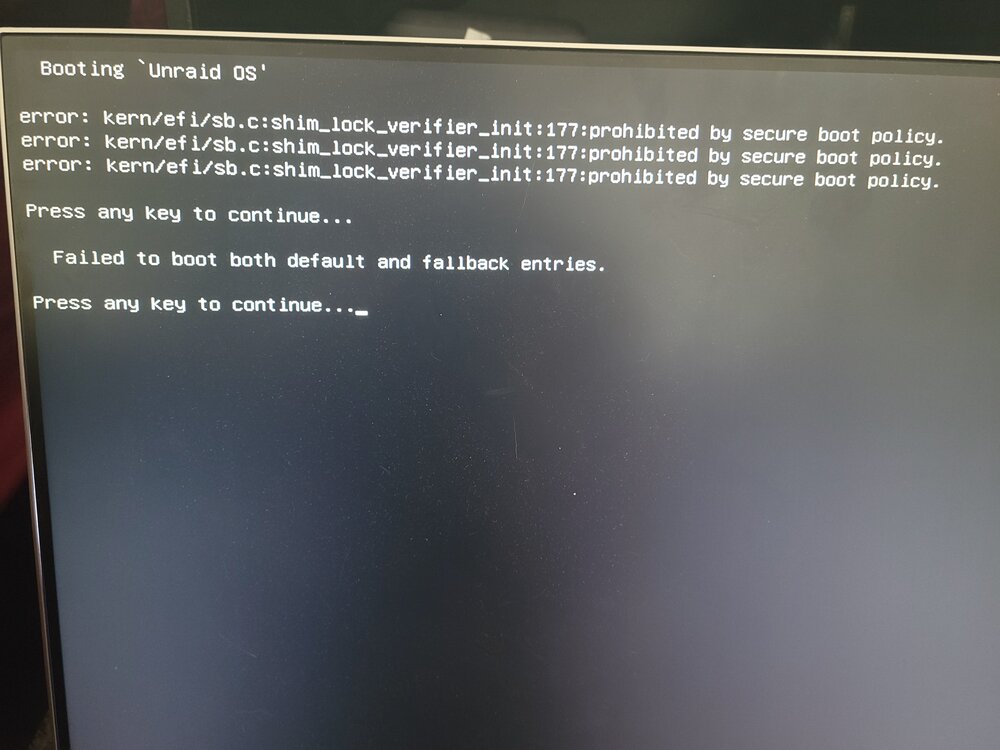
Hello, Hoping someone can help me out. Of course every time I try to do something that seems straight forward and simple it decides not not want to work. Today I upgraded to Unraid 7.3 and have been saving a 250gb SATA SSD for internal boot when it was avialable. I watched the video on the Uncast show and I decided to try and transfer to internal boot and I take all the steps through the Onboarding wizard, making sure that its in the correct boot order but it fails to boot to the SSD for some reason. As soon as I switch the boot order back in my BIOS it will boot to the USB fine. I have cleared the SSD 3 times reformatted and re-done the process but it still fails to boot as soon as I have it trying to boot from the SSD for some reason and just sits on the uraid OS boot option screen. Has anyone else had this issue? POsted a screen shot of the error i'm getting