





.jpg.cb94787c9d733ecf9e5c94ef952c73ef.jpg)
TechByGiusi
Members
-
Joined
-
Last visited
-
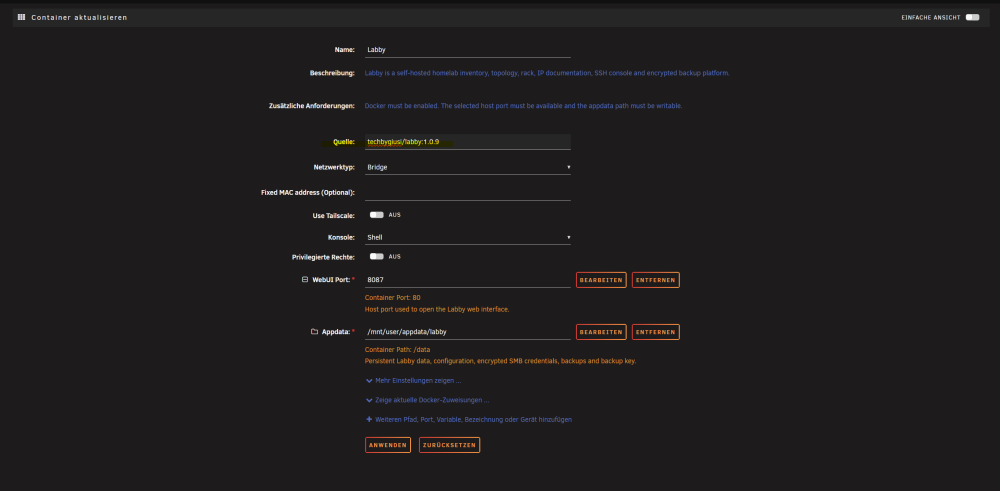
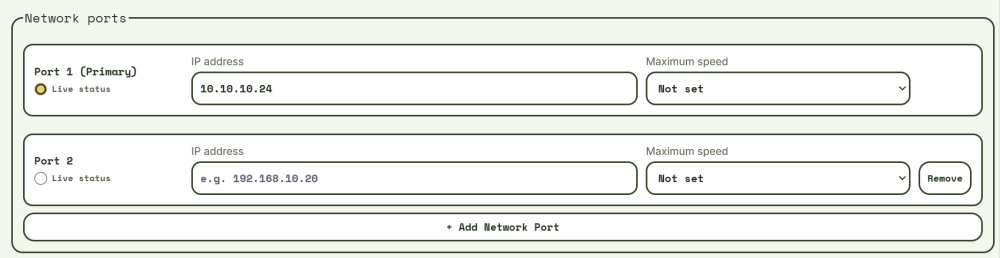
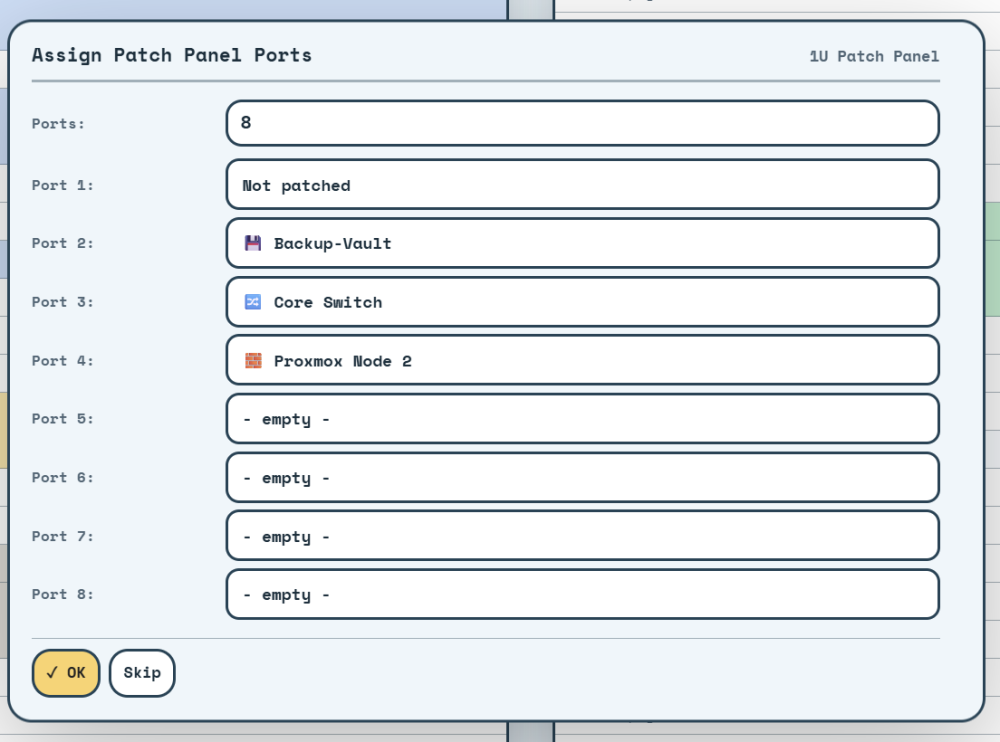
Hey, i just released the new version. I tested it on my live system. No problems so far. The app in the community app store has a delay in syncing. If you want to check it out directly you can just change the version in the container settings. Multiple Ports can now be configured in "Advanced Settings". There you can also select wich one should be used for Live-Monitoring. \ Also in 'Advanced Settings" you can now decide whether a VM or LXC is hosted on Hardware or another VM or LXC. (Thinking of adding Docker in the future maybe). If one of both is set, the second options is grayed out. Patch panels can now be configured. Also i added the status "Not patched". \ The full changelog can be found here: https://github.com/techbygiusi/Labby/releases/tag/v1.0.9

-
Hey there, thank you for testing it out so far. The point of nesting VMs, LXCs etc. is already an open issue on github. It will be published with v1.0.9. Here you can check the status: https://github.com/techbygiusi/Labby/issues/84 Also the point of multiple ports is correct. I added a new issue to my repo: https://github.com/techbygiusi/Labby/issues/85 For the Rack add and remove problems. What exactly do you mean with "either as it is removed or added on error". On desktop you can remove object with hovering over it and clicking on the "x" on the right side of the Object. Patch Panels are beeing also fixed in v1.0.9: https://github.com/techbygiusi/Labby/issues/86

-
TechByGiusi changed their profile photo
-
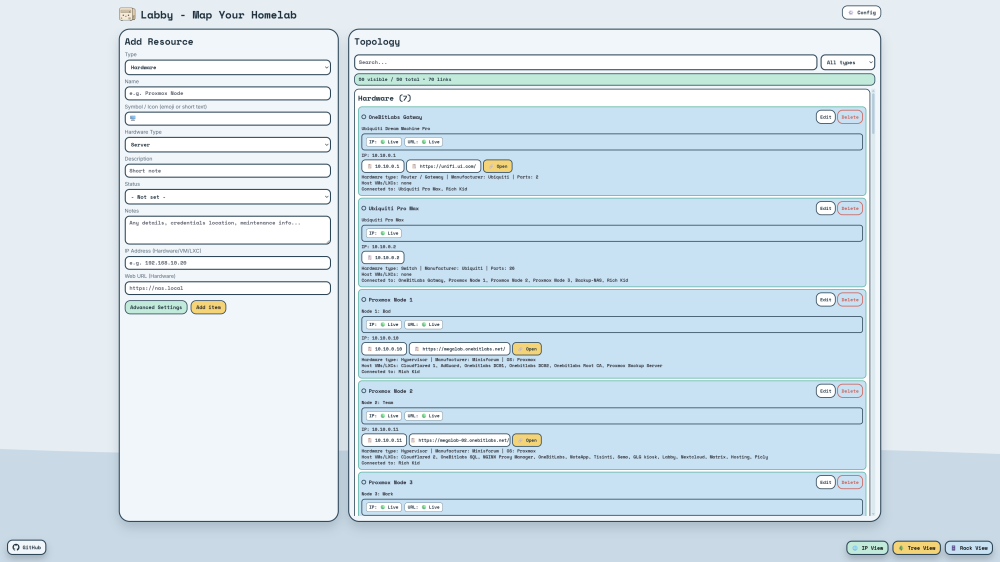
Hey everyone,I recently added Labby to Unraid Community Apps and would really like to hear what you think about it. Labby is a self-hosted app for keeping track of your homelab in one place. You can document servers, VMs, LXCs, apps, networks, IP addresses, racks and the relationships between everything. I originally built it because my own homelab information was spread across notes, bookmarks and different tools. Labby is my attempt to make that easier and more visual. Some of the current features are: Hardware, VM, LXC, app and network inventory Rack and location management Topology, Tree, Graph and IP views Browser-based SSH console Saved command library Credentials and scoped API keys Encrypted backups Direct SMB and NAS backup destinations Import and export Multiple themes Desktop, tablet and mobile support You can install it directly from Unraid Community Apps by searching for: Labby The persistent data is stored by default in: /mnt/user/appdata/labby I am still actively working on it, so honest feedback would help a lot. I would especially like to know: What feels useful? What feels confusing? What is missing? What should be improved first? Did the Unraid installation work without problems? Does it work well for your own homelab setup? You do not need to be polite about bugs or bad design choices. If something feels awkward, please tell me. That is exactly the kind of feedback I am looking for. Website and demo: https://my-labby.com GitHub: https://github.com/techbygiusi/Labby Docker image: techbygiusi/labby:1.0.7 Thanks for checking it out. I am looking forward to seeing how other people use it and what you would change.
.thumb.jpg.a10cfd93b7b7f1a00fab0e634286b642.jpg)


