Zingy
Members
-
Joined
-
Last visited
-
Yep will test as soon as possible after work.
-
To be clear I only meant temporary, obviously would be moving to pure wired when I overhaul the networking gear. When I went through my path, it’s the same Powerline adapter. I went through the send and receive flow. So although it’s mentioned twice, there’s only one set (pair) of Powerline adapters. Although I do appreciate Powerline in general is clearly not recommended. Where the fibre line (ONT) enters my home, it’s very far away from everything else. So everything “internet” is in one room, in one corner. I’m in the process of dropping Ethernet cables into every room from the attic, so going through walls etc. So eventually things that need wired will be wired with UniFi switches etc. without going through intermediary mediums e.g. Powerline.
-
Okay noted haha, apologies! I tried it with WiFi on the Unraid side and was still getting the same 10MB / 15MBs speeds though, so that would have skipped the Powerline setup. However saying that I can’t remember if I was using WiFi on the Windows PC then or if I was still using Ethernet (so going through Powerline) and it was only WiFi on the Unraid side… I tried so many things I’ve lost count. Do you think WiFi from the Windows PC to WiFi on my Unraid server would still be better than Powerline? At least until I overhaul my networking setup anyway. I can’t leave my server where it is at the moment (as I was testing the direct connection), but I’m moving content over while it’s there. It’s doing my head in I can’t remember if I was using WiFi on my Windows PC at the same time testing WiFi on my Unraid server.
-
Is Powerline that bad, do we think that is it? It’ll make more sense to me if my connection between my PC and my Mac was bad, but that is okay (Excluding SMB, just iperf). If Powerline was the issue, wouldn’t that flow also be around the same speed? I’m wanting to overhaul my networking setup anyway, got some UniFi gear ready to go so I’ll probably do all that first and then retest.
-
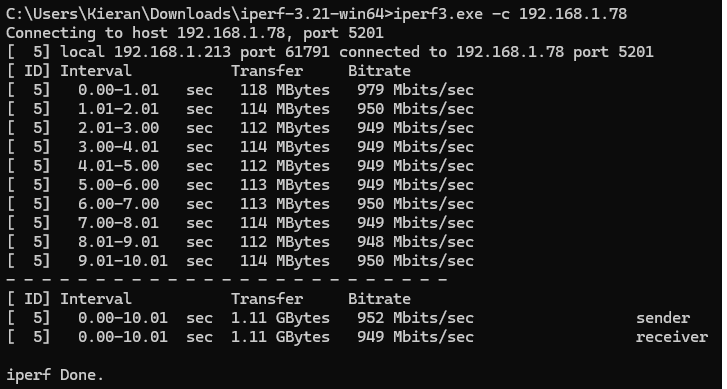
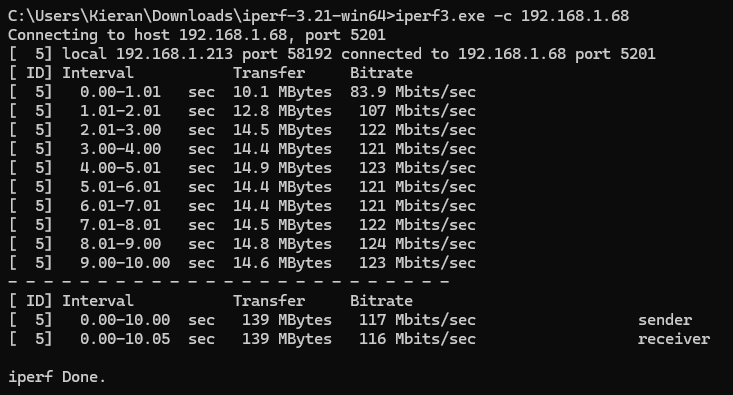
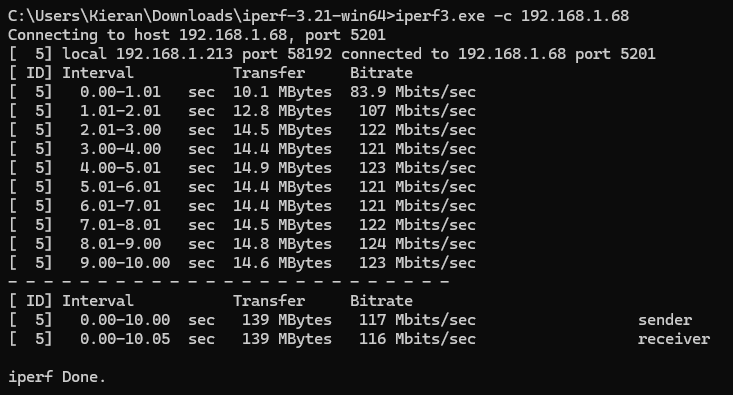
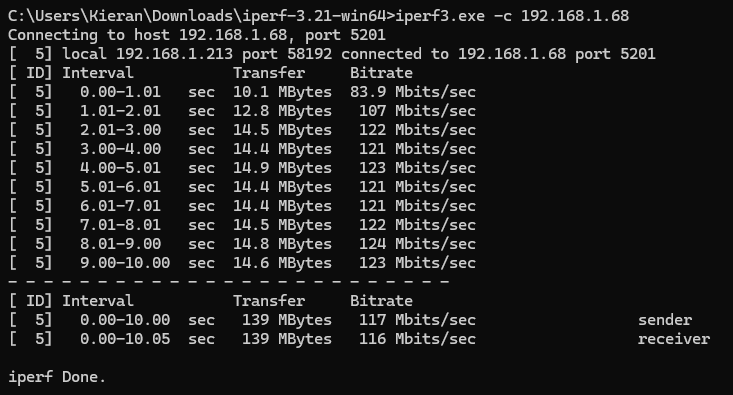
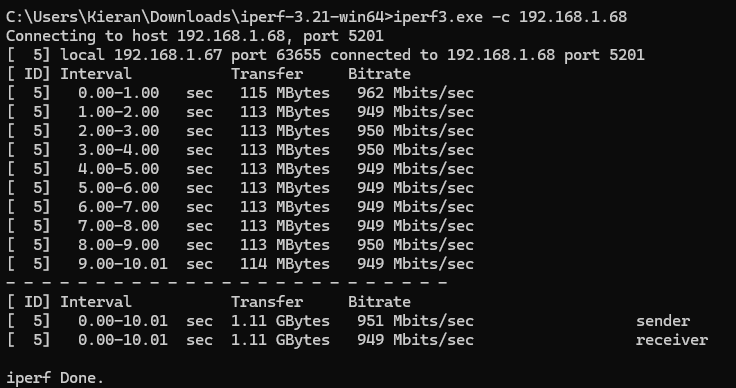
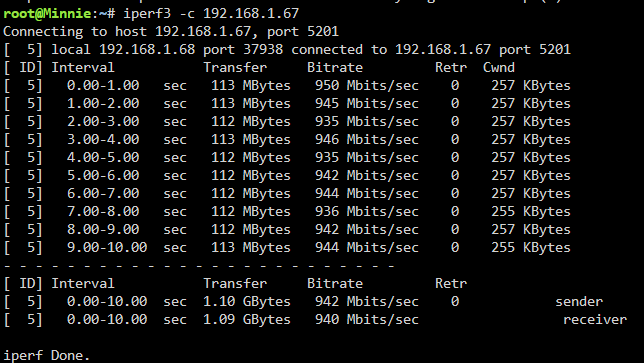
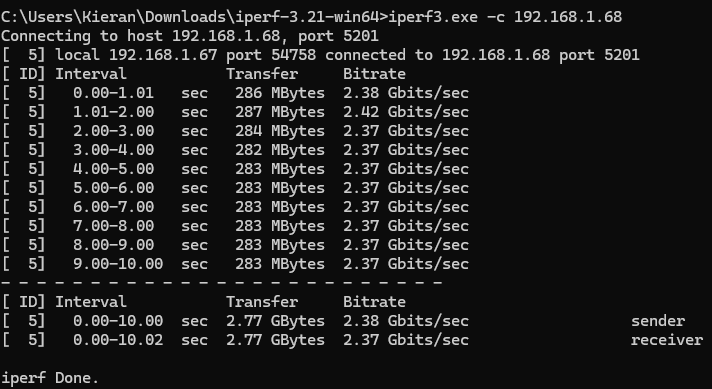
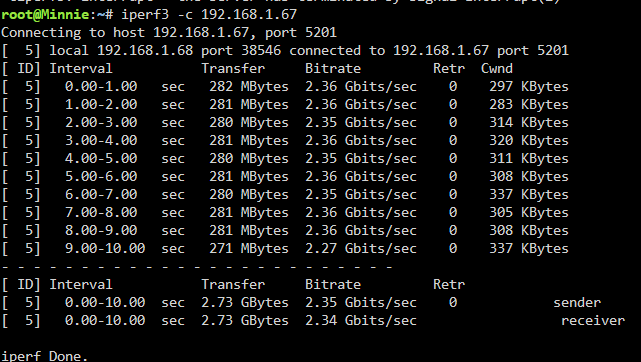
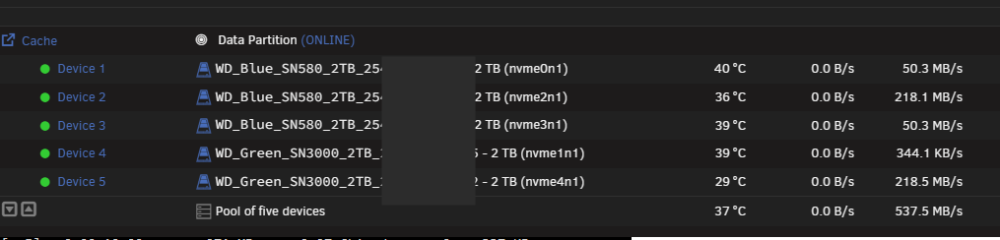
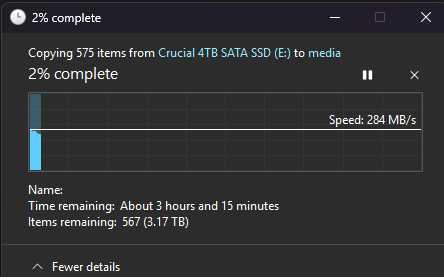
Thanks everyone for the help so far. So I've done a direct connection and it seems it's working this way. See below: Windows PC to Unraid Unraid to Windows PC I even tried connecting this to my 2.5G NIC on my Windows PC (I've just always used the Intel 1GB one): Windows PC to Unraid (via 2.5GB Windows NIC) Unraid to Windows PC (via 2.5GB Windows NIC) Can see it transferring to my Cache pool: and while there's some dips on the SMB side, although comes back up right away (assuming that could be the start of another file upload), it is consistent (I'm using the 2.5GB Windows NIC here too): I take it there is an issue somewhere in my LAN, it's just weird as my Windows PC to my Mac is working without any issues. My Windows PC to Unraid Server flow (before a direct connection): Windows (Intel 1GB NIC) --> TP-Link PowerLine Ethernet Adapters --> ISP Router --> Unraid Server --> ISP Router --> TP-Link PowerLine Ethernet Adapters --> Windows (Intel 1GB NIC) My Windows PC to Mac mini flow: Windows (Intel 1GB NIC) --> TP-Link PowerLine Ethernet Adapters --> ISP Router --> TP-Link PowerLine Ethernet Adapters --> Mac mini All these devices are on the same network. If the TP Link Powerline Adapters were the issue, I'd expect I wouldn't get full speed between my Windows PC (on Intel NIC) and my Mac mini? Same with my ISP Router? Potentially the Ethernet cable from my Windows PC to my power line adapter? But again I'm getting full speed between my Windows PC and my Mac mini, so it can't be that either? Or are they red herrings? For the direct connection, I'm even using the same cable I made last night (this is the cable used for: --> ISP Router --> Unraid Server, part of the flow before the direct connection), and it is working with it at full speed (both 1Gb and 2.5Gb) so I'm assuming it's not the cable. Really confused if I'm honest.
-
Okay got you. I will try a direct connection asap and report back the results.
-
But if nothing is happening on the LSI card (no activity to the drives in the array) at the time of testing performance, wouldn’t that be a non-issue? As the only thing using the shared bandwidth would be the NIC at that point in time?
-
Yeah unfortunately another NIC won’t work in my current setup. I have a spare x1 PCIe, but that means my other x16 goes to x2 from x4, and that other x16 has my LSI card in (PCIe 3.0 x8, but running at x4). My x16 wired to the CPU has my ASUS NVMe Hyper M.2 card. I’ll try and check this flow control.
-
Sorry this might be a stupid question, how would the direct work? My Unraid server only has one NIC, so I wouldn’t be able to connect to it to set up iperf?
-
Apologies I should have clarified, I was getting these speeds before I installed that plugin. I was hoping the plugin would fix it.
-
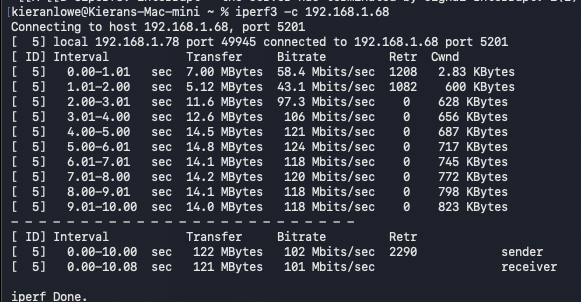
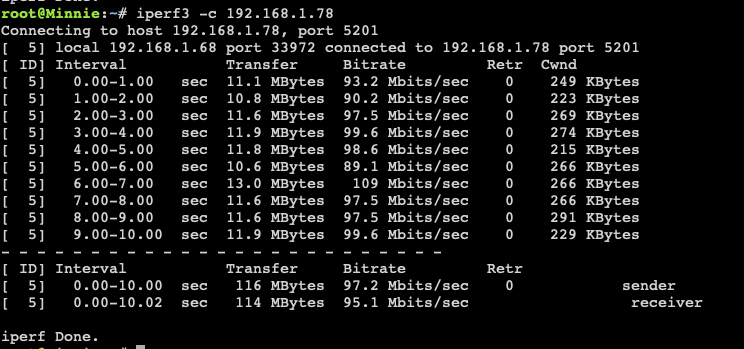
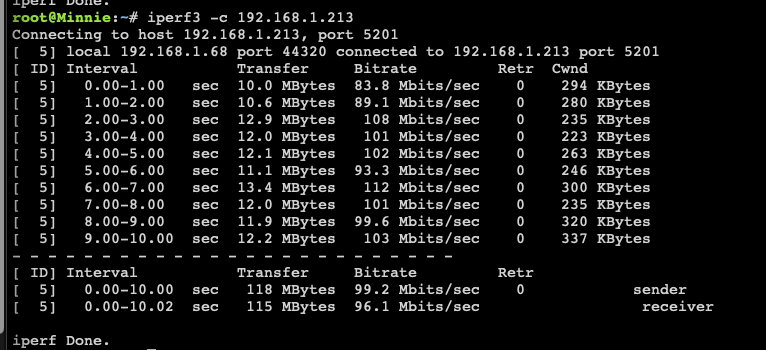
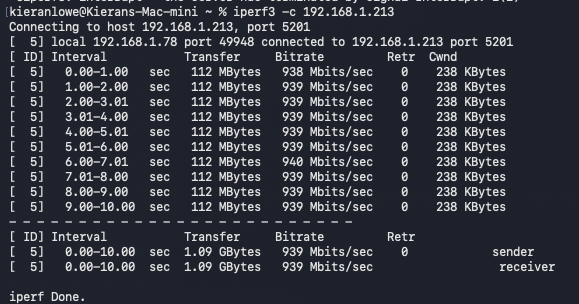
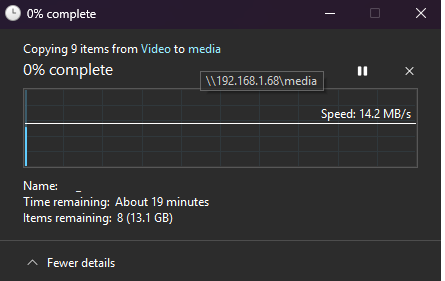
Hi everyone, Not sure what to do at this point on. I'm getting really slow network speeds to/from my Unraid server of around 10MB / 15MBs. I'm trying to move my media content from my Windows PC to my media User Share. The share targets my Cache pool first of NVME drives and then moves to the array after. But no matter what I do I cannot get above 15MBs and I have no idea what else I can do. Although the screenshot is it just starting, it hovers around 10MB / 15MBs during an upload. My basic server is as follows: CPU: AMD Ryzen 5 PRO 5655G Motherboard: ASUSTeK COMPUTER INC. TUF GAMING B550M-PLUS WIFI II with the latest 3636 BIOS RAM: 64 GiB DDR4 ECC Memory but I've also attached the diagnostics. Here is what I've done so far: Tried multiple Ethernet cables (even made one of my own) Tried using WiFi Tried installing https://ca.unraid.net/apps/rtl8125-b-pci-drivers-0gzxhir0ageou7?q=RTL8125 Checked negotiated Ethernet speed to ensure 1Gbit (although my Unraid server has a 2.5GB NIC, my router is only 1Gbit) Tried multiple Ethernet ports on the router I've ran some tests with iperf3 and here are my results: From my Windows PC to my Unraid Server: From my Unraid server to my Windows PC: From my Mac mini to my Unraid Server: From my Unraid Server to my Mac mini: It's all similar to when I'm trying to upload anything to my server. However, I also tried going from my Mac to my Windows PC and vice versa to ensure it's not my router or anything: and my Windows PC to my Mac: This looks more of what I'd expect when I upload something. Can anyone help? Or at least point me towards what I should be looking at? Cheers minnie-diagnostics-20260810-2034.zip