




-
Hey thanks so much for getting back to me, and copy that on the feature report tool. I will use that for anything else in the future! For the icons, I dug through the compose files and saw this: x-unraid: icon: ./.staxx/ddns-updater.png # was https://raw.githubusercontent.com/DiamondPrecisionComputing/unraid-templates/master/templates/img/ddnsgopher.pngI simply removed the # was and everything before it and that seemed to do it. It's a little tedious but I don't have too many containers thankfully so it only took a couple minutes to do. I'd imagine your patch essentially automates this?
-
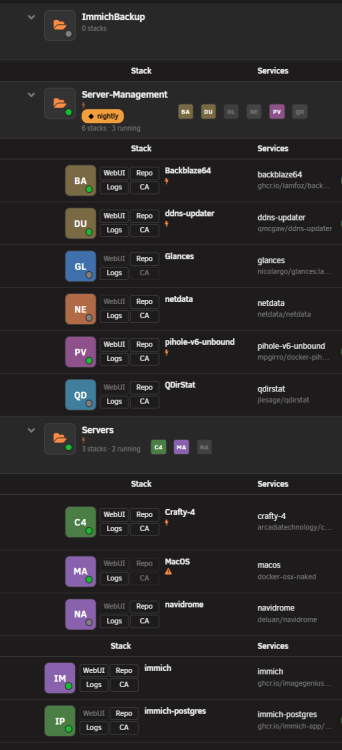
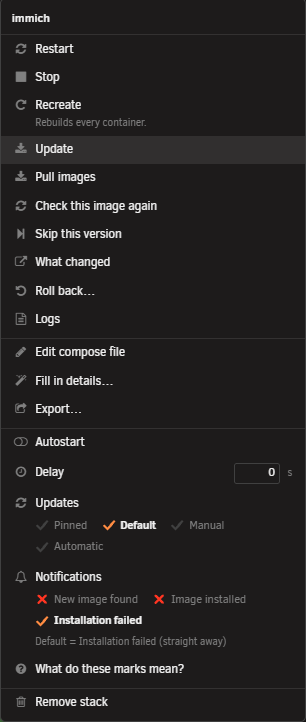
I've been using this plugin for a couple of weeks, and I'm loving it so far! Just a couple of things: -I have been trying to put my Immich containers in the ImmichBackup folder, but I can't seem to be able to do so. Dragging and dropping them into the folder (Which would make sense to me to do) only seems to give me the "Only .staxx files can be dragged and dropped". I checked the documentation for working with folders, and it seems to state that there should be an option to move stacks to a folder in the Stack Actions, which does not seem to be present for me. I think for this specifically, I'd like to be able to drag and drop stacks into folders, or if that's not possible, let me select the stacks and give me an option at the top right to add them to a folder. -I accidentally deleted the data store out of my appdata folder, and was able to recover it from the boot drive. However, all of the containers that had icons no longer do. Is there an easy way to recover those icons? -Lastly, I'd love to be able to see my Container and LAN IPs and ports, as well as Volume Mappings at a glance, same as the Unraid Docker page. I think all of that info should be able to be hidden for folks who don't need to see all of that. I am running Version 00.05.02. Thanks for all the great work!

View in the app
A better way to browse. Learn more.

