njitram2000
Members
-
Joined
-
Last visited
Everything posted by njitram2000
-
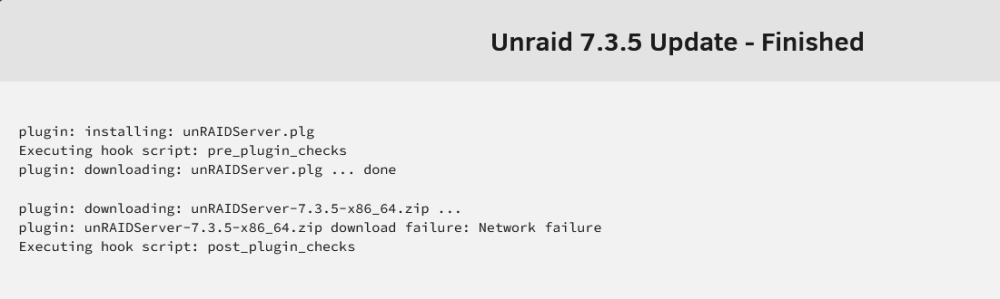
So, for completeness: The update window screenshot I posted was everything. I just cut out the orange DONE button. Which is weird since it took about a minute to be "done" while the download should not have timed out in that period. I tried updating again right after I noticed that the speed was back to normal and it still failed in the identical way. I tried again now, several hours later and the whole update went smoothly. So it's resolved but I'm not quite sure how this attempt was different from my last one. Regardless, I have learned a lot about debugging this process so thank you for that! In case it helps anyone, I have attached my most recent syslog from after the successful download but before the restart to apply the update. It contains all attempts except the very first one (which is in my first diagnostics above) syslog.txt
-
The download via wget is now fast on my unraid server but the update still fails with the same error
-
If found the attempt to download the update zip in the logs. I tried to wget it from the server via SSH and it is insanely slow wget https://stable.dl.unraid.net/7.3.5/f0d512ce49b854cb67a789b89b22c5d5f2112145646713b3b1a0455279201a6a/unRAIDServer-7.3.5-x86_64.zip 1.62M 6.40KB/s eta 25h 45m I did a speedtest via SSH with docker run -it --rm --net host phlak/speedtest Speedtest by Ookla Server: Telenet BV/SRL - Antwerp (id: 69735) ISP: Telenet Idle Latency: 12.45 ms (jitter: 1.85ms, low: 12.10ms, high: 15.83ms) Download: 478.84 Mbps (data used: 519.0 MB) 45.48 ms (jitter: 23.82ms, low: 11.80ms, high: 327.46ms) Upload: 28.35 Mbps (data used: 25.4 MB) 33.95 ms (jitter: 29.02ms, low: 5.41ms, high: 591.77ms) Packet Loss: 0.0% Result URL: https://www.speedtest.net/result/c/4340fea4-4a21-4434-bb74-fd6b40fad71fSo it's not my internet being that slow
-
Oh, I looked right past that line. Here are the diagnostics. I have no idea where to start looking in this but I'd like to learn. theowl-diagnostics-20261111-1528.zip
-
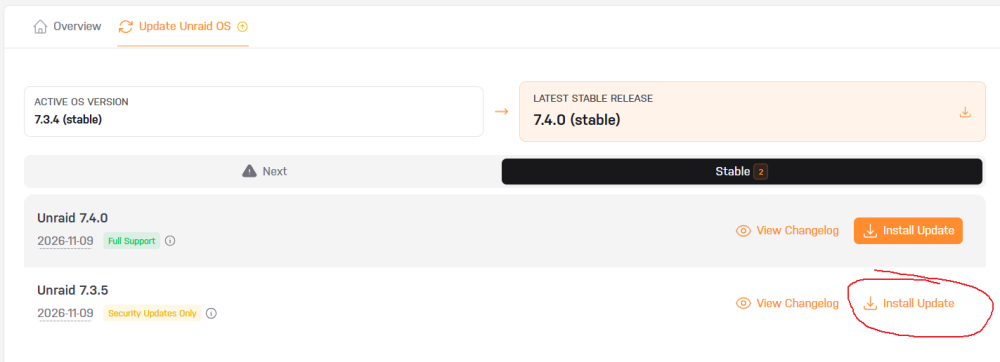
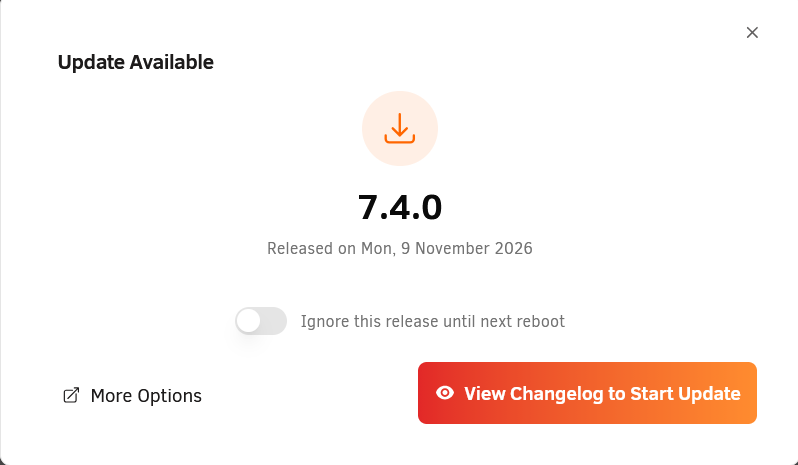
I am running unraid 7.3.4 and both 7.3.5 and 7.4.0 are available to update to. But I want to update to 7.3.5 and wait for 7.4.x to prove to be stable. The usual upgrade cycle that I'm used to is clicking update in the top left, it downloads it in a popup with a DONE button at the end and then the prompt in the top left is replaced with "reboot to install update". In this case, I have to specifically pick the non-default version: Then it downloads as expected: But after that it just returns to promoting the 7.4.0 update which is where I started. I have tried rebooting but that does nothing. There is nothing in my notifications panel and I encounter no errors while trying this.