Jester0280
Members
-
Joined
-
Last visited
Everything posted by Jester0280
-
Hello, I downloaded the plugin, version 1.104.7. In the Tailscale section, I click log in, but it just loads, then nothing happens. I rebooted my server, also hit force reauthentication. Still doesn't even launch anything to log in. I used Brave origin, also tried it on Edge in case Brave was blocking something. Still not allowing me to log in. Desktop-tailscale-diag-20261124-132248.zip
-
That was it, Jorge! I wouldn't have thought to even look at the MOBO manual cause I knew it worked before. Thank you!
-
As soon as I unfuck my pool I'll end up doing this. Did you figure it out?
-
Hey, Thanks for the quick reply. Here's the Diag zip. desktop-diagnostics-20261123-2216.zip
-
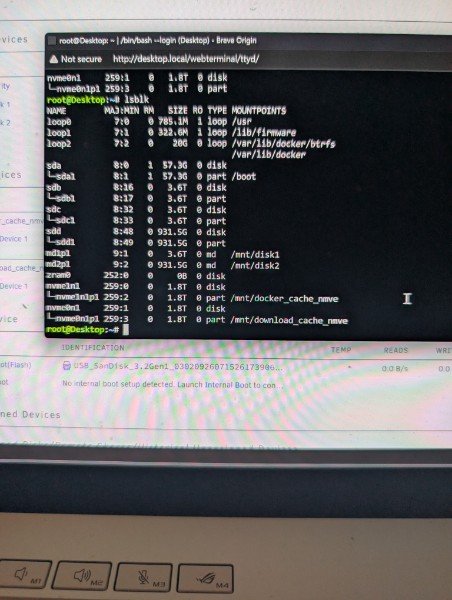
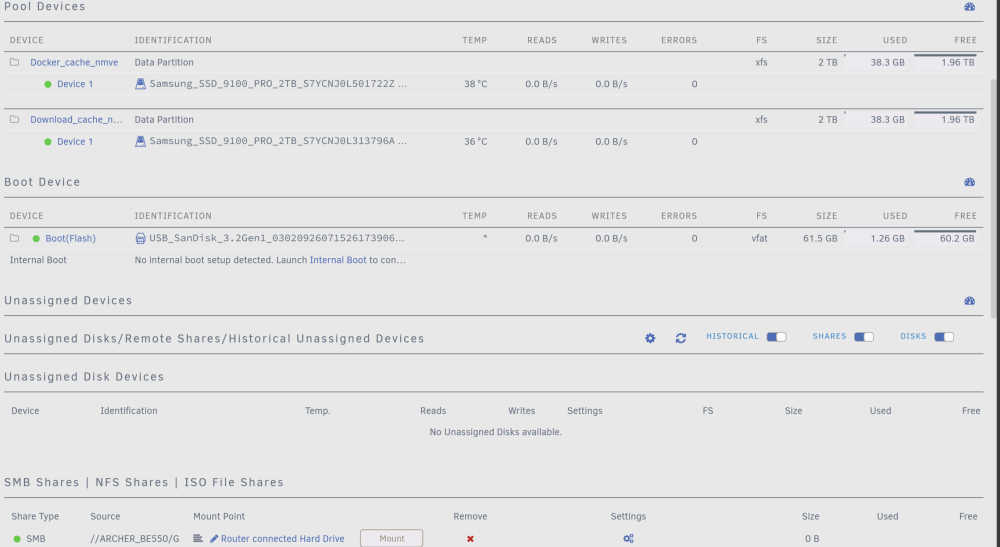
New to Unraid. Looking for some help, please. My setup: 4TB Parity; 5TB thru two HDDS data; 2TB NVME docker cache/app pool; 2TB download pool; USB OS. So, I followed the instructions on the Unraid page, but being a newb, I didn't know the cache pool would do raid. To start, I initially set this up with two different Samsung SSDs as my cache pool. One 256GB Pro and one 1TB Evo; obviously, it only used 256 between the two for cache. Opps. I erased/removed that pool and purchased the 2 NVME SSDs and programmed those in as my cache. Now, I am trying to re-add those two SATA SSDs back and use those as pool devices as well, but stand-alone for different purposes. Unraid can't find them, though. I removed them and connected them to a Windows laptop and ran diskpart and cleaned them both. Once I reinstall them and boot and run the array, I can run LSBLK, and I see they're still mounted as MD1p1/MD2P1 as the name. I can unmount disk 2, but not 1. When I stop the array, they both fall off when I run LSBLK with the array deactivated. So it's like they're still a part of the pool. But how? I even ran a CLEAN on both on a separate computer....I obvously don't know what I'm doing. Any advice? Thanks