




Skip to content
View in the app

A better way to browse. Learn more.

Unraid

A full-screen app on your home screen with push notifications, badges and more.

To install this app on iOS and iPadOS
  1. Tap the Share icon in Safari
  2. Scroll the menu and tap Add to Home Screen.
  3. Tap Add in the top-right corner.
To install this app on Android
  1. Tap the 3-dot menu (⋮) in the top-right corner of the browser.
  2. Tap Add to Home screen or Install app.
  3. Confirm by tapping Install.

Dodose

Members
  • Joined

  • Last visited

Everything posted by Dodose

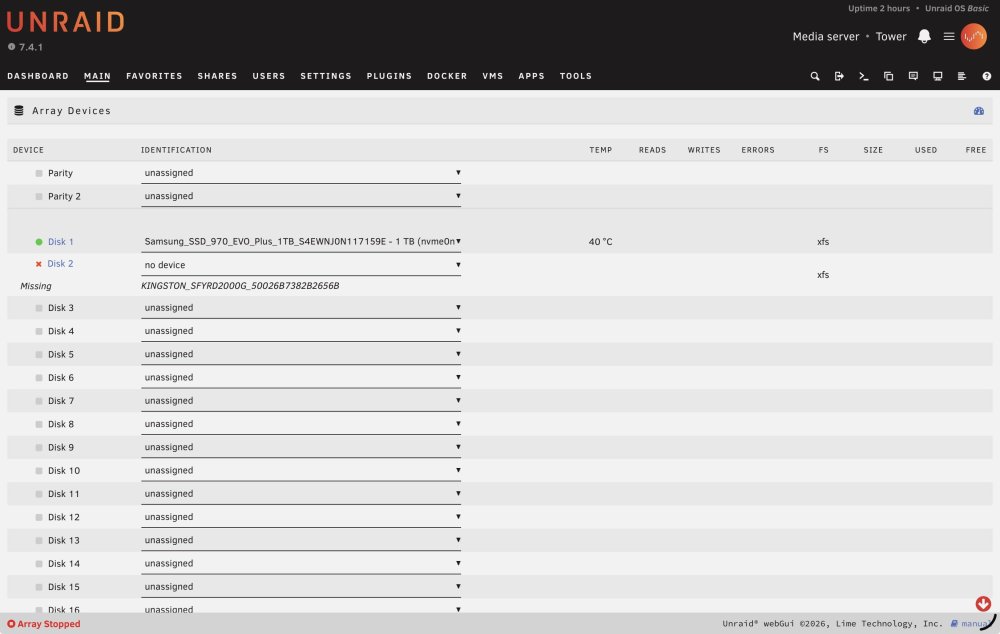
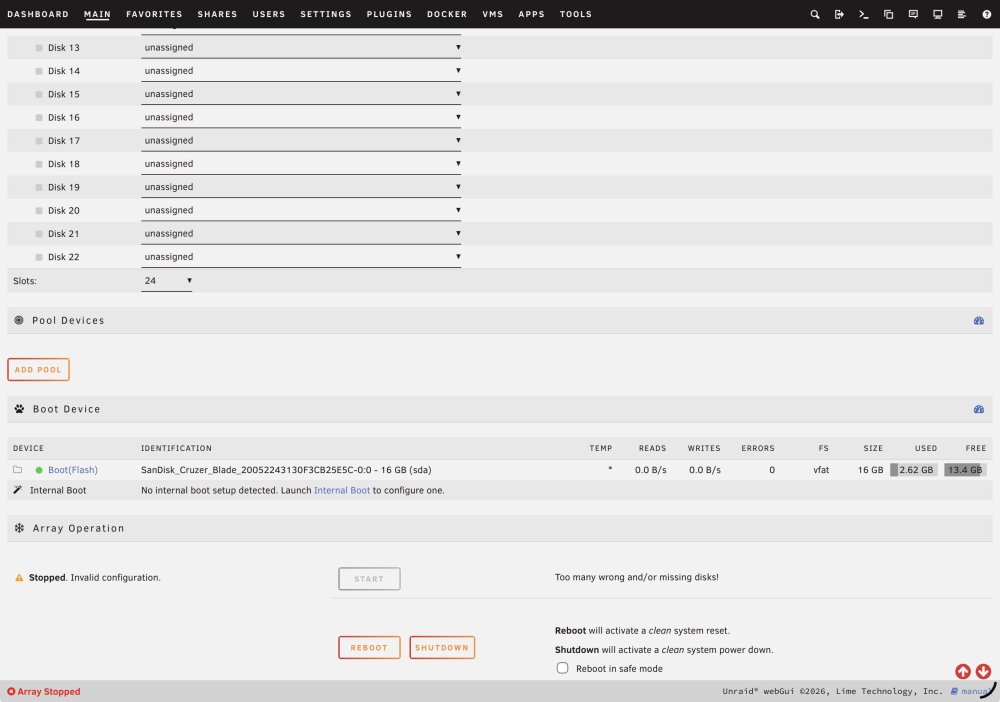
  1. I have moved my Unraid USB-boot disk and my disk array (build of 2 M.2 SSD disks) to a new server (with almost same hardware: Asus motherboard, Intel i7 processor,…etc). I’ve stopped the array before moving the disks. The new server boot normally, but when I’m looking at Disk Array it say that Disk 2 is missing!! In contrast Disk 1 appears and it shows green prick. Any idea how to fix the problem to get back the disk array? Thanks in advance
Account

Navigation

Search

Search

Configure browser push notifications

Chrome (Android)
  1. Tap the lock icon next to the address bar.
  2. Tap Permissions → Notifications.
  3. Adjust your preference.
Chrome (Desktop)
  1. Click the padlock icon in the address bar.
  2. Select Site settings.
  3. Find Notifications and adjust your preference.