





Chobie
Members
-
Joined
-
Last visited
-
Thanks peter, I went into unraid network settings and forced a change so that it saved a new copy of the network.cfg. Everything is now working when I connect to the VPN and I can access the web again! Thanks again.
-
ifconfig: root@Takoyaki:~# ifconfig docker0: flags=4099<UP,BROADCAST,MULTICAST> mtu 1500 inet 172.17.0.1 netmask 255.255.0.0 broadcast 0.0.0.0 ether 02:42:75:a1:81:7b txqueuelen 0 (Ethernet) RX packets 0 bytes 0 (0.0 B) RX errors 0 dropped 0 overruns 0 frame 0 TX packets 0 bytes 0 (0.0 B) TX errors 0 dropped 0 overruns 0 carrier 0 collisions 0 eth0: flags=4163<UP,BROADCAST,RUNNING,MULTICAST> mtu 1500 inet 192.168.1.77 netmask 255.255.255.0 broadcast 192.168.1.255 ether 9c:b6:54:04:5e:a2 txqueuelen 1000 (Ethernet) RX packets 463288 bytes 539603983 (514.6 MiB) RX errors 0 dropped 0 overruns 0 frame 0 TX packets 461869 bytes 536684656 (511.8 MiB) TX errors 0 dropped 0 overruns 0 carrier 0 collisions 0 device interrupt 18 lo: flags=73<UP,LOOPBACK,RUNNING> mtu 65536 inet 127.0.0.1 netmask 255.255.255.255 loop txqueuelen 1 (Local Loopback) RX packets 16414 bytes 3105305 (2.9 MiB) RX errors 0 dropped 0 overruns 0 frame 0 TX packets 16414 bytes 3105305 (2.9 MiB) TX errors 0 dropped 0 overruns 0 carrier 0 collisions 0 tun0: flags=4305<UP,POINTOPOINT,RUNNING,NOARP,MULTICAST> mtu 1500 inet 10.8.0.1 netmask 255.255.255.0 destination 10.8.0.1 unspec 00-00-00-00-00-00-00-00-00-00-00-00-00-00-00-00 txqueuelen 100 (UNSPEC) RX packets 549 bytes 42122 (41.1 KiB) RX errors 0 dropped 0 overruns 0 frame 0 TX packets 9 bytes 810 (810.0 B) TX errors 0 dropped 0 overruns 0 carrier 0 collisions 0 Screenshots attached. Not sure why my network.cfg is so different, I upgraded from 6.1.9 to the latest 6.2 beta just this morning.
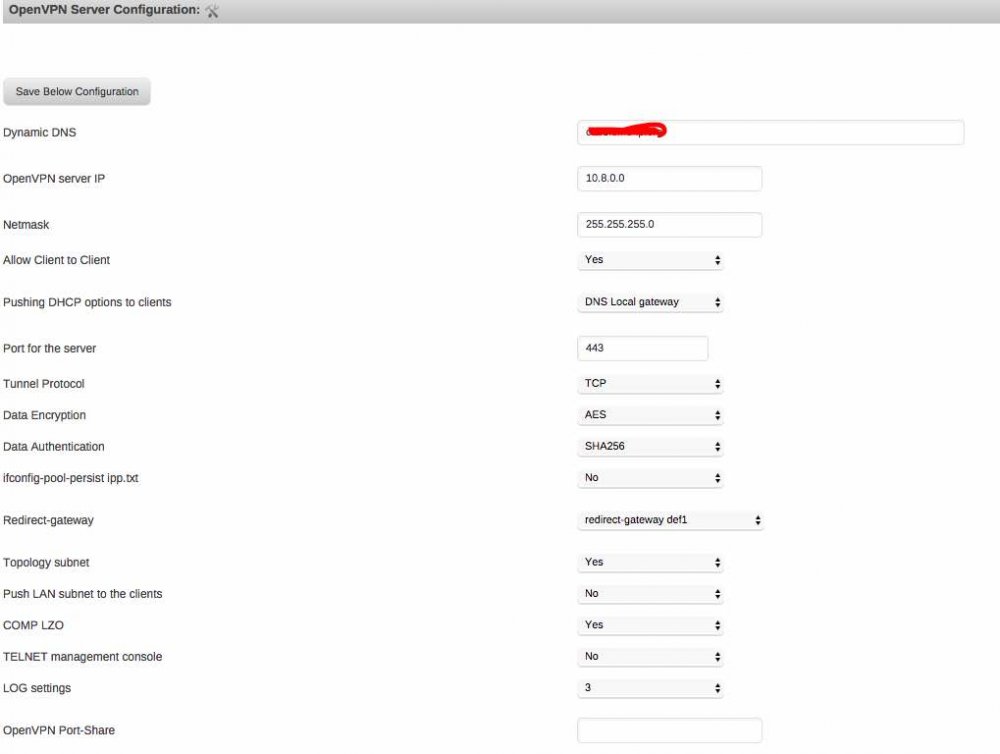
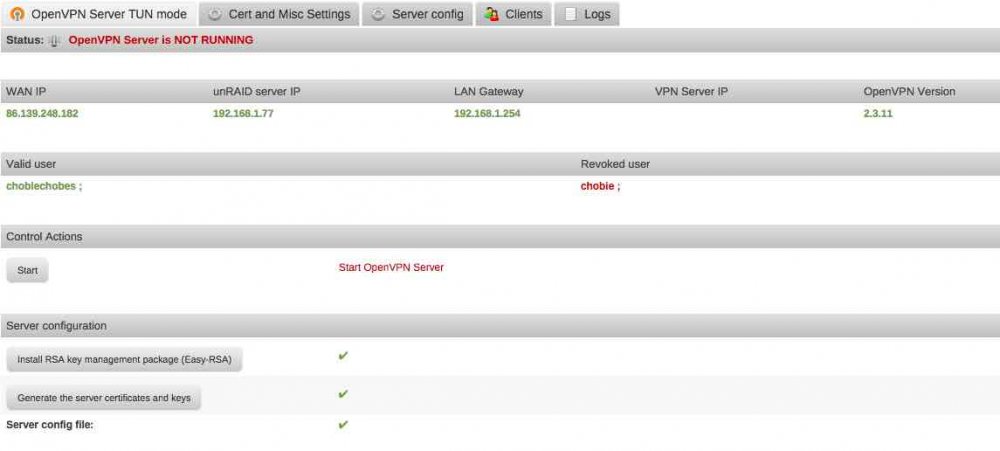
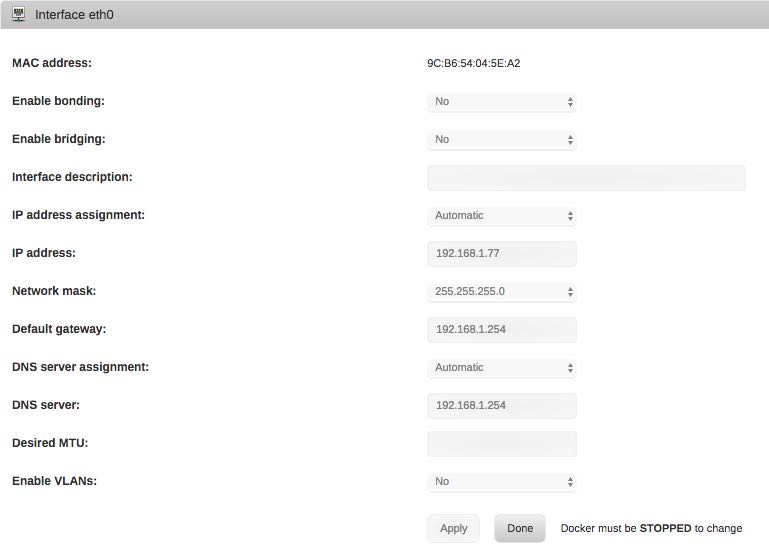
-
I have the same issue as archedraft. After I connect to openVPN I can only access local addresses via IP such as my router and unraid GUI, anything that goes out to the internet fails to work. I am currently on 6.2.0-beta23 and 2016.06.15 of openVPN server. Here is my network.cfg if that helps # Generated settings: USE_DHCP="yes" IPADDR="192.168.137.30" NETMASK="255.255.255.0" GATEWAY="192.168.137.1" DHCP_KEEPRESOLV="no" DNS_SERVER1="192.168.137.1" DNS_SERVER2="" DNS_SERVER3="" BONDING="no" BONDING_MODE="1" Any help would be great, thanks!


