cbetlyon
Members
-
Joined
-
Last visited
-
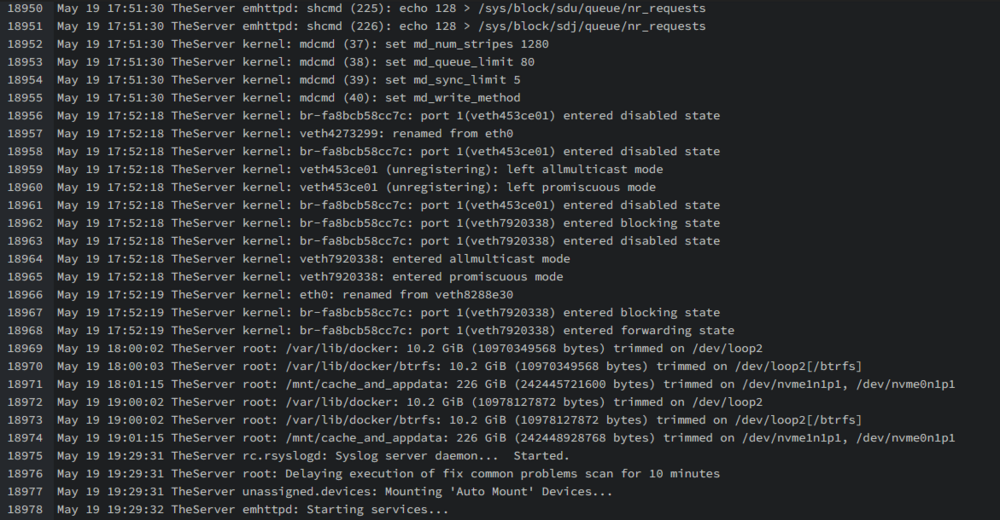
i have been running unraid since 6.2. many hardware and software iterations over the years i feel like i have run into every issue possible. THIS TIME has me stumped. previous to this my server was rock solid. i then upgraded to 7.0.1..... and proceed to upgrade hoping that the new builds would fix my issues. i knew better. Symptoms: -Full system crash <24hrs. no real pattern. -Display output goes dark so nothing on pi-kvm -Syslogs show nothing of note prior to crash Hardware: ASUSTeK COMPUTER INC. ProArt B650-CREATOR , Version Rev 1.xx AMD Ryzen 9 7900X 64gb ram (4x 16 GiB DDR5 @ 5600) Intel Corporation 82599 10 Gig PCi card NVIDIA RTX A2000 drive:v570.153.02 trouble shooting steps: -memtest passed after 12 passes, at 5600mhz -remove all non mission critical plugins. -disable all VMs -disable any extra docks -bios reset, and made sure to disable C-States -disable onboard realtec nics in the bios, this was a issue a while back with this chip set. -disable and remove all bridge and bonding from network configs. -rebuild and replace USB. -GPT thinks pcie_aspm=off iommu=pt to mitigate PCI issues with the new kernel (TBD testing) Syslog screen shot. reboot triggered after crash at 19:29 Any Help would be amazing. I'm out of ideas theserver-diagnostics-20250519-2025.zip