





thebignoob
Members
-
Joined
-
Last visited
Everything posted by thebignoob
-
Looks like I spoke too soon, attaching another diagnostic bundle. Seems that mover has gone zombie in this case. hts-diagnostics-20220812-1138.zip
-
Hey @Squid, just following up now that I'm nearing 12 days of uptime. I think what had happened was that when I moved from a 3900X to a 5950X, my Typical Idle Power Supply (and subsequently, all my bios settings) value reverted to auto. Marking this as the solution since the issue would have exhibited itself by day 6-8. Thanks again from the prompt reply!
-
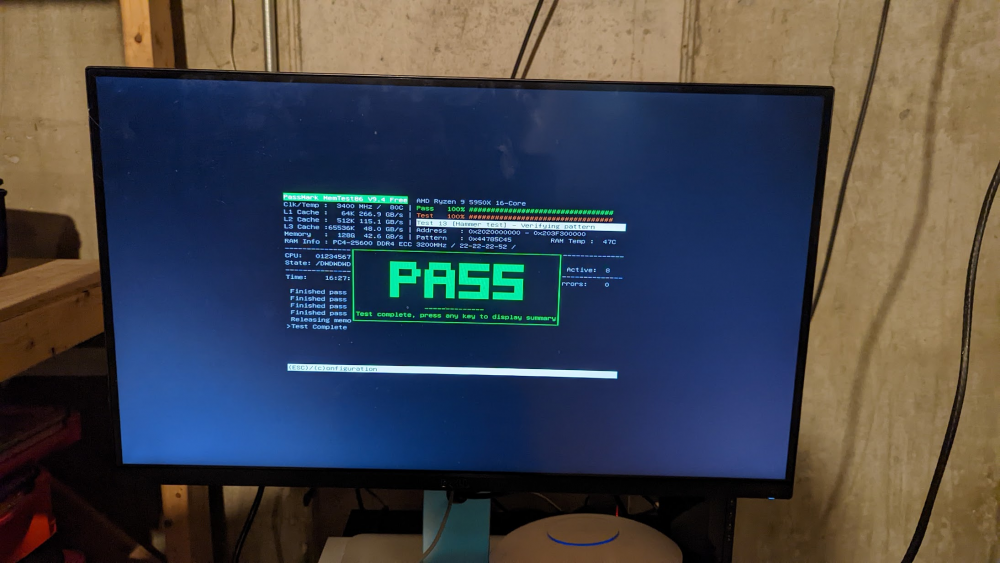
Hey Squid, Thanks for having a look for me. I've gone through and double checked my bios settings. Power Supply Idle Control was set to Auto, but it is now set "typical current idle" if I read that FAQ correctly. As for the RAM, here's what is in the machine: https://nemixram.com/128gb-4x32gb-ddr4-3200-pc4-25600-ecc-udimm-memory/ While there isn't an XMP profile present, I will go ahead and let everything to set on what it decides to boot at (Auto). For what it's worth, it did pass 4 passes of memtest86 with simply setting the Frequency to 3200MT. I'll let you know how things go, thanks again for the suggestions!
-
As the title says, containers go unresponsive, the rest of the array won't stop. Poweroff restarts it eventually, but it comes back up in a dirty state. Kind of tearing out my hair on this one. I've attached the diagnostics. One thing that is worth mentioning is that it appears my mover process went zombie on the 19th (and likely won't be in the diagnostics because I force killed it) Any thoughts would greatly be appreciated! hts-diagnostics-20220722-1855.zip
