





sazrocks
Members
-
Joined
-
Last visited
Everything posted by sazrocks
-
Done, except for migrating to 6.12. I see way too many issues with that here in these forums and I can't afford to deal with that right now. It's not connected. I went ahead and turned off the daemon. This is not really an option. It takes the better part of 10 days for the issue to manifest after a reboot, and the primary purpose of this server is to run a number of services using docker. I might as well just have the server turned off for 9 days. Is there any way at all to investigate if docker is the problem without rendering my server useless for a week? I also went ahead and rebooted so that at least my VM can run. Will post here again if the issue recurs.
-
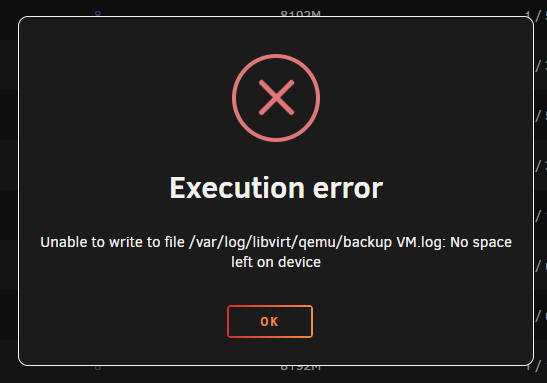
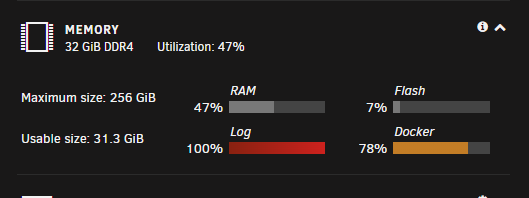
@dlandonTried to start up a VM today and got the message that it couldn't because there was no space left on the log device: /var/log is indeed completely full: I was able to get the diagnostics downloaded, and have attached them to this post. I have *not* rebooted yet, so the system is still in this state if we need to do any further investigation. tower-diagnostics-20230629-0106.zip
-
Makes sense. I’ll monitor the log now that I’ve disabled mover logging and will post diagnostics if/when it happens again. Unfortunately I run a number of services not only just for myself that I try to minimize downtime for, so turning off all docker containers would be something I’d like to save for later if possible. You say you saw some logs from a minecraft docker that don’t look right, is this the message you’re talking about? This is one of my currently running containers, not sure what the message means exactly. I haven’t had any strange behavior from the container.
-
Working on it already: I'll update the containers and try turning off mover logging. Are you saying the stale file handle messages are from the mover? I have time machine enabled for that share in anticipation of potentially using it with time machine, but I don't have anything actually using it for time machine. NFS is disabled for all shares.
-
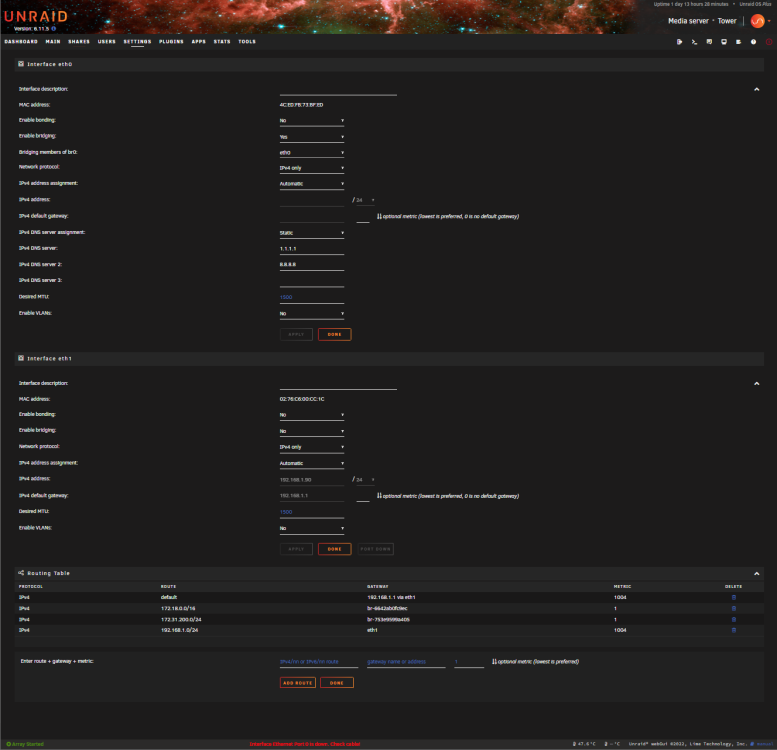
I'm sorry, I must be missing something obvious but how do I do that on this page? The 2.5G NIC is being set as eth1 in this SS, I want it to be eth0.
-
Here we go, about 2GB of ram and 40 minutes later, here are the diagnostics: tower-diagnostics-20230617-2056.zip
-
Unraid version: 6.11.5 I have two NICs in my system; a 1G NIC built into the motherboard which is unused, and a 2.5G NIC on an external card which is the primary network connection. Originally, I had the 2.5G NIC setup as eth0 and the 1G NIC setup as eth1, which bridging, etc. turned on on eth0 for my VMs. However I discovered that after a reboot my VM wasn't able to connect to the network and upon further investigation it seems that the NICs have switched places, with the 1G NIC becoming eth0 and the 2.5G card becoming eth1, which has bridging disabled. Is there a way to lock a NIC to a particular interface so that it doesn't change at reboot?
-
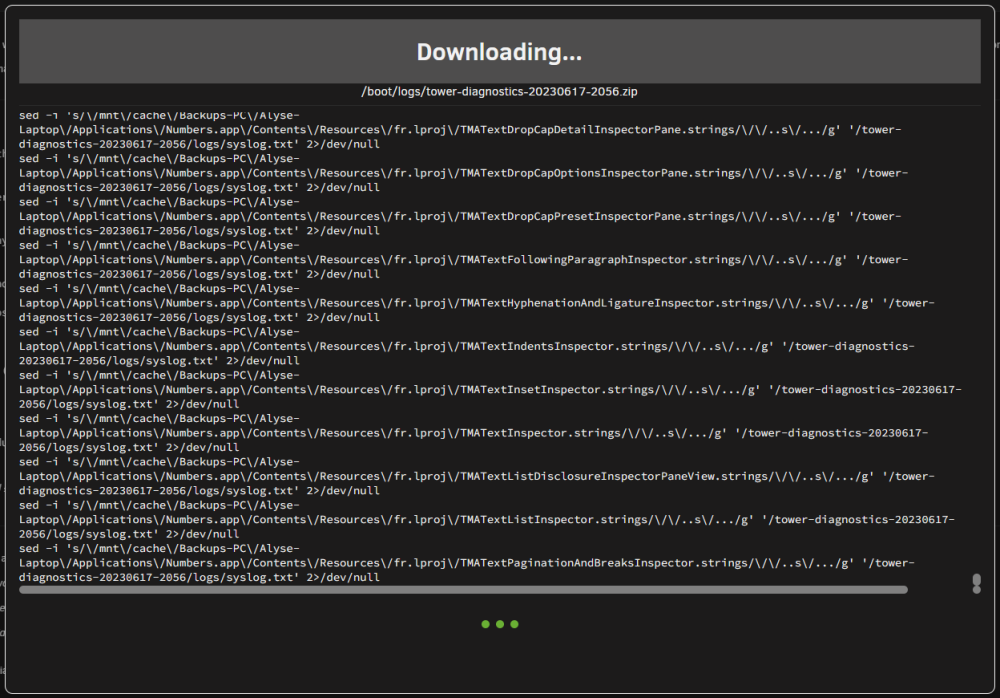
Trying, but every time I try to download the diagnostics the tab in chrome eventually crashes with an out of memory error. Trying now on Edge, but it's been probably about 20 minutes so far with memory usage slowly increasing. Seems like it's trying to run sed on a bunch of files in my cache drive: If it ever finishes I'll go ahead and upload the diagnostics.
-
My logs are being spammed with messages about a "Stale file handle" to the point that /var/log is 100% filled and I have to restart my server. Here's an excerpt: Jun 16 04:40:16 Tower root: Cannot stat file /proc/10916/fd/278312: Stale file handle Jun 16 04:40:16 Tower root: Cannot stat file /proc/10916/fd/278314: Stale file handle Jun 16 04:40:16 Tower root: Cannot stat file /proc/10916/fd/278316: Stale file handle Jun 16 04:40:16 Tower root: Cannot stat file /proc/10916/fd/278318: Stale file handle Jun 16 04:40:16 Tower root: Cannot stat file /proc/10916/fd/278321: Stale file handle Jun 16 04:40:16 Tower root: Cannot stat file /proc/10916/fd/278322: Stale file handle Jun 16 04:40:16 Tower root: Cannot stat file /proc/10916/fd/278324: Stale file handle Jun 16 04:40:16 Tower root: Cannot stat file /proc/10916/fd/278326: Stale file handle Jun 16 04:40:16 Tower root: Cannot stat file /proc/10916/fd/278329: Stale file handle Jun 16 04:40:16 Tower root: Cannot stat file /proc/10916/fd/278330: Stale file handle Jun 16 04:40:16 Tower root: Cannot stat file /proc/10916/fd/278331: Stale file handle Jun 16 04:40:16 Tower root: Cannot stat file /proc/10916/fd/278335: Stale file handle Jun 16 04:40:16 Tower root: Cannot stat file /proc/10916/fd/278337: Stale file handle Jun 16 04:40:16 Tower root: Cannot stat file /proc/10916/fd/278338: Stale file handle Jun 16 04:40:16 Tower root: Cannot stat file /proc/10916/fd/278339: Stale file handle Jun 16 04:40:16 Tower root: Cannot stat file /proc/10916/fd/278342: Stale file handle Jun 16 04:40:16 Tower root: Cannot stat file /proc/10916/fd/278799: Stale file handle Jun 16 04:40:16 Tower root: Cannot stat file /proc/10916/fd/278800: Stale file handle Jun 16 04:40:16 Tower root: Cannot stat file /proc/10916/fd/278802: Stale file handle Jun 16 04:40:16 Tower root: Cannot stat file /proc/10916/fd/280171: Stale file handle Jun 16 04:40:16 Tower root: Cannot stat file /proc/10916/fd/280172: Stale file handle How can I fix this and/or stop it from filling up my logs?

