Max3dmoon
Members
-
Joined
-
Last visited
Everything posted by Max3dmoon
-
Ok so I did that and ended up crashing a few minutes ago....the log is gibberish to me but I'm surprised to see tons of errors hours before the crash (Sept 27 AM but I crashed in PM) Any idea what could be the culprit ? syslog-192.168.1.175.log
-
Interesting, thanks ! There has been a new development, a few hours after posting my last message I came back to find my unraid server completely unresponsive. Had to do a hard reboot. Grabbed the diagnostic after the hard reboot, do you see anything that could explain what is going on ? The server is currently doing a parity check and in // I also started a extended SMART test (still ongoing) on the unmounted drive that failed the pre-clear. Once the parity and the extended SMART is complete, I'll probably reboot and do another memtest. [ I had an unraid build for years with not a single issue (with containers, VM etc.) and this new build is giving me so much headaches ! 🥴 ] tower-diagnostics-20220923-2029.zip
-
Here it is, thanks JorgeB. Really appreciate you putting the time 🙏 tower-diagnostics-20220923-1901.zip
-
Sorry I should have mentioned it, I did an extensive memtest and it came back with zero errors
-
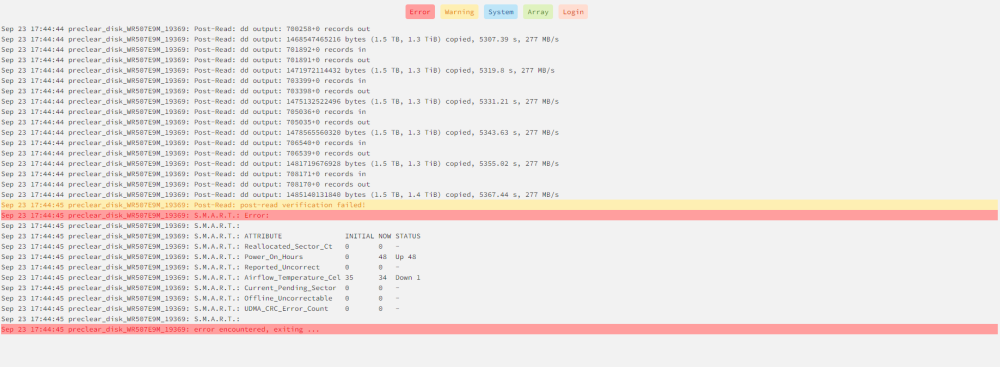
Hi, Was pre-clearing a new HDD and got that: What are my options please ? Or should I just send back the HDD ?