





Crüx
Members
-
Joined
-
Last visited
-
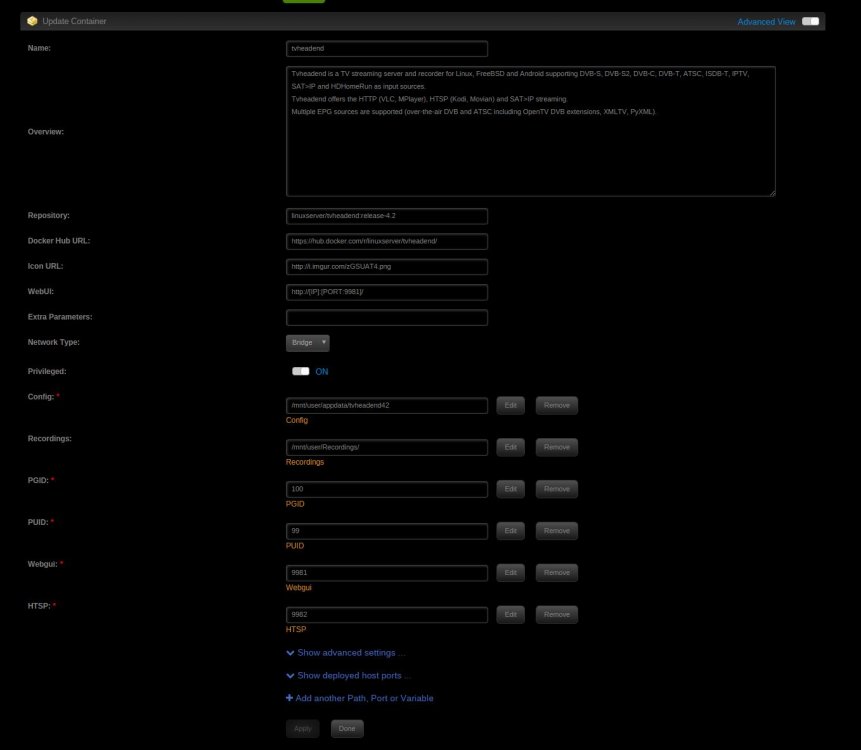
Here Screenshots of my configuration. Is that right so and can make updates with these I stay on 4.2? Thanks for you help.

-
Ok Thanks, it works. But I have one question about this. Now in the unraid webui it shows me an possible update for this docker. What is happpening when i make this update. Get I 4.3 or is this an update for 4.2?
-
@j0nnymoe I think you are right. I've found a thread in a german forum about this topic. There is a problem with the tvheadend 4.3 and Kodi Krypton (PVR.HTS). so can someone tell me how I can install an older version of this docker?
-
Thanks for your reply. Yes the recordings are from the new tvheadend instance. There are no old recordings in the folder.
-
Hi, I have a little Problem with this docker app. I am trying to look the Recordings over the Kodi tvheadend addon, but i can't see an Recording. The Display is empty. Everything else works correct. I can see Live TV over the Addon. When i go over Windows an tha Samba share there is the recording an i can play them with a player. Do you have any idea what i can do to play the recordings over the kodi tvheadend addon? Thanks.

