tcarlsson90
Members
-
Joined
-
Last visited
Everything posted by tcarlsson90
-
Did check the other posts. But can't get it to work Did setup the ports and all, but still ERR_CONNECTION_REFUSED. Also tried restart the computer and cleaned browser history.


-
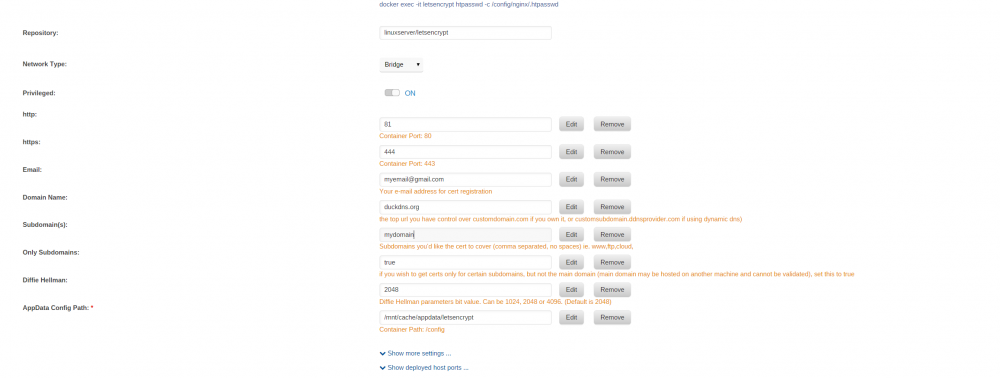
Hello! Im having some issues getting Let's Encrypt to work. I have set it all up and the container starts. But as soon im trying to access it, im getting the error: " This site cannot be accessed. ERR_CONNECTION_REFUSED." Tried opening these ports: 80,81,443,444 basically tried every port in the spectrum Nothing working tho. When trying to setup 443 and 80 i cant acess lets encrypt, it goes directly to Tower. So read somewhere that i should try 81 and 444 but that dosent work either. Is it something im missing or doing wrong? Would love some help with this ( Bit of a noob still on unraid)